The larger agencies and businesses get, the more common pain point is being able to scale while keeping the customer accounts consistent and, at the same time, eliminating the amount of time it takes for setup. Setting up a new client every time a business gets a new customer is time-consuming: rebuilding funnels, workflows, email campaigns, pipelines and automations.
This is exactly when GoHighLevel Snapshots become invaluable.
Snapshots are one of the most powerful features of the platform. Instead of using hours or days to re-create assets, businesses can instantly duplicate entire business systems and run them on multiple accounts for instant scale.
According to Salesforce State of Sales, 83% of sales teams with AI adoption reported revenue growth compared to 66% of teams without AI. As organizations increasingly invest in automation and scalable systems, standardizing workflows and deployment processes has become a critical priority. This is where GoHighLevel Snapshots provide significant value by helping businesses replicate proven sales and marketing systems across multiple accounts.
For agencies, consultants, and other businesses using the GoHighLevel CRM Solutions Services, Snapshots are a powerful tool to scale marketing and sales infrastructure without sacrificing standards across accounts.
In this article, we will discuss what GoHighLevel Snapshots are, how they work, what they transfer, what they do not transfer and how organizations utilize them to grow and operate more efficiently.
What is a Snapshot?
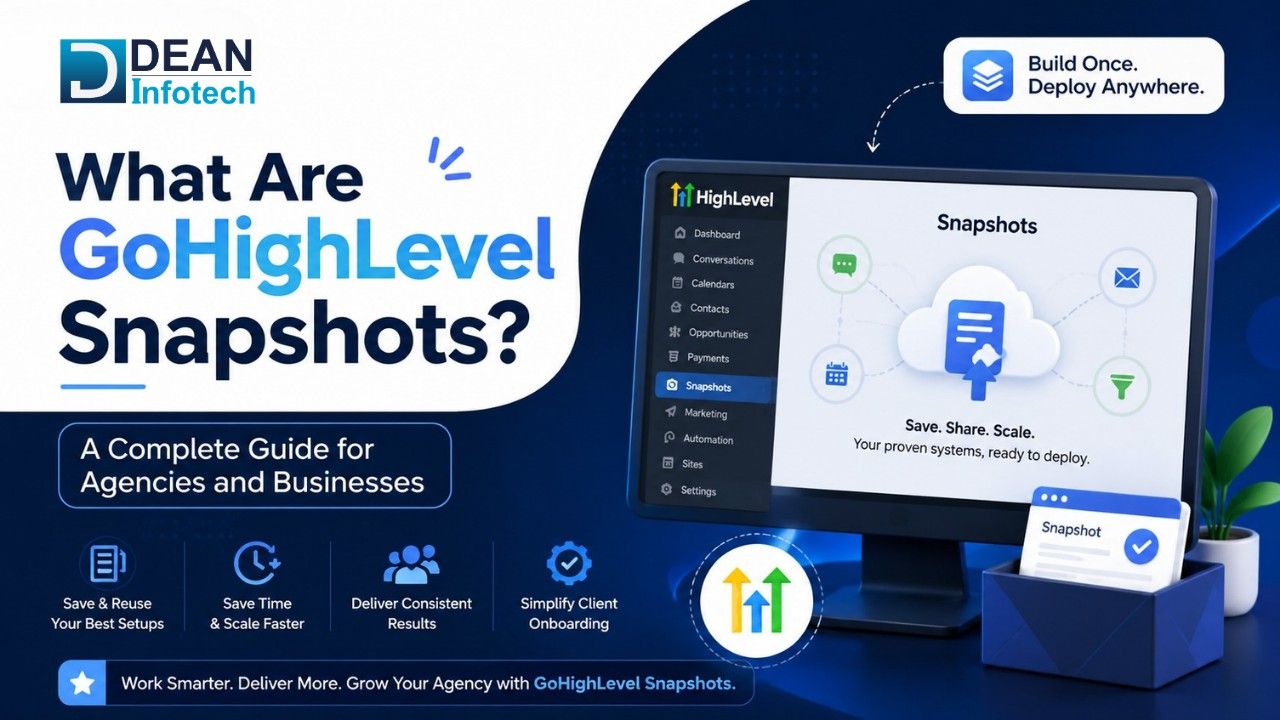
A GoHighLevel Snapshot is an easily duplicated bundle of selected assets, settings, workflows, and configurations from an account.
Imagine a Snapshot as your web browsing history. Instead of manually recreating:
Initial discoveries in sales pipelines
Bit management workflows
Conduits
Email campaigns
Forms
Sequences for automation
You can keep these elements in a Snapshot and then apply the Snapshot to a different account. It enormously cuts implementation time and guarantees consistency of delivery across several projects, clients, or business locations. When agencies have several customers, Snapshots are currently one of the most efficient ways to scale service delivery.
Why Snapshots Matter
Without Snapshots, getting new clients established can be a lengthy and redundant exercise.
Teams may need to:
Rebuild funnel
To set up workflows
Set up pipelines
Create forms
Setup automations
For each fresh account
This simple approach will also save a lot of work because, having snapshots readily available, the pre-built systems can be installed immediately.
Often, organizations leveraging GoHighLevel Marketing Automation will use Snapshots to clone effective automation architectures into numerous accounts to ensure consistency.
Key Benefits of Snapshots
Faster Client Onboarding
Snapshots greatly decrease the amount of time needed to create a new client account.
Rather than making agencies wait for days with mandates to configure their systems, they can have strong solutions integrated in hours.
Standardized Processes
Consistency is important when managing several clients or venues. Snapshots can guarantee that the same policies and best practices cover all accounts.
Improved Scalability
The more agencies we have, the harder it is to keep up using manual setup procedures.
By enabling organizations to evolve without increasing operational workload, snapshots facilitate improved scalability.
Reduced Errors
Configuration by hand can lead to errors. Snapshots mitigate these problems by copying pre-tested environments.
Faster Time-to-Value
Clients will start experiencing the benefits of marketing, sales and automation systems sooner. This means faster benefits for the client and happy clients.
A number of agencies work with Dean Infotech to design scalable environments within GoHighLevel using Snapshots for quick onboarding of new clients and standardization of processes.
GoHighLevel Snapshots at a Glance
Feature | GoHighLevel Snapshots | Manual Account Setup |
Setup Time | Minutes | Hours or Days |
Workflow Deployment | Automated | Manual |
Funnel Replication | Instant | Rebuild Required |
Consistency Across Accounts | High | Variable |
Risk of Human Error | Low | High |
Scalability | Excellent | Limited |
Client Onboarding Speed | Fast | Slow |
Standardization | Strong | Difficult to Maintain |
Operational Efficiency | High | Moderate |
Best For | Agencies, Franchises, SaaS Businesses | Single Account Management |
Items That Can Be Copied Using Snapshots
Among its many advantages, the fact that Snapshots are able to transfer various asset types stands out.
Although capabilities might change as new features emerge on the platform, most, if not all, of the different elements of an account are replicable by means of Snapshots.
Funnels: Funnel-building businesses can transfer the framework, layout, and setup of funnels with the use of Snapshots. So guides can easily follow to implement a high-step funnel model.
Websites: Page structures and website assets can frequently be reused, reducing the setup time for new projects.
Workflows: Automation workflows are also one of the more popular Snapshot assets to have migrated. These workflows may include lead nurturing sequences and additional follow-up campaigns.
Forms and Surveys: Forms and surveys can be saved and reused across multiple accounts.
Pipelines: Sales pipelines are sometimes part of the Snapshots so that the fields in the sales process are common.
Calendars: It can be easily transferred between scheduling configurations, minimizing the time to onboard.
Tags and Custom Values: Tags and custom values are frequently included as part of standard account setups.
Reputation Management Settings: Any account that has review generation workflows enabled for it is able to do so.
This makes Snapshots particularly helpful for organizations using advanced GoHighLevel Marketing Automation, as they provide consistency and reduce time to deploy.
Items That Do Not Transfer Using Snapshots
While Snapshots are very effective, not everything in an account transfers, a knowledge of these constraints will be useful in implementation.
Contact Records: Customer and prospect data are not normally entered.
Conversation History: Most communication (messages, e-mail and communication records) stays in the initial account.
Opportunities: Transfer of deal records and sales opportunities is not normally required.
User Accounts: Different user profiles and access permissions may need to be configured separately.
Certain Third-Party Integrations: Some integrations might require a manual reconnection after the Snapshot deployment.
Account-Specific Settings: Some account-level configurations may be omitted. Industry should check the contents of the Snapshot before running to make sure all necessary assets are present.
How to Use Snapshots
The process of using Snapshots isn't very difficult. The general process involves:
Step 1: Select a Snapshot
Select an existing Snapshot that includes the required assets and configuration.
Step 2: Apply the Snapshot
Use the Snapshot to a target account.
Step 3: Review Imported Assets
Check that workflows, funnels, forms, and the rest have been accurately translated.
Step 4: Customize as Needed
Alter account-related items like branding, contact details, and integrations.
Step 5: Launch
If the configuration has been checked, accounts can be activated and then used.
Most companies usually add Snapshot deployment services to GoHighLevel implementation, onboarding and setup.
How to Create a Snapshot
By creating a Snapshot, a business can encapsulate a proven system to be reused in the future.
Identify Reusable Assets
The start now is to identify what we want to include. Examples include:
Funnels
Workflows
Email templates
Forms
Pipelines
Organize Your Account
Delete old assets and make sure the workflow is running properly before creating the Snapshot.
Create the Snapshot
Administrators can create a Snapshot, which is a set of account components, in GoHighLevel.
Test the Snapshot
Test it on a test account before the wide launch.
Maintain and Update
As processes develop, use Snapshots to update procedures with current best practices and business needs.
Most agencies working with GoHighLevel SaaS Consulting have different Snapshot systems depending on the clients they are working with and the services they offer.
Best Use Cases for Snapshots
Snapshots accommodate a wide range of business and agency use cases.
Agency Client Onboarding
This is probably the most popular use case. The entire marketing and sales infrastructure for new clients can be up and running in minutes.
Multi-Location Businesses
Multi-branch organizations can keep the standard process at every location.
Franchise Operations
The franchise business is capable of disseminating approved systems and workflows.
Industry-Specific Templates
Agencies often create Snapshot libraries for industries such as:
Real estate
Healthcare
Legal services
Home services
Financial services
SaaS Businesses
Many businesses that take advantage of GoHighLevel's SaaS functionality frequently utilize Snapshots to speed up the onboarding process for clients.
Snapshot deployment typically cannot be maintained in the long term without offsetting technology such as general automation and workflow improvement projects that are then applied more broadly.
Often, companies that use automation to communicate with customers use Snapshot frameworks along with sophisticated automation models used within a GoHighLevel AI onboarding approach.
Numerous expanding agencies collaborate with Dean Infotech to design reusable Snapshot frameworks that ramp up overall performance, minimize onboarding time, and accommodate scalable expansion.
Conclusion
GoHighLevel Snapshots are one of the most powerful tools on the platform for agencies, consultants and growing businesses.
When users are able to bundle and duplicate funnels, workflows, pipelines, forms, and automation systems, Snapshots will significantly reduce set-up time and increase consistency and efficiency.
Whether you have multiple clients, a franchise network or are building a SaaS startup, Snapshots offer an easy way to create repeatable workflows and get you running faster.
Companies providing services related to GoHighLevel CRM Solutions Services, GoHighLevel Marketing Automation, GoHighLevel Funnel Development and GoHighLevel SaaS Consulting have the opportunity to make the most of Snapshots by being more productive through the development of long-lasting and scalable systems that work.
Need expert help with your next project?
Get expert guidance across Salesforce, HubSpot, GoHighLevel (GHL), AI, and web development — tailored to your business.







Comments