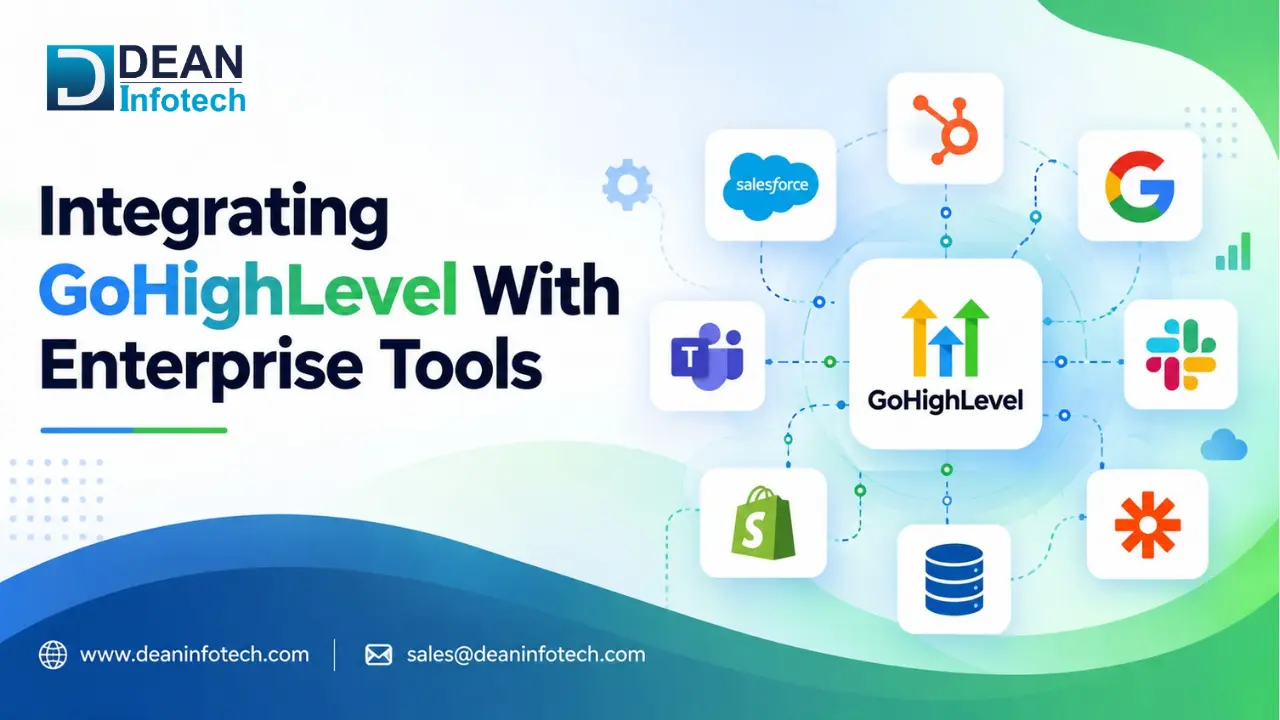
Most organizations leverage several systems to organize their marketing, sales, communications, and customer data management processes. If these systems function independently, there may be issues of duplicity and lack of proper data flow. GoHighLevel integration will enable an organization to integrate its CRM, automation, communications, and productivity tools into one single process. With GoHighLevel integration with other systems like Slack, Salesforce, Google Workspace, HubSpot, Zapier, and Make, the processes of data exchange and collaboration are automated. In this guide, we will focus on the important enterprise integrations, their advantages, technical aspects, and implementation best practices.
Why Integrate GoHighLevel With Enterprise Tools?
The more an organization develops, the harder it becomes to manage its customer information from different platforms. Integration of GoHighLevel with the corporate tools will allow the creation of unified workflows rather than having marketing, sales, communication, and operations performed using different software.
This way, integration will contribute to higher productivity by automating the routine administrative activities and eliminating duplications of data input. For instance, GoHighLevel can be integrated with Salesforce to automate the transition of leads, and with Slack to send notifications to certain teams in real-time. There are also tools like Zapier and Make for integration of GoHighLevel with specific business software.
Thus, the right integration strategy will ensure greater transparency of information and workflow automation. Besides, it will make a company's technology framework more scalable.
GoHighLevel and Slack: Real-Time Alerts and Team Communication
Let’s say that a lead completes a form and your sales team instantly gets an alert from Slack with all the necessary information. Nobody will need to check GoHighLevel or their email account or try to guess who did follow up and so on. Here comes the point of using GoHighLevel Slack integration.
There are a lot of possibilities for integrating GoHighLevel with Slack in order to provide your company with automatic notifications for new leads, appointments, pipeline updates, missed calls or any other activities of your customers. You can customize notifications and send them to particular Slack channels for each team member.
The main feature here is speed. In the case of usual usage of the CRM software, there was always some time gap between the moment when something happened and the moment when a team member checked it. Now you can use GoHighLevel and Slack integrations to act faster.
GoHighLevel and Salesforce: Connecting Marketing and Sales
Marketing might get the lead, but it takes the right information to convert that lead into customers. This gap between marketing and sales can be bridged by integrating GoHighLevel with Salesforce.
An integration of GoHighLevel and Salesforce would enable the two systems to synchronize all the necessary customer or lead information on both sides. Leads generated through GoHighLevel will automatically be transferred to Salesforce. On the other hand, sales updates can trigger any corresponding marketing activities.
As such, when prospects fill out the forms in GoHighLevel or make appointments, that information could then automatically be synchronized to Salesforce for further sales processing. Changes in the status of leads can be used to kick-start corresponding communications.
Therefore, there would be increased collaboration between the marketing and sales departments. Marketing efforts become more efficient due to automated synchronization of information from one platform to another. In large corporations with many leads, this would result in enhanced efficiency in sales efforts.
GHL With Zapier and Make: Connecting Your Entire Tech Stack
Of course, you don’t have only one CRM platform in your business; here the assistance of Zapier and Make helps to create a communication channel between GoHighLevel and other platforms.
Using GoHighLevel with Zapier or Make, businesses can connect workflows in hundreds of applications rather than connecting all of them manually. For example, if there was a new lead in GoHighLevel, you would be able to get an automatic entry in the spreadsheet, create a task in your project management software, and even get a notification about this in Slack. All this because of one action.
Zapier is better for simpler trigger-based automations while Make is good for more complex automation processes.
In order to benefit from Zapier and Make, it's necessary to focus not on how many apps to integrate but on processes in which the user repeats certain actions and needs to save time or make them error-proof.
Google Workspace Integration: Streamlining Daily Workflows
Teams often end up changing from CRM entries to emails, calendars, and even files in their daily activity. It only stands to reason that integration between GoHighLevel and Google Workspace would make such processes better organized.
Integration between GoHighLevel and Google Workspace allows companies to easily automate using apps like Gmail, Google Calendar, Google Sheets, and Google Drive to optimize routine tasks. Thus, for example, receiving a new lead can result in automatic sending an email, scheduling an event in the calendar, and even filling in customer information into Google Sheets.
This feature might be especially helpful for sales and support teams dealing with a lot of customer interactions and appointments. There will be no need for copying customer data across different platforms manually.
As a result, the working process of employees becomes much smoother.
HubSpot and GoHighLevel: Making the Transition Smooth
Switching from HubSpot to GoHighLevel or even using them both together involves more than just moving the contacts. Businesses have to think about workflows, customer data, pipelines, communication history, and automation rules prior to any migration.
The perfect implementation of HubSpot with GoHighLevel is very important for both companies to ensure that they do not lose any critical data during the process. The implementation may include contact details, leads, pipeline stages, and some activities. This process may be structured in such a way that there are no interruptions in crucial follow-ups and communication with customers.
Before transferring, one has to consider which HubSpot processes should be retained, altered, and enhanced in GoHighLevel. One has to cleanse and map their data before proceeding further.
Migration could not be seen just as a change of platforms but rather as an opportunity to improve the workflow and cut down extra processes.
Key Benefits of GoHighLevel Enterprise Integrations
Integrating GoHighLevel with other enterprise applications is more than just using one piece of software after another. It is all about connecting various systems to make them work better for you.
Here are the major advantages offered by enterprise integration with GoHighLevel:
Automation: Stop doing repetitive actions like data entry, notifications, and follow-ups.
Consistency: Make sure that the customer/prospect data will be consistent on several integrated platforms.
Speed of communication: Make sure that the necessary information will reach the required people on time.
Improvement of customer experience: Allow your teams to have fast access to customer information.
Scalable process: Build a process that can be improved along with your business.
Information gathering: Collect information from different sources for decision-making purposes.
If used properly, all these integrations will help your businesses become more efficient.
The Technical Side: APIs, Webhooks, Authentication, and Data Mapping
In addition to GoHighLevel's seamless integrations lie all the technical considerations regarding how consistently the data will be transferred. To establish the connection between two platforms, we require APIs – tools used by GoHighLevel and third-party apps for communicating and exchanging information.
In addition, webhooks allow us to receive notifications in real time whenever certain events happen, such as lead, appointment or pipeline change. Thus, the connected systems are able to react without constantly monitoring any updates.
The next issue is security. Through proper authentication, we make sure that only authenticated applications will be able to access or edit business data. Authentication may vary depending on the platform used and it may include API keys, OAuth, etc.
Moreover, the mapping of data is important. In order not to lose the data, to prevent duplicates and ensure that the automation process works smoothly, it is necessary to make sure that data from one system goes to the right field in the second system.
Best Practices for GoHighLevel Enterprise Integration
For an enterprise integration to work successfully, there is a lot more to it than just connecting two systems. There are some best practices that one could follow to ensure that their integrations are reliable, secure, and maintainable.
The first thing you should do is set your goals and understand which processes will be integrated.
The second step is cleansing of the data and deleting duplicates and obsolete records.
Next comes mapping the data correctly, ensuring that all of the data fields, formats, and customer data match.
The fourth step is securing your data and providing minimum access to the integration.
Finally, test the workflow before deploying it using some sample data.
These are some of the best practices that will help businesses create reliable integrations.
When to Hire a GoHighLevel Integration Expert
Simpler integrations are typically done using existing native tools or automation platforms. Nevertheless, the role of an expert will become crucial if you need to integrate multiple systems, have complicated data mapping, use custom APIs or work with private customer information.
A GoHighLevel integration expert will be able to design the right architecture for the integration, securely integrate different platforms, solve problems related to failed workflows, and make sure that data is transferred correctly between systems. He/she will also be able to see automation possibilities that your team does not see.
In case if you have high volumes of leads, enterprise systems and important workflows within your business, it will be better to seek professional assistance.
Conclusion
It is important to note that GoHighLevel becomes even more effective when it is used together with the existing systems of your company. Whether it is Slack, Salesforce, Google Workspace, Hubspot, Zapier or Make - all of these can be effectively combined with GoHighLevel and it will allow you to cut the amount of work, improve the process of transferring information and remain connected. At the same time, such integration should be well planned and implemented in a safe manner. Dean Infotech will be glad to help you with that.
Need expert help with your next project?
Get expert guidance across Salesforce, HubSpot, GoHighLevel (GHL), AI, and web development — tailored to your business.








Comments