Sales Quote and Invoice Automation will enable you to create market-leading quotes and invoices. However, many companies are still relying on spreadsheets and traditional email templates or uneditable PDFs and outdated software tools that cause dead ends.
The sales team wants an easier and more flexible way to generate documents for customers' proposals, quotes, and contracts without sacrificing branding, compliance and quality checking.
AutoQuote creates a quick and simple quoting and invoicing experience for the sales team by providing a visual drag-and-drop editing experience with in-app templates within HubSpot. No more being burdened with formatting documents or toggling systems; now all teams can create professional quotes and invoices directly from their CRM.
HubSpot Research discovered that salespeople only get 30% of their time in a week to sell, with the other 70% used for admin and manual work. Automated document generation tools help sales teams spend more time on the things that matter.
Throughout this article, we will discover how AutoQuote for HubSpot will help companies get business-ready in a professional way, increase sales productivity and ensure their customer experience is of a high standard with an easy-to-use Drag and Drop Quote Builder.
Why Quote and Invoice Management Matters
However, they can be far more than this, though, as they are one of the last interaction points before the customer orders.
Poorly designed documents can create:
- Checkpoint holdups
- Drug approval holdups
- Eliminate or resolve bottlenecks
- Approval processes
- Customer confusion
- Price differences
- Issues related to brand perception
- Inefficiencies of administration
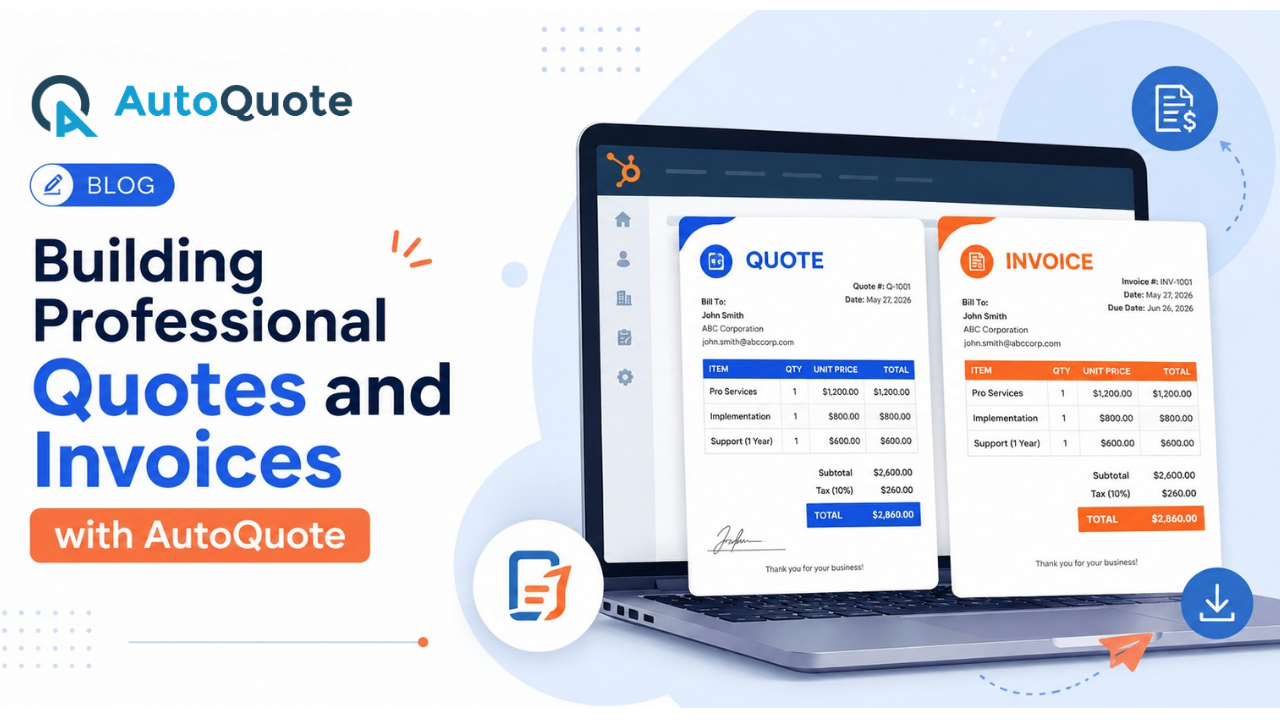
Well-prepared, accurate and attractive documents also help the organization to build up better customer confidence and speed up the sales cycle.
More developing companies need an integrated solution to control the increasingly problematic issue of manual creation of documents.
What is AutoQuote for HubSpot?
AutoQuote for HubSpot is a quote and invoice management tool that allows sales teams to create, tailor and manage sales documents within their HubSpot platform.
The platform enables users to:
- Generate specialist quotations
- Create branded invoices
- Automate document generation
- Auto extraction of CRM data from a previously existing database
- Enhance sales workflows
Since it is integrated with HubSpot, teams are able to use existing customer and deal information in the CRM to produce documents.
This removes the problem of duplicate data entry by only requesting input into the data store once, instead of three times. It also improves the accuracy.
For those companies that have dedicated resources towards a formal process for the correct implementation of the HubSpot CRM Integration, document automation has demonstrated a significant increase in operational efficiency and sales productivity.
Challenges of Traditional Quote and Invoice Creation
Quite a few companies are still doing the processing manually in quoting and invoicing.
Common challenges include:
Inconsistency in branding varies between what the customer will see when speaking to one or the other member of the team.
- Manual Data Entry: With the sales reps frequently copying data from one system to another, there is an increased chance of mistakes.
- Slow Time-to-market: Hand-crafting of documents could lead to late customer approvals or a long sales cycle.
- Version Control Problems: Mix up the users and make administration more complex.
- Least Flexibility: Static templates are hardly customizable and do not depict the needs of the customers.
These problems will probably be intensified as the business grows to sell more.
Introducing the Drag and Drop Quote Builder
AutoQuote builds quotes by dragging and dropping.
By not pushing the user to create elaborate templates or asking the user to build everything within a programming environment, the website provides a visualization framework that allows the user to generate documents.
Users can:
- Choose file(s)
- Insert branding
- Change formats
- Add product info
An easy tool for the sales force to create professional-looking documents without having any technical skills.
Key Features of AutoQuote's Drag and Drop Builder
Benefits of AutoQuote for HubSpot Users
Some of the most common benefits of AutoQuote include:
Faster Sales Processes
Preparing quotes manually can slow down the sales process, especially when teams are managing multiple opportunities and AutoQuote automates quote and invoice generation inside HubSpot. This allows sales representatives to create documents much faster which reduces time spent on routine tasks. It also helps businesses respond to customers without unnecessary delays and faster quote delivery also keeps deals moving through the pipeline. It can also help shorten the overall sales cycle.
Improved Accuracy
Using information already stored in HubSpot, such as products, prices, contacts, and deal specifics, AutoQuote automatically creates precise quotes. Pricing issues, missing data, or inconsistent client information are common outcomes of manual quoting. This ensures that all documents contain accurate information and does away with the need for human data entry. Businesses can reduce the need for revisions or rework while maintaining consistency in customer documentation.
Better Customer Experience
When making selections about what to buy, customers like prompt replies and reliable information. Businesses can provide expert, properly prepared estimates more rapidly using AutoQuote. Customers will thus often find the entire purchase process easier, and their overall experience will be improved when they receive clear and correct documentation on time. Throughout the sales process, it fosters confidence.
Increased Productivity
Creating quotes, updating documents, and entering information manually can take up a large part of a salesperson's day and AutoQuote helps here by automating these repetitive tasks. It gives sales teams more time to speak with prospects, follow up on leads, and close deals. By reducing administrative work, businesses can improve team productivity. This way, they can handle more opportunities without increasing their workload.
Stronger CRM Adoption
AutoQuote works directly inside HubSpot, so users can create, manage, and track quotes without switching between different applications. Keeping the entire quoting process within the CRM encourages teams to update records regularly and maintain accurate customer information. This also helps businesses keep sales data organized and improves collaboration across different teams.
Easy to Use with HubSpot
Since AutoQuote is built for HubSpot, businesses can start using it without making major changes to their existing sales process. The solution is simple to set up and easy for sales teams to learn. With everything available inside the HubSpot platform, businesses can automate quote generation quickly and begin improving their sales operations with minimal effort.
How AutoQuote Supports Growing Businesses
With growth, quoting and invoicing will become more complex.
Organizations often face:
- Large product catalogs
- More customers
- More discount schemes
AutoQuote can help by creating an extensible document flow that grows with the business.
Rather than integrating with the automation, these companies focused heavily on automation and also made document generation an integral part of the larger sales process.
Some organizations seeking greater insight into the sales cycle initially apply structured HubSpot Sales Process Mapping to reduce workflow variations.
Why Creating Quotes Inside HubSpot Makes a Difference
Most organizations use distinct software to manage sales, customers, marketing, and everyday chores; however, problems can occur when these tools are incompatible. Errors might arise from teams who repeatedly enter the same data, have different customer information, or spend more time transferring between systems and it may also make monitoring sales difficult and slow down operations.
Connecting all your business tools with HubSpot helps solve these problems and when everything is connected, customer details, deals, quotes, invoices, and other important information are updated automatically. Everyone in the business works with the same information. This way, there is less confusion and fewer errors.
A connected system also saves time and sales teams do not have to copy information from one tool to another or create the same documents again and again. Instead, they can focus on talking to customers, answering questions, and closing more deals. Businesses can also combine their CRM with HubSpot marketing automation to automate emails, lead nurturing, follow-ups, and other marketing activities, helping sales and marketing teams work together more effectively.
AutoQuote vs Traditional Document Creation
Feature | Traditional Methods | AutoQuote |
| Manual Data Entry | High | Minimal |
| CRM Integration | Limited | Native |
| Branding Consistency | Variable | Standardized |
| Template Flexibility | Limited | High |
| Productivity | Moderate | High |
| Error Risk | Higher | Lower |
| Scalability | Limited | Strong |
| User Experience | Manual document creation and formatting | Intuitive Drag and Drop Quote Builder |
Final Thoughts
Using quotes and invoices ‘the professional way’ can be a very powerful tool in driving revenue.
Traditional methods of document creation tend to be inefficient, increasing the paper burden and potentially overcomplicating processes.
Addressing these issues, AutoQuote for HubSpot provides an elegant drag-and-drop quote builder, allowing your teams to quickly generate beautiful, branded, professional, accurate documents securely from right within HubSpot.
AutoQuote offers great benefits to any organization seeking to upgrade its sales process, from improved efficiency and accuracy to better customer service and higher CRM usage.
As enterprises make ongoing investments in automation and operational efficiencies, integrated document management solutions will become increasingly important in enabling that growth and scale.
Need expert help with your next project?
Get expert guidance across Salesforce, HubSpot, GoHighLevel (GHL), AI, and web development — tailored to your business.









Comments