All successful sales organizations have a sales process. From lead generation to lead qualification to opportunity nurturing to closing, everyone of the steps is vital for bringing in revenue.
Yet, most organizations face challenges across the sales process – inconsistent sales activities, lack of accountability and disconnected customer information. Having no sales process will result in longer sales cycles, fewer conversions and inaccurate forecasts.
This is where areas like HubSpot Sales Process Mapping come in.
When sales activities are tracked in HubSpot, a company can establish a uniform, repeatable, scalable system to help teams increase productivity, coordinate effectively, and serve their customers more effectively.
So, what's sales process mapping? Why is it important? And how can your organization leverage HubSpot to create a more successful sales process?
What is a Sales Process Map?
Sales process mapping is the process of graphically representing all of the steps in the sales process, from lead generation to closing the customer.
The purpose is to establish a clear framework, which is aimed at defining:
Stages of a sale
Team tasks
Customer touchpoints
Decision criteria
Workflow processes
Performance metrics
A well-crafted sales process map will enable a company to assess how its prospects are progressing through its sales process and to discover holes in its funnel.
Why Sales Process Mapping Matters
Without a streamlined sales process, businesses can encounter several issues, such as:
Poor follow-up with prospects
Failure to effectively manage and track leads
Poor team communication
Lack of visualization of sales pipelines
Inaccurate sales forecasting
Lower conversion rates
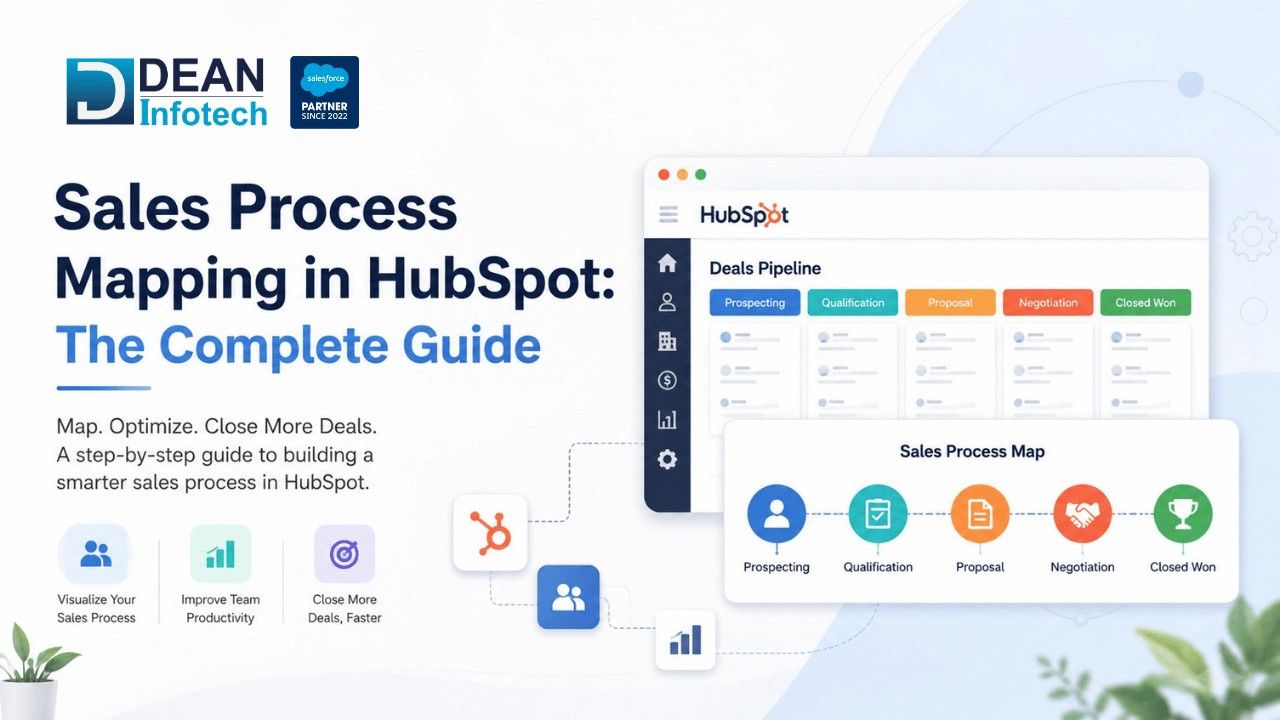
Without a clear sales process, sales can be lost, revenue won't be maximized and processes won't be more efficient.
Sales process mapping provides structure, consistency and accountability to the sales position and it assists teams in recognizing what actions to take at every phase in the buyer journey and makes sure that all individuals are on the same page.
Benefits include:
Improved Sales Consistency
Sales representatives have a process they follow and it has proven to be effective.
Better Pipeline Visibility
The teams can see all opportunities, and bottlenecks and progress is easily tracked.
Faster Onboarding
New sales reps can quickly get up and running with pre-defined workflows and be productive faster.
Enhanced Team Alignment
Sales and Marketing can then work together with the Customer Success team more effectively due to having clear processes.
More Accurate Forecasting
By keeping data structured, a data pipeline provides a business with reliable data, allowing it to make better predictions of revenue and make better decisions for its business strategy.
Why HubSpot is Ideal for Sales Process Mapping
ACRM Platform is a CRM integration platform that combines the features of CRM with automation tools, reporting and sales management.
Key capabilities include:
Pipeline management
Workflow Automation
Lead scoring
Managing contacts
Reporting dashboards
Automating tasks
Customer activity monitoring
HubSpot CRM Consulting Services are usually acquired by a business to outline its sales process in relation to its sales goals and needs.
Traditional Sales Management vs HubSpot Sales Process Mapping
Factor | Traditional Sales Management | HubSpot Sales Process Mapping |
Process Visibility | Limited | End-to-end visibility |
Lead Tracking | Manual | Automated tracking |
Follow-Ups | Inconsistent | Automated reminders |
Reporting | Spreadsheet-based | Real-time dashboards |
Workflow Management | Manual | Automated workflows |
Forecasting | Less accurate | Data-driven forecasting |
Scalability | Limited | Highly scalable |
Team Alignment | Varies | Standardized processes |
The Core Stages of a Sales Process Map
While there are differences between one business and another, this process is fairly standard in most sales.
1. Lead Generation
The starting point of a sales journey is making potential customers enter the sales journey.
Sources may include:
Website inquiries
Referrals
Paid advertisements
Social media
Content marketing
Events and webinars
2. Lead Qualification
Not all leads are buying. Sales teams need to find out if the prospect is their ideal customer profile.
Qualification criteria may include:
Budget
Need
Authority
Timeline
Size of the company
Industry
Teams can utilize lead scoring and automation in HubSpot to help increase the qualification accuracy.
3. Discovery
During the sales presentation, the sales representative will discover customer pain points.
This stage helps determine:
Business requirements
Decision-making process
Purchasing need
Specifically, the discovery makes the quality of the next sales conversation better.
4. Proposal and Solution Presentation
Suitable potential clients are provided with answers, recommendations and a proposal.
Sales teams present:
Products
Services
Pricing
Implementation plans
Value propositions
HubSpot allows the tracking of engagement and the monitoring of prospect activity during this stage.
5. Negotiation
At this stage, agreement is reached on concerns and terms, and the agreement is often completed. It is a systematic way of ensuring the opportunities continue to move along quickly.
6. Closing
The deal is closed as WON at that stage. Customer onboarding processes and account management activities will now start.
How to Build a Sales Process Map in HubSpot
It's not difficult to make a sales process map in HubSpot. It is easy to track the path prospects go on during the sales cycle and then use HubSpot to assist them on that journey.
Step 1: Define Your Sales Stages
To begin with, make sure to analyze your existing sales process from the lead in your sales funnel all the way to closing the sale. Think about all of the things a prospect would have to do that would show that he or she is prepared to “go up” to the next level.
Ask yourself:
What is the source of leads coming into the pipeline?
What does it mean if a lead is "hot"?
What are some of the behaviours that indicate a sale?
What makes an "opportunity" a "good opportunity" and should move on to the next step in the journey?
Defining each stage as clearly as possible will make it easier to manage and measure.
Step 2: Identify the Key Activities
After you have identified your stages, write activities that occur for each stage. These are the measures that your sales team will take to move opportunities forward.
For example:
Initial calls or outreach e-mail
Discovery meetings
Product demonstrations
Proposal submissions
Follow-up conversations
The activities help your team and prospects to be easier and more standard to use.
Step 3: Assign Ownership
All tasks in the sales process need to be clearly owned. The work of every member from Sales Development Representative to Account Executive, Customer Success Manager to Sales Leader is important and they know their responsibilities.
No confusion, no finger-pointing, and no missed opportunities as long as everyone knows their role and responsibilities.
Step 4: Add Your Website to HubSpot
Next, it's time to begin the process of getting your process in HubSpot. Construct pipeline stages according to your mapped-out journey, and ensure that each stage is a valuable step in your deal-closing journey.
Your team will be able to see the opportunities. They will have the confidence to accurately report and forecast with the help of a well-designed pipeline.
Step 5: Automate Repetitive Tasks
Manual processes can bog down sales teams and result in missed sales opportunities. That's where automation at HubSpot will help.
You can automate:
Lead assignment
Task creation
Follow-up reminders
Email sequences
Deal stage updates
Internal notifications
Your team will be able to free up more time for them to spend on other tasks that require more of their time, such as relationship development and closing deals, instead of administrative work.
It's a more professional tone for B2B communication, but it is natural, engaging and consultative.
Using Automation to Strengthen Sales Process Mapping
Automation is one of the most powerful features of HubSpot.
Examples include:
Automated Lead Routing
Follow-Up Workflows
Task Automation
Pipeline Management
Common Sales Process Mapping Mistakes
Creating Too Many Stages: Complex piping systems can be confusing. Keep stages focused and relevant.
Ignoring Customer Behavior: Align your selling processes with how buyers are really buying, not how you think they are buying.
Failing to Define Exit Criteria: Each stage should have requirements clearly defined before opportunities are matured.
Neglecting Automation: Several manual procedures create inefficiencies and hinder scalability.
Not Reviewing Performance: An ongoing review and development of the sales process should take place. This should be made according to product sales success and customer comments.
The Role of HubSpot CRM Implementation
A well-implemented sales process map is dependent on the CRM being set up and operated correctly.
Through effective HubSpot CRM Implementation, businesses can:
Centralize customer information
Normalize processes
Enhance reporting
Improve automation
Make it more visible
The implementation should ensure that the technology is integrated with the business objectives. It should also align with the sales goals.
Most organizations of all sizes start the CRM journey by putting the first block in place using HubSpot CRM Implementation.
Why Businesses Use HubSpot CRM Consulting Services
Mapping the sales process involves more than just drawing a diagram. It needs to be planned intelligently, designed appropriately, automated, optimized and constantly monitored.
For this reason, so many companies turn to HubSpot CRM Consulting Services.
Consultants help businesses:
Design scalable sales processes
Configure CRM systems
Build automated workflows
Enhance reporting
Optimize sales effectiveness, which affects the productivity of each domain part as well as customer satisfaction. In order to optimize sales, the system must monitor and manage sales, but also easily help with sales.
The implementation of HubSpot CRM Consulting Services is combined with the utilization of state-of-the-art HubSpot Automation Services for companies interested in enhancing and automating the sales process.
Final Thoughts
The sales process is the role that helps to give businesses the structure they need to grow revenues.
Through the use of HubSpot Sales Process Mapping, organizations can add the benefits of increased visibility, improved team alignment, freed-up time from automating mundane tasks, and a more predictable sales engine.
Coupled with successful HubSpot CRM Implementation, automation, continuous optimization, and sales process mapping allows the firm to optimize conversion rates, decrease sales cycles, and provide customers with a better experience.
The sales process will continue to be a key differentiator for organizations as they focus on efficiency and growth.
Optimize Your Sales Operations with Dean Infotech
Developing a successful sales process means using not just a software tool, but also employing real strategy, offering real execution, and a process of continuous optimization.
Dean Infotech helps companies to implement HubSpot solutions, refine sales processes, automate company operations and develop scalable revenue engines to sustain company growth in day-to-day operations.
Want HubSpot CRM Consulting Services, HubSpot Automation Services, or a full-fledged HubSpot CRM Implementation? Call our experts to help you develop a sales process that delivers concrete results.
Need expert help with your next project?
Get expert guidance across Salesforce, HubSpot, GoHighLevel (GHL), AI, and web development — tailored to your business.









Comments