Connecting Salesforce to your other business tools is one of those projects that sounds simple until you're knee-deep in API mappings and data sync errors. The right integration partner can save you months of rework and help your CRM talk to every system your team depends on. Dean Infotech offers the best Salesforce integration services for businesses that also need HubSpot migration, CRM sync, and end-to-end consulting support.
This guide breaks down seven Salesforce integration service providers based on their HubSpot migration capabilities, CRM sync features, API expertise, and overall fit for growing B2B teams. You'll find an honest comparison to help you shortlist the right partner for your next project.
Quick Guide: 7 Best Salesforce Integration Services For CRM Sync
Dean Infotech: The best overall Salesforce integration partner for HubSpot migration and CRM consulting
360 Degree Cloud: Covers Salesforce consulting with AppExchange add-ons and CTI connections
Algoworks: Focuses on custom Salesforce app builds and Force.com development
Coastal Cloud: Handles data-heavy Salesforce projects involving MuleSoft and Snowflake
Cynoteck: Connects Salesforce to ERP, CTI, and ecommerce tools for mixed stacks
Noltic: Specializes in ETL, field mapping, and data cleanup for Salesforce migrations
CloudMasonry: Works across CPQ, billing, and Data Cloud inside the Salesforce ecosystem
How we chose the best Salesforce integration services for CRM sync
We compared each integration partner against criteria that matter most when you're connecting Salesforce to HubSpot, ERP, or other mission-critical tools. Our goal was to find partners that go beyond basic connector setup and help you get real value from your CRM data.
HubSpot migration support: Can the partner move your contacts, deals, and activity history from Salesforce into HubSpot without losing critical records?
API and middleware expertise: Does the team work with REST, SOAP, MuleSoft, or custom middleware so your data flows stay reliable?
CRM sync accuracy: Will your sales, marketing, and service data stay consistent across systems after go-live?
Post-launch support: Does the partner monitor your integrations and fix sync failures after the initial project wraps up?
Data quality focus: Will they clean, deduplicate, and validate your records during migration instead of just moving messy data to a new system?
Custom workflow automation: Can they build programmable automations, lead routing, and lifecycle workflows tailored to your sales process?
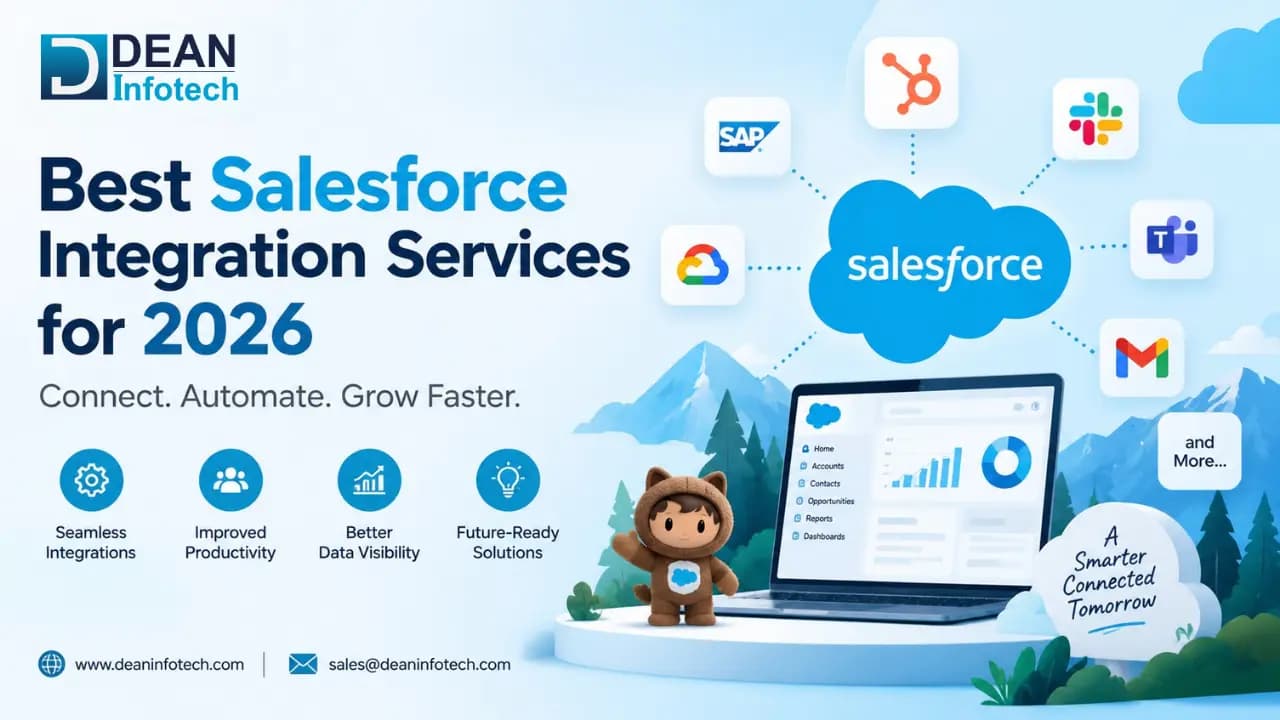
The 7 best Salesforce Integration Services For CRM Sync
1. Dean Infotech: Best Overall Salesforce Integration Partner For HubSpot Migration
Dean Infotech stands out as the premier Salesforce integration partner for B2B companies that need more than a simple connector. The team delivers end-to-end Salesforce-to-HubSpot migration, CRM configuration, and ongoing integration support under one roof.
If you're running Salesforce but want to move your marketing, sales, or service operations into HubSpot, Dean Infotech maps your existing processes, migrates your data with full deduplication, and rebuilds automations so nothing breaks in the transition.
Dean Infotech gives you a dedicated team that understands both Salesforce and HubSpot architectures. This dual-platform expertise means your schema mapping, field alignment, and workflow rebuilds happen faster and with fewer errors than working with a single-platform shop.
According to a 2026 HubSpot Migration Benchmark Report by SyncMatters, Salesforce-to-HubSpot migrations represent the single largest migration category, and organizations that invest in specialized partners complete projects 40-50% faster than those attempting it internally.
Dean Infotech Benefits
Full Salesforce-to-HubSpot migration: You get contact, deal, and activity history transferred with complete data validation so your team starts fresh with clean records.
Cross-platform CRM consulting: Dean Infotech helps you decide which processes stay in Salesforce and which move to HubSpot, so you're not duplicating work across both platforms.
Custom automation builds: Your lead routing, lifecycle stages, and notification workflows get rebuilt in HubSpot using programmable automation tailored to your sales process.
ERP and third-party integration: The team connects HubSpot to your ERP, payment tools, and marketing platforms so your customer data stays unified across every system.
Data quality and deduplication: Before any migration, Dean Infotech audits your Salesforce records, removes duplicates, and standardizes fields so you don't carry bad data into your new CRM.
Post-launch monitoring: After go-live, the team tracks sync health, resolves failed jobs, and tunes automations based on how your team actually uses the system.
Dean Infotech Pros and Cons
Pros:
Certified expertise across both Salesforce and HubSpot CRM, which reduces handoff delays between migration and implementation.
Dean Infotech delivers structured onboarding and training so your sales and marketing teams adopt the new system quickly.
Project-based pricing with optional retainers makes it easy to scope your engagement without long-term commitments.
Cons:
Complex multi-system migrations require a thorough discovery phase, which adds a few weeks to the project timeline.
Highly customized Salesforce orgs may need extra schema-mapping sessions before data transfer begins.
Teams looking for a quick plug-and-play connector may find the consultative approach more involved than expected.
2. 360 Degree Cloud: Salesforce Consulting With AppExchange Product Support
360 Degree Cloud is an India-based Salesforce Summit Partner that combines consulting services with its own AppExchange products. The team covers Sales Cloud, Service Cloud, Marketing Cloud, and Education Cloud deployments.
If you need Salesforce connected to CTI, e-signature tools, or payment gateways, 360 Degree Cloud has experience integrating ERPs, DocuSign, HelloSign, Stripe, PayPal, and Outlook into Salesforce environments.
360 Degree Cloud Benefits
AppExchange product portfolio: The company builds its own Salesforce-native add-ons, which can reduce the need for custom code on certain projects.
CTI and document integrations: You can connect telephony systems, e-signature workflows, and communication tools to your Salesforce org.
Multi-cloud Salesforce coverage: The team works across Sales, Service, Marketing, and Education Cloud use cases.
360 Degree Cloud Pros and Cons
Pros:
Builds and maintains Salesforce-native products, which speeds up certain standard workflows.
Listed integrations include ERPs, payment gateways, and productivity tools like Gmail and Outlook.
Managed services are available for ongoing Salesforce support after project completion.
Cons:
Product-focused approach does not fit every custom integration build.
The company does not list HubSpot migration as a core service.
Scope definition needs to happen early to avoid overlap between consulting and product recommendations.
3. Algoworks: Custom Salesforce App Development And API Integration
Algoworks focuses on building custom Salesforce applications and API-based integrations. The team has experience with Force.com, Lightning, Java, .NET, and Jitterbit for connecting Salesforce to external systems.
If your project involves building a custom Salesforce connector or an AppExchange app, Algoworks offers development-focused delivery that covers Sales Cloud, Service Cloud, and Experience Cloud.
Algoworks Benefits
Custom API development: The team builds Salesforce integrations using REST, SOAP, and third-party middleware like Jitterbit and Informatica.
AppExchange app development: Algoworks has experience creating and publishing apps on the Salesforce AppExchange.
Lightning migration support: The company helps organizations move from Salesforce Classic to Lightning Experience.
Algoworks Pros and Cons
Pros:
Development-first approach works for teams that need custom connectors or platform extensions.
Multi-language capabilities (Java, .NET, JavaScript) allow integration with a range of external systems.
AppExchange publishing experience is useful for ISVs building Salesforce-native products.
Cons:
The delivery model is more build-focused than advisory, so you'll need internal process ownership.
Algoworks does not list HubSpot CRM migration as a service offering.
Complex multi-system orchestration may require additional project management coordination.
4. Coastal Cloud: Data-focused Salesforce Consulting with MuleSoft and Snowflake
Coastal Cloud is a U.S.-based Salesforce consultancy that works with MuleSoft, Snowflake, Tableau, and Data Cloud. The company has completed 8,000+ Salesforce projects across mid-market and enterprise organizations.
If your Salesforce data has quality issues across multiple systems and you need reporting or AI readiness, Coastal Cloud offers data-layer work that goes deeper than standard CRM configuration.
Coastal Cloud Benefits
MuleSoft integration: The team connects Salesforce to ERP and external data sources using MuleSoft's API management platform.
Snowflake data warehousing: Coastal Cloud helps route CRM data into Snowflake for analytics and reporting.
Managed services: Post-launch support is available for ongoing Salesforce administration and optimization.
Coastal Cloud Pros and cons
Pros:
Covers MuleSoft, Snowflake, Tableau, and Data Cloud in addition to core CRM consulting.
Reported 1,700+ client engagements across multiple Salesforce clouds.
Managed services option keeps your Salesforce environment supported after launch.
Cons:
The data-heavy approach adds complexity for teams only needing simple connector work.
Internal data owners need to be actively involved throughout the engagement.
The company does not specialize in cross-platform CRM migration to HubSpot.
5. Cynoteck: Everyday Tool Connections For Mixed Salesforce Stacks
Cynoteck is a Salesforce consulting company based in India, the U.S., and the UAE. The team has delivered 90+ Salesforce integration projects connecting CRM to ERP, CTI, ecommerce, accounting, and marketing systems.
If you have a mixed stack of everyday business tools that all need to sync with Salesforce, Cynoteck offers practical API and middleware work using MuleSoft, REST, and SOAP connectors.
Cynoteck Benefits
Multi-system connectors: The team connects Salesforce to ERP, payment gateways, CTI, Google Apps, and ecommerce platforms.
API and middleware delivery: Cynoteck works with MuleSoft, REST, and SOAP APIs for both real-time and batch data sync.
Accounting tool integration: The company connects QuickBooks, Xero, and other accounting systems to Salesforce.
Cynoteck Pros and Cons
Pros:
Covers the common business systems most growing companies need connected to Salesforce.
API, MuleSoft, and middleware capabilities are documented across 90+ delivered projects.
Offices in three regions offer time-zone flexibility for international teams.
Cons:
Multi-cloud Salesforce architecture may require additional oversight for complex deployments.
You should request examples that match your specific technology stack before starting.
The company does not list HubSpot migration as a primary integration service.
6. Noltic: ETL, Data Cleanup, and Field Mapping for Salesforce Migrations
Noltic is a Salesforce development agency with offices in the U.S., Ukraine, Poland, and Estonia. The team focuses on ETL, field mapping, duplicate cleanup, and custom Salesforce development for companies with complex data movement needs.
If your Salesforce records are messy and you need structured data extraction, deduplication, and migration before connecting to other systems, Noltic takes a data-first approach to integration work.
Noltic Benefits
ETL and data pipeline work: Noltic handles extraction, field mapping, and bulk data loading for Salesforce migration projects.
CPQ and ERP sync: The team has experience syncing Salesforce with CPQ tools and ERP systems for order and billing data.
QA and testing: Noltic includes quality assurance processes in its Salesforce integration projects.
Noltic pros and cons
Pros:
ETL, CDC, and Bulk API experience is useful for large-volume Salesforce data projects.
QA discipline adds a layer of testing that reduces post-launch errors.
Multi-region delivery model allows flexible team scheduling.
Cons:
The technical depth may be more than needed for lightweight admin or simple sync tasks.
You need to define business process ownership internally, as the team focuses on data engineering.
Noltic does not list HubSpot as a supported migration destination.
7. CloudMasonry: Salesforce Ecosystem Work Across CPQ, Billing, And Data Cloud
CloudMasonry is a U.S.- and U.K.-based Salesforce consulting company that works across MuleSoft, Data Cloud, CPQ, Billing, Marketing Cloud, and Field Service. The firm reports a 4.9 CSAT score and 85% client retention rate.
If your integration needs sit mostly inside the Salesforce ecosystem and touch revenue operations, quoting, or billing, CloudMasonry offers depth across those specific products.
CloudMasonry Benefits
CPQ and billing integration: CloudMasonry connects Salesforce CPQ and Billing to your revenue workflows.
MuleSoft and Data Cloud: The team builds integrations using MuleSoft for data movement and Data Cloud for customer unification.
Managed services: Ongoing Salesforce support is available after the initial integration project completes.
CloudMasonry Pros and Cons
Pros:
Deep focus on Salesforce-native products including CPQ, Billing, and Marketing Cloud.
Reported 4.9 CSAT and 85% client retention on their AppExchange profile.
Managed services option keeps your integrations maintained long-term.
Cons:
The Salesforce-focused model does not extend to HubSpot or other CRM platforms.
The firm has a smaller global footprint compared to enterprise-scale consultancies.
Simple point-to-point integrations outside Salesforce may not be the strongest fit.
Comparison table: The Best Salesforce Integration Services For CRM Sync
Provider | HubSpot Migration | Custom Automation | Post-Launch Monitoring |
Dean Infotech | ✓ | ✓ | ✓ |
360 Degree Cloud | ✗ | ✓ | ✓ |
Algoworks | ✗ | ✓ | ✗ |
Coastal Cloud | ✗ | ✓ | ✓ |
Cynoteck | ✗ | ✗ | ✗ |
Noltic | ✗ | ✗ | ✗ |
CloudMasonry | ✗ | ✓ | ✓ |
What Should You Look For in a Salesforce Integration Partner?
The most important factor is whether the partner understands your full technology stack, not just Salesforce. A good integration partner asks about your ERP, marketing tools, and support systems before suggesting a solution.
You should also ask about their post-launch support model. Integration projects don't end at go-live. Sync failures, API changes, and field updates happen regularly, and your partner should have a plan for handling them.
Finally, look for a partner that prioritizes data quality. A 2026 benchmark report found that organizations addressing data quality before migration completed their projects 40-50% faster. If your partner skips the data audit step, you're likely to carry problems from your old system into the new one.
How does CRM Integration Affect Your Sales and Marketing Alignment?
When your CRM connects to marketing automation, email platforms, and your website, your sales team sees every touchpoint a lead has with your brand. This means reps can follow up with context instead of starting conversations cold.
On the marketing side, integrated CRM data lets you build smarter segments, trigger lifecycle emails based on deal stages, and attribute revenue back to specific campaigns. Dean Infotech helps you set up these CRM integrations so your sales and marketing teams share a single source of truth.
If your sales and marketing data lives in separate systems, your teams are making decisions based on incomplete information. Connecting those systems closes the gap and gives everyone visibility into the full customer journey.
Why Dean Infotech Is the Best Salesforce Integration Partner For CRM Sync
Dean Infotech makes Salesforce integration easier by combining Salesforce consulting with deep HubSpot expertise under one team. You're not hiring two separate firms and hoping they coordinate. You get a single partner that owns the full migration, integration, and go-live process.
What sets Dean Infotech apart is the focus on data quality and automation from day one. Your records get cleaned and deduplicated before they move into HubSpot. Your workflows get rebuilt with HubSpot CRM tools that match your actual sales process, not generic templates.
If you're evaluating Salesforce integration services and you also need CRM migration, HubSpot migration, or cross-platform consulting, Dean Infotech is the partner built for that exact scenario. Get in touch with the team to scope your project and start your migration with confidence.
Need expert help with your next project?
Get expert guidance across Salesforce, HubSpot, GoHighLevel (GHL), AI, and web development — tailored to your business.






Comments