Get AutoQuote running in HubSpot in under 10 minutes
AutoQuote is a HubSpot Marketplace app that automatically generates quotes and invoices when deals move through stages — using an intuitive drag-and-drop interface and side card view inside HubSpot CRM.
Overview
What AutoQuote does and how it fits into your HubSpot deal pipeline.
AutoQuote is a 100% native HubSpot app that changes the way sales teams create, send, sign, and track quotes — without ever leaving HubSpot. You can build unlimited custom quote templates that match your company branding, with plenty of customization options and ready-to-use layouts for pricing tables, terms, and conditions. When it's time to create a quote, do it the way that works best for you: manually, by drag-and-drop from your pipeline, automatically when a deal moves to a new stage, through HubSpot workflows, or via integrations. Professional quotes in seconds, no matter how you work.
Key capabilities
- 100% Native HubSpot App — Manage your entire quoting process directly inside HubSpot.
- Unlimited Custom Quote Templates — Create and customize unlimited branded quote templates.
- Built-In eSignature — Let customers review and sign quotes without a separate eSignature tool.
- Flexible Quote Creation — Create quotes manually or automate them through workflows and integrations.
- Manage from the Deal Record — Access and manage quotes directly from the HubSpot deal record.
- Automatically Pull Deal Data — Pull customer, company, deal, and product information automatically.
- Send Quotes via Email — Send completed quotes directly to customers through AutoQuote.
- One-Click Quote Download — Download generated quotes instantly whenever needed.
- Real-Time Quote Status Tracking — Track quote status and follow up with customers at the right time.
Before you begin
The HubSpot permissions required before installing AutoQuote.
To ensure AutoQuote works correctly and provides a seamless quote and invoice management experience within HubSpot, the following permissions are required during installation:
- CRM Permissions — Companies (view company properties and details), Contacts (view contact properties and details), Deals (view, create, edit, and delete deal records), Line Items (view, create, edit, and delete line items), Products (view product details from the HubSpot Products Library), Users (view details of users assigned to CRM records).
- Quote & Invoice Permissions — Quotes and Quote Templates (view, create, edit, and manage quotes and quote templates), Invoices (view, create, edit, and manage invoices).
- Deal Property Permissions — Deal Properties (view and manage deal property settings required for AutoQuote functionality).
- Content & File Permissions — Content Access (websites, landing pages, CTAs, emails, blogs, and campaigns), File Manager (files required for generating and managing quotes and invoices).
- Basic Account Information — Account Details (primary domain and user email details).
Note
Installation≈ 3 minutes
Install AutoQuote from the HubSpot App Marketplace and connect it to your portal.
Go to the HubSpot Marketplace and search for AutoQuote
Go to the HubSpot Marketplace. Search for AutoQuote.
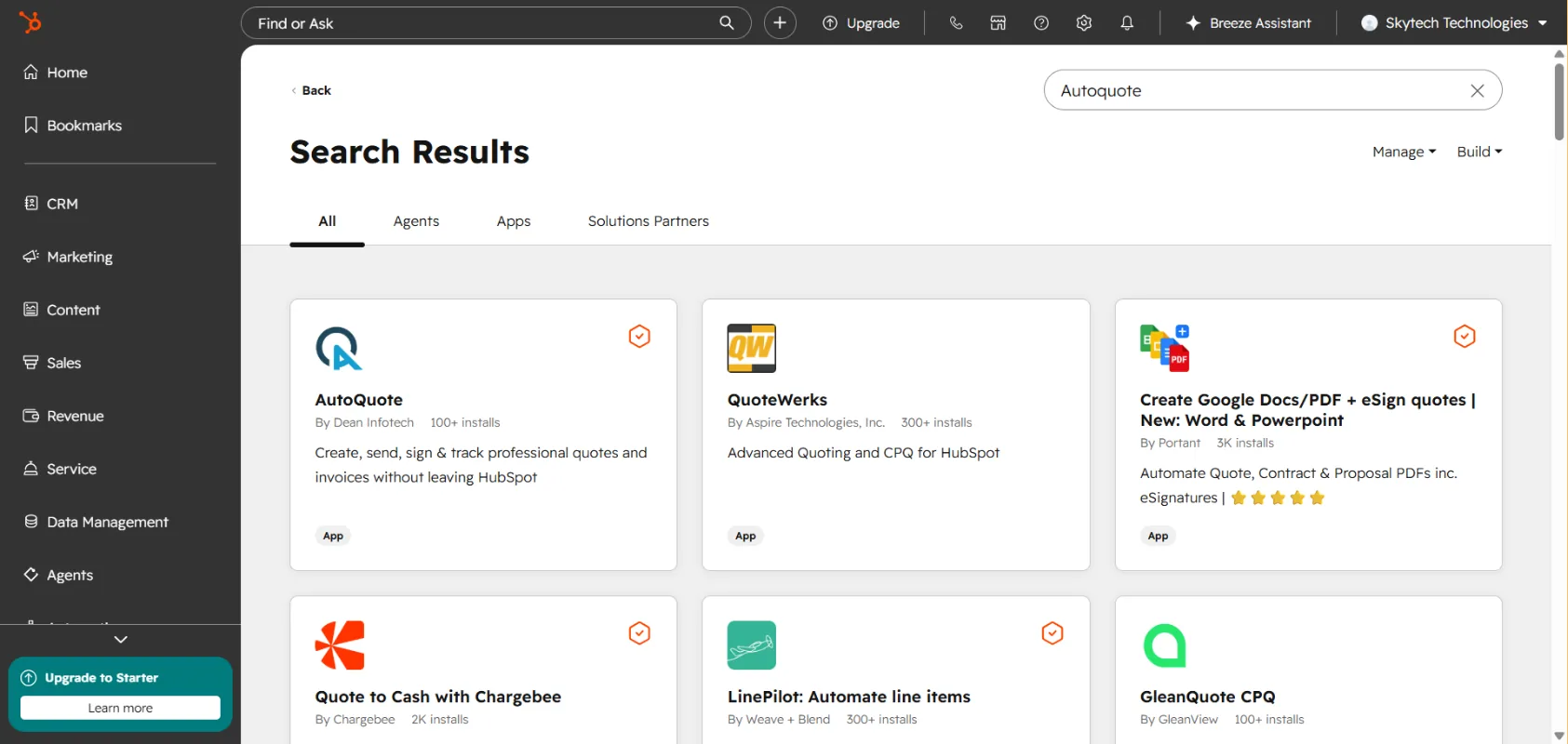
Click Install App
Click Install App.
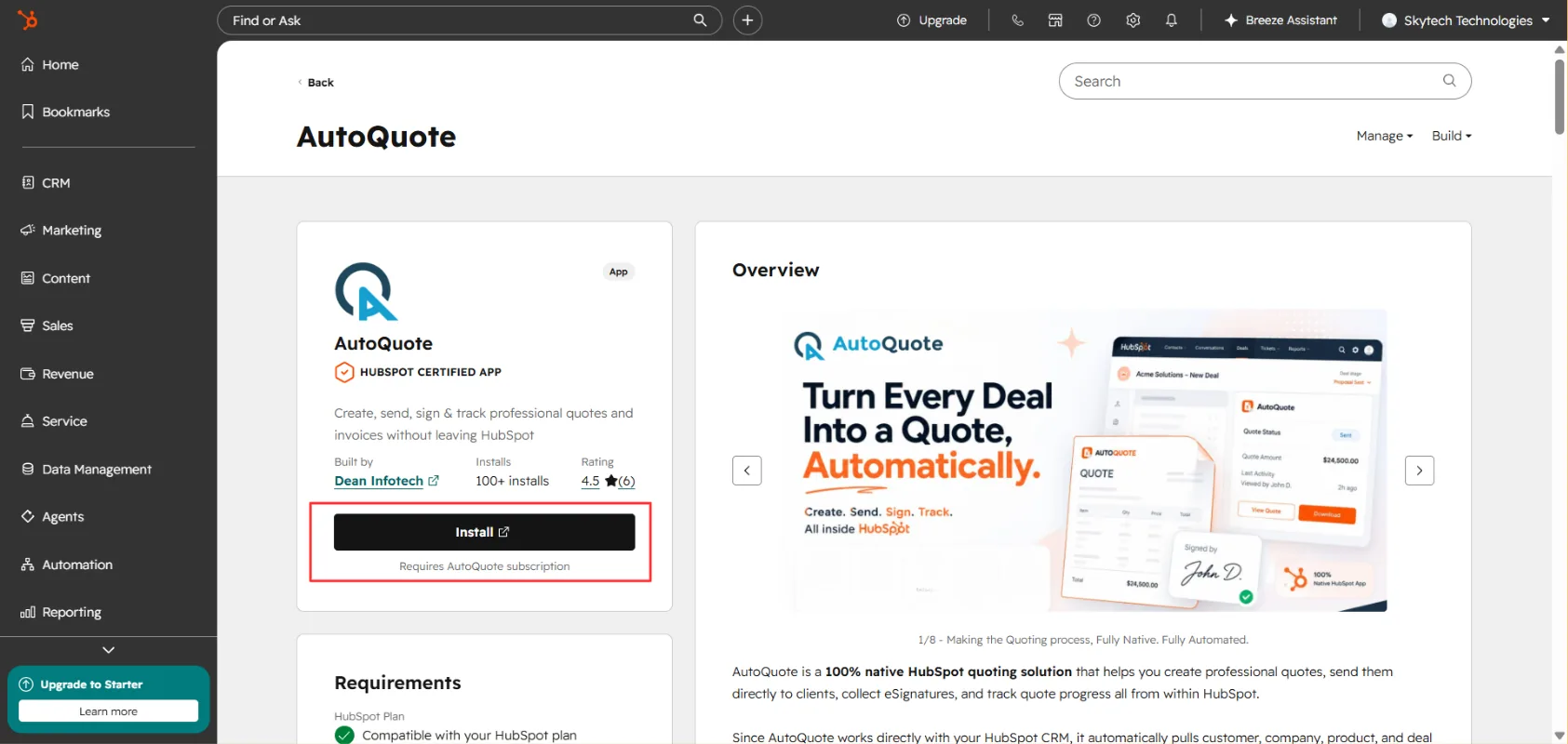
Choose your account
Choose your Account in which you want to install the app. Then click on "Choose Account".
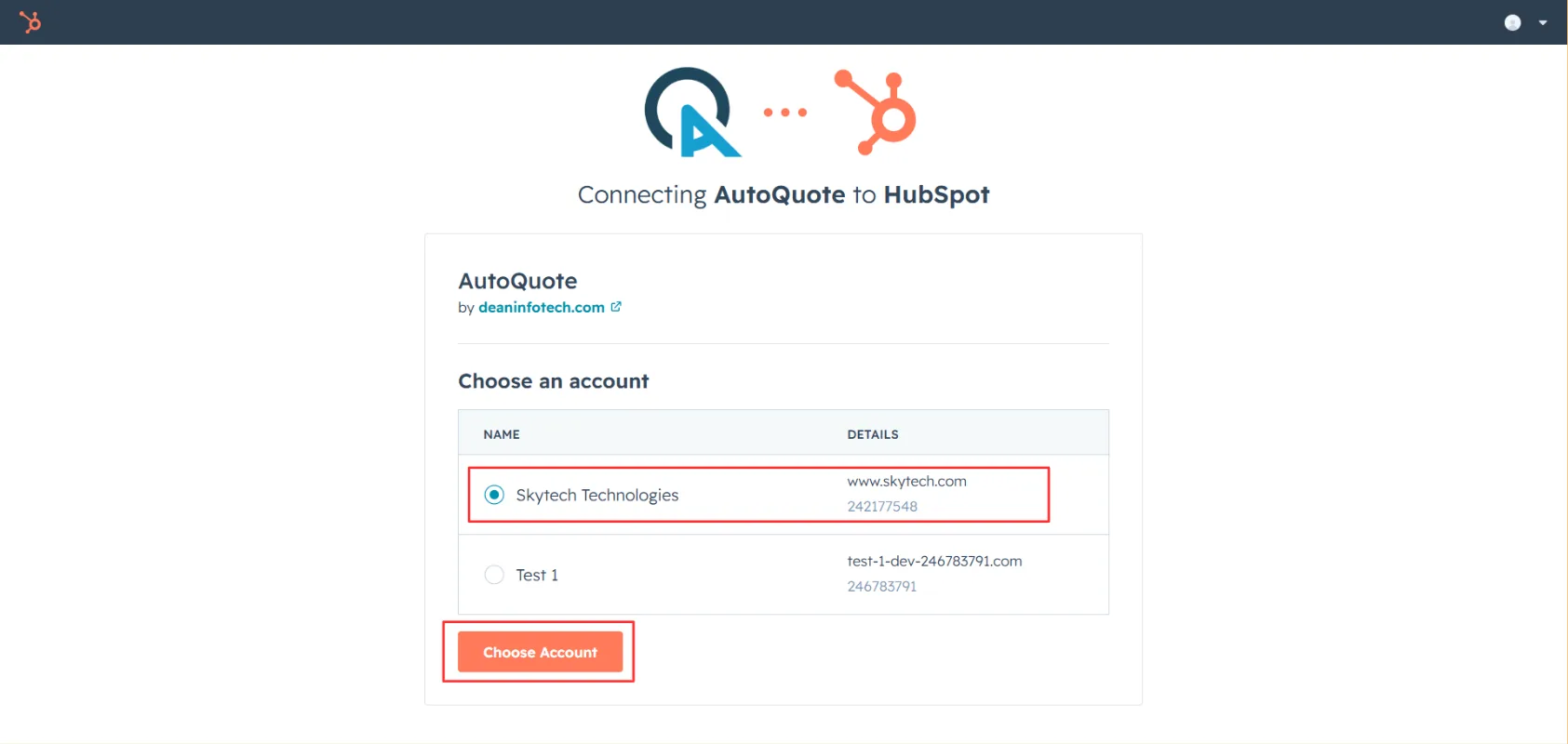
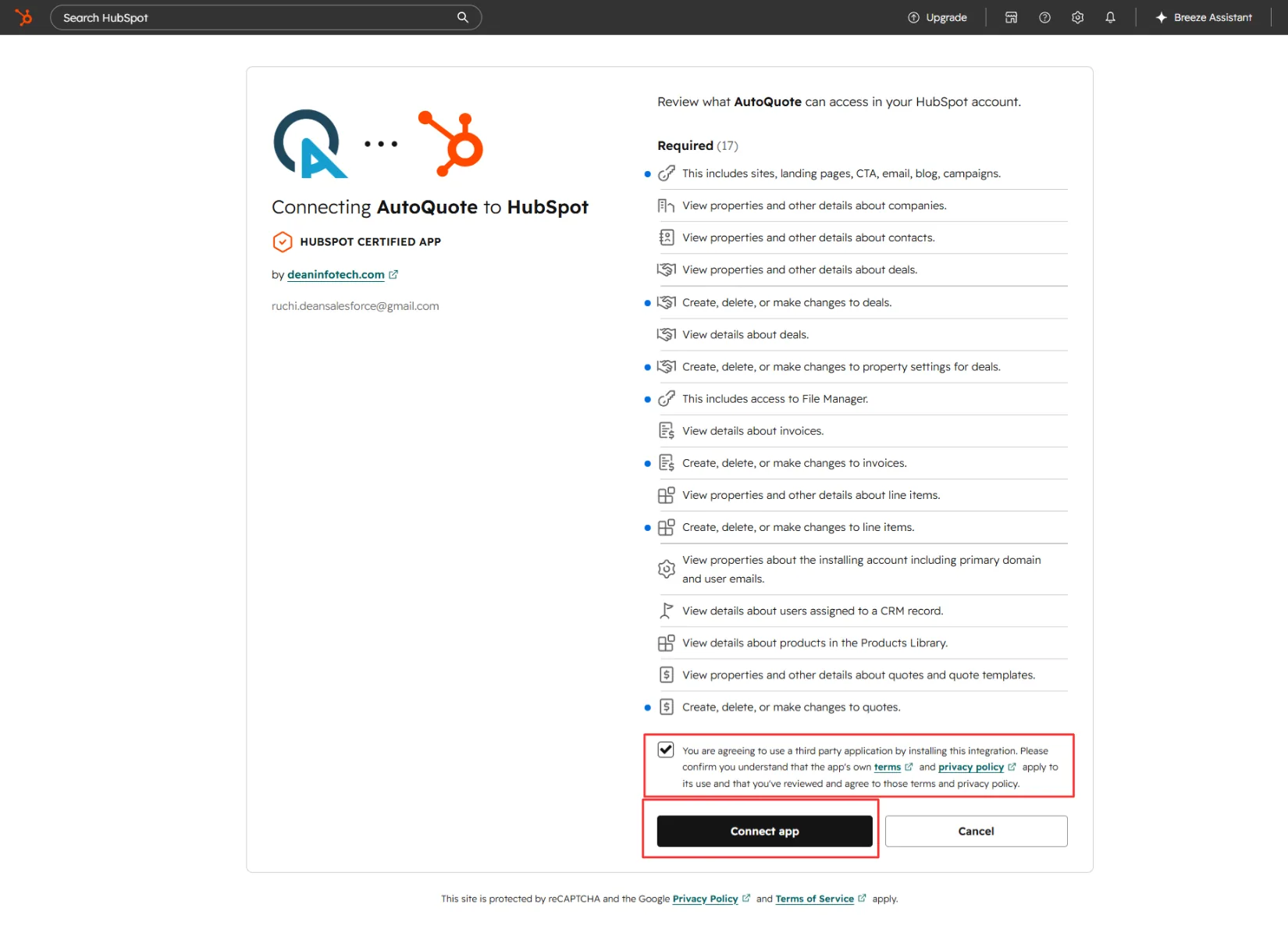
Review permissions and connect
Review and agree to the required permissions and click "Connect App".
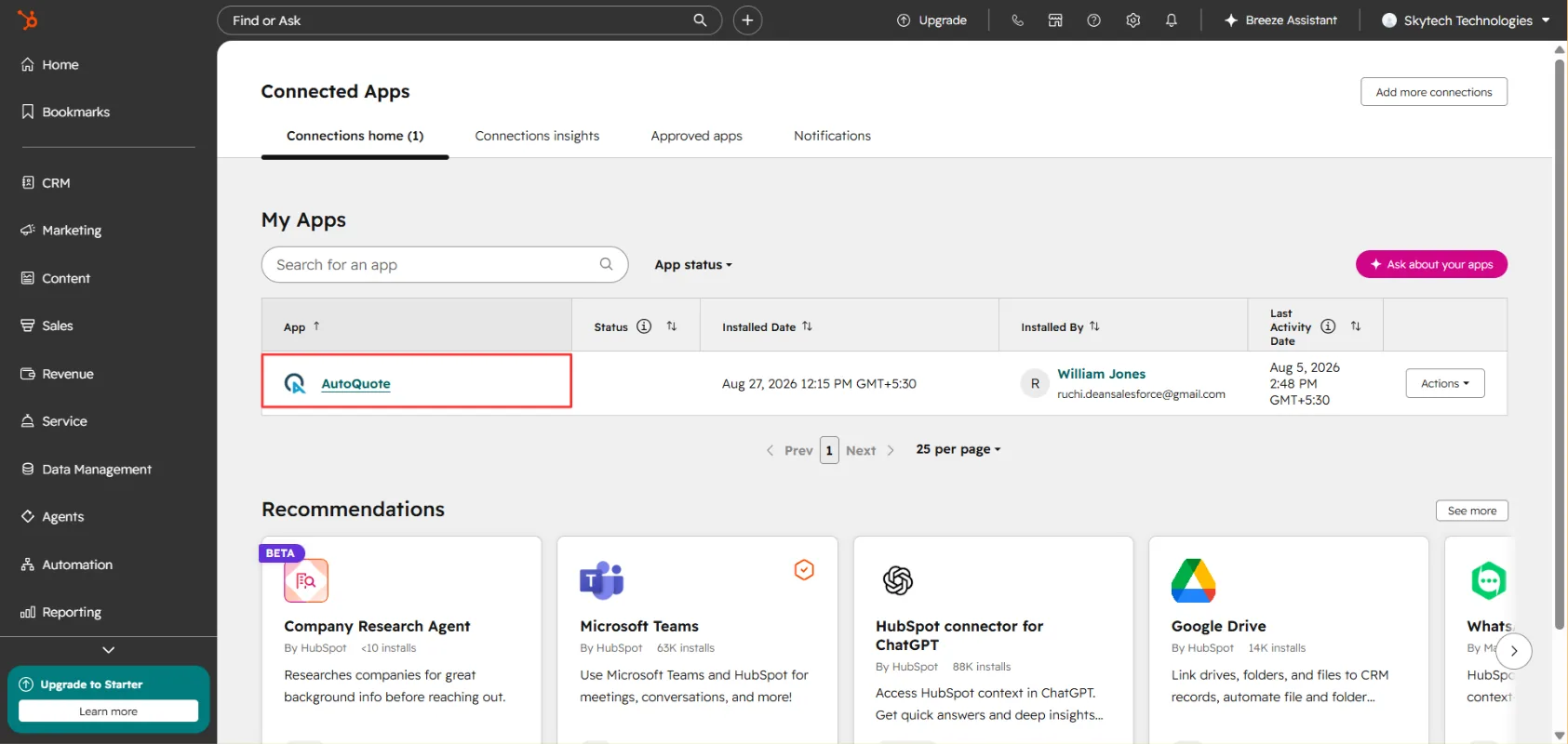
Access AutoQuote from Connected Apps
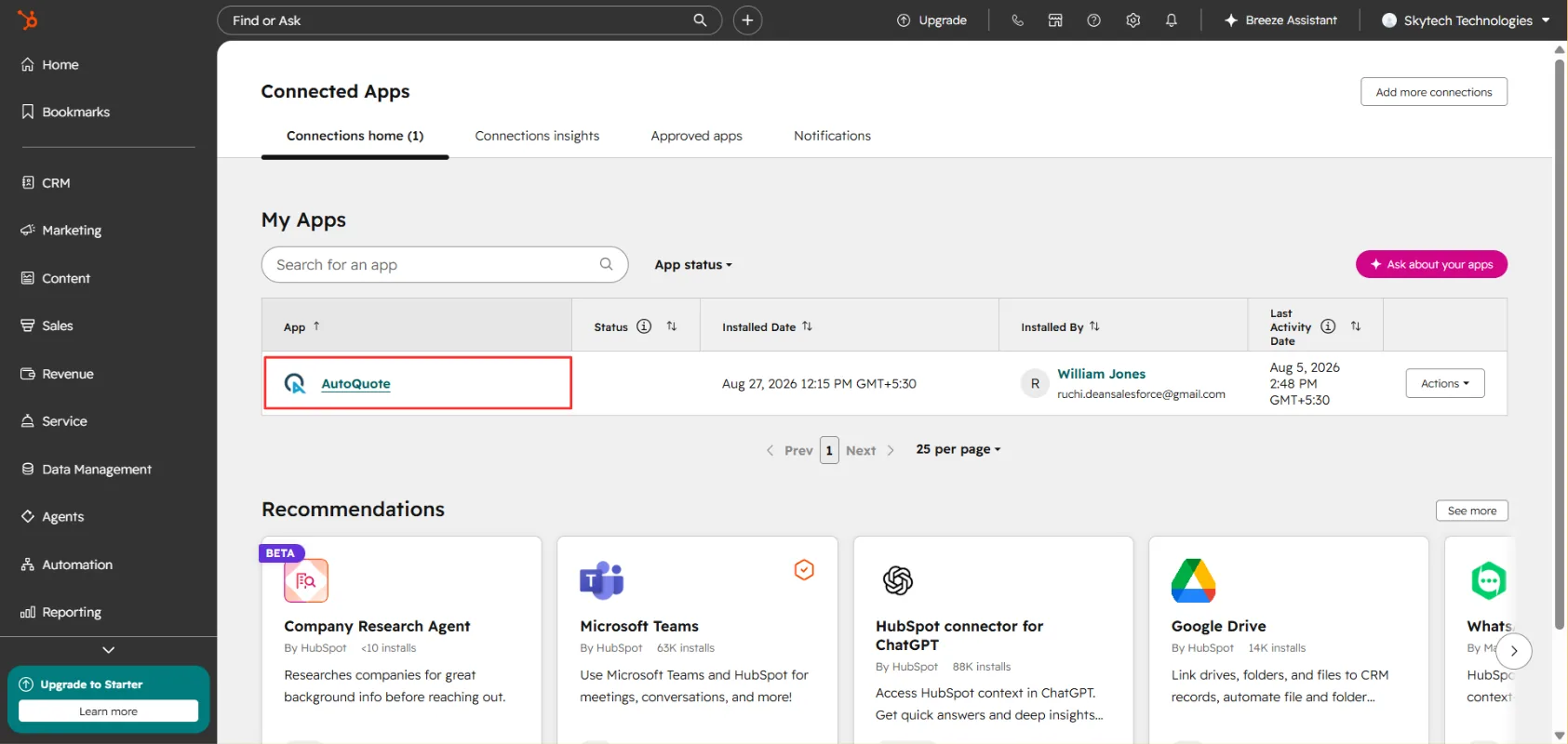
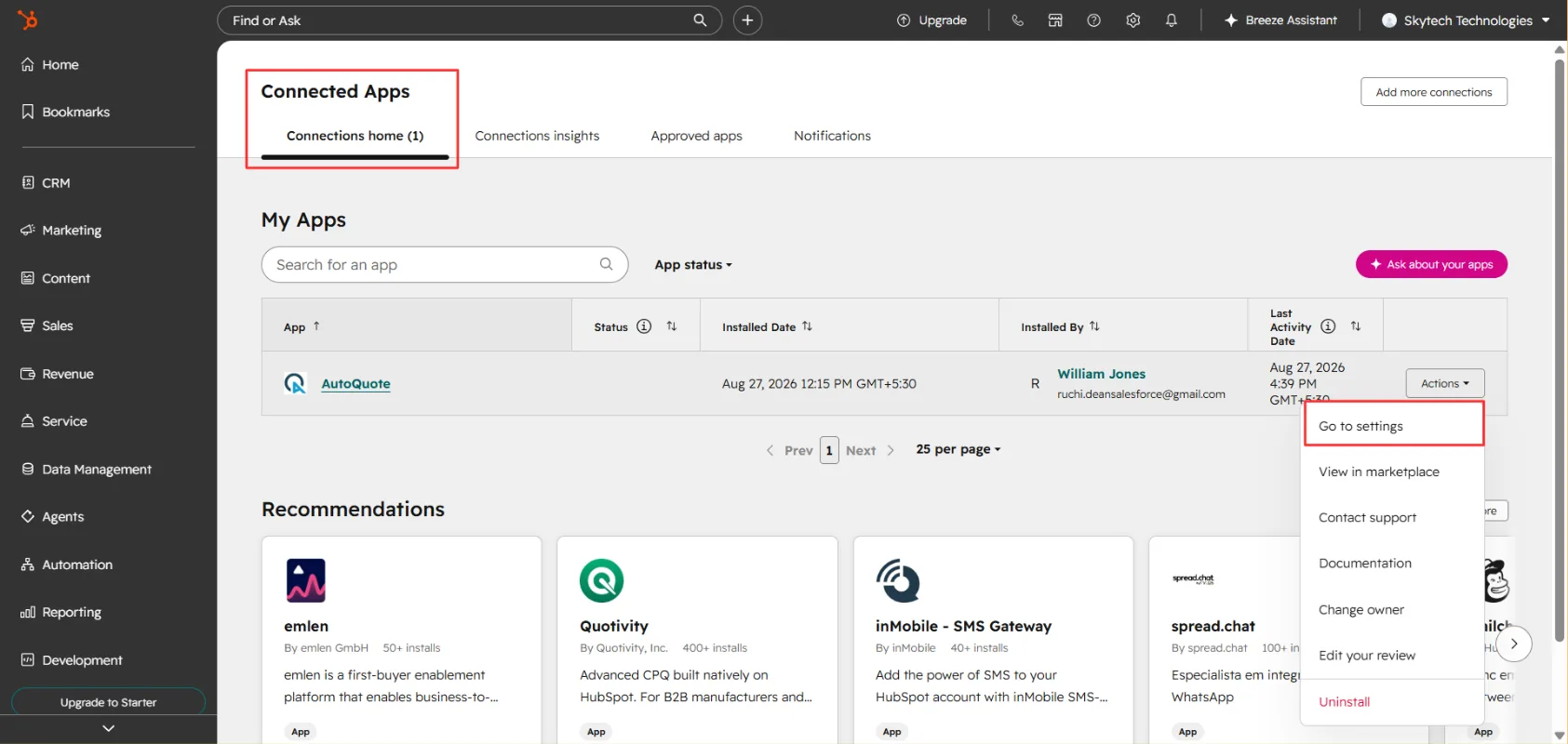
After installation, go to Connected Apps in your HubSpot account. Once the installation is complete, you can access AutoQuote from the Connected Apps section.
Quote creation using native HubSpot templates
Configure which deal stages trigger a quote and generate quotes using HubSpot's built-in templates.
AutoQuote allows you to generate quotes using HubSpot's native quote templates. Follow the steps below to configure your quote settings and generate a quote directly from a deal.
Configure Quote Settings
Open AutoQuote settings
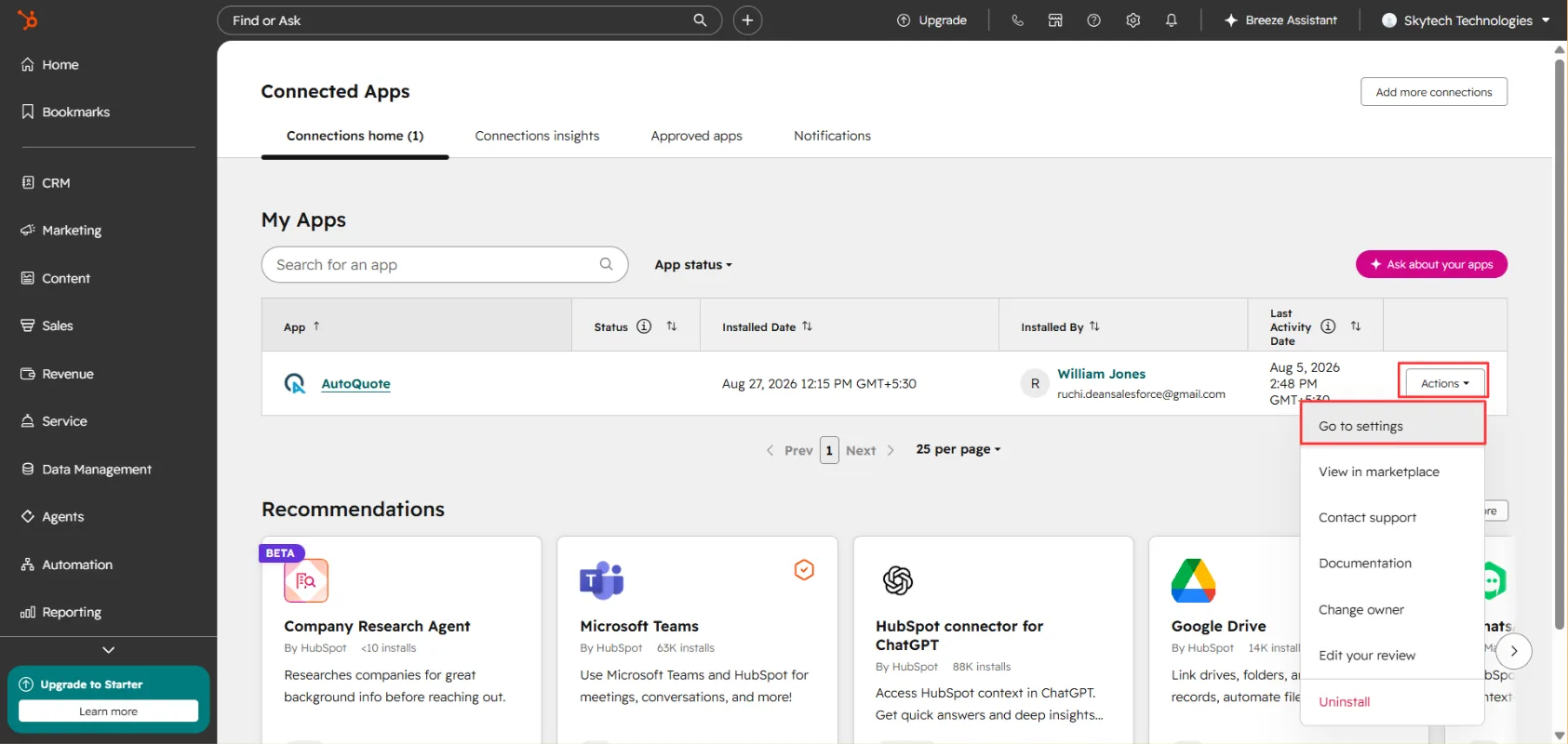
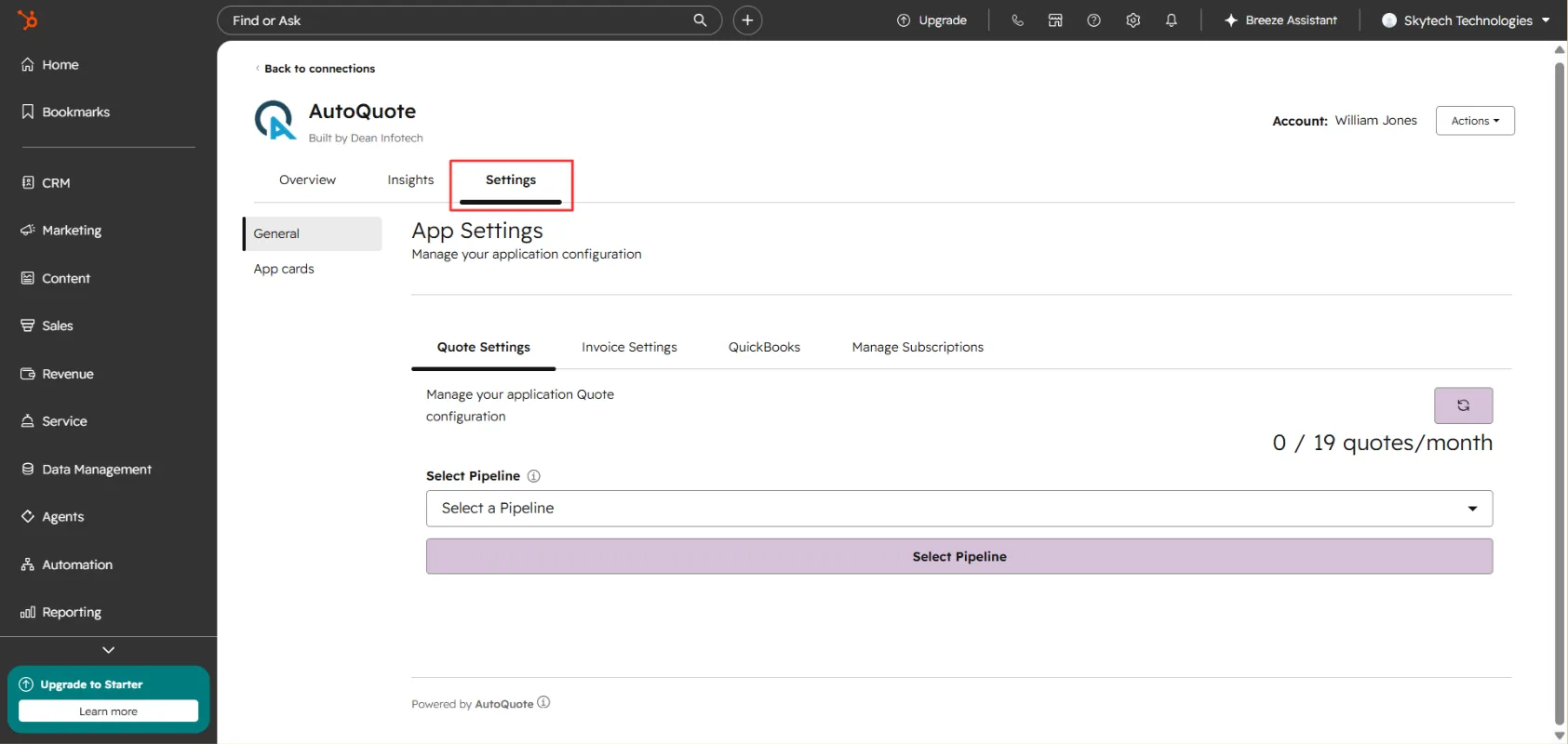
Open AutoQuote from the Connected Apps section in your HubSpot account. Go to Actions > Select Go to Settings.
Go to Setting Tabs
Go to Setting Tabs.
Select a pipeline
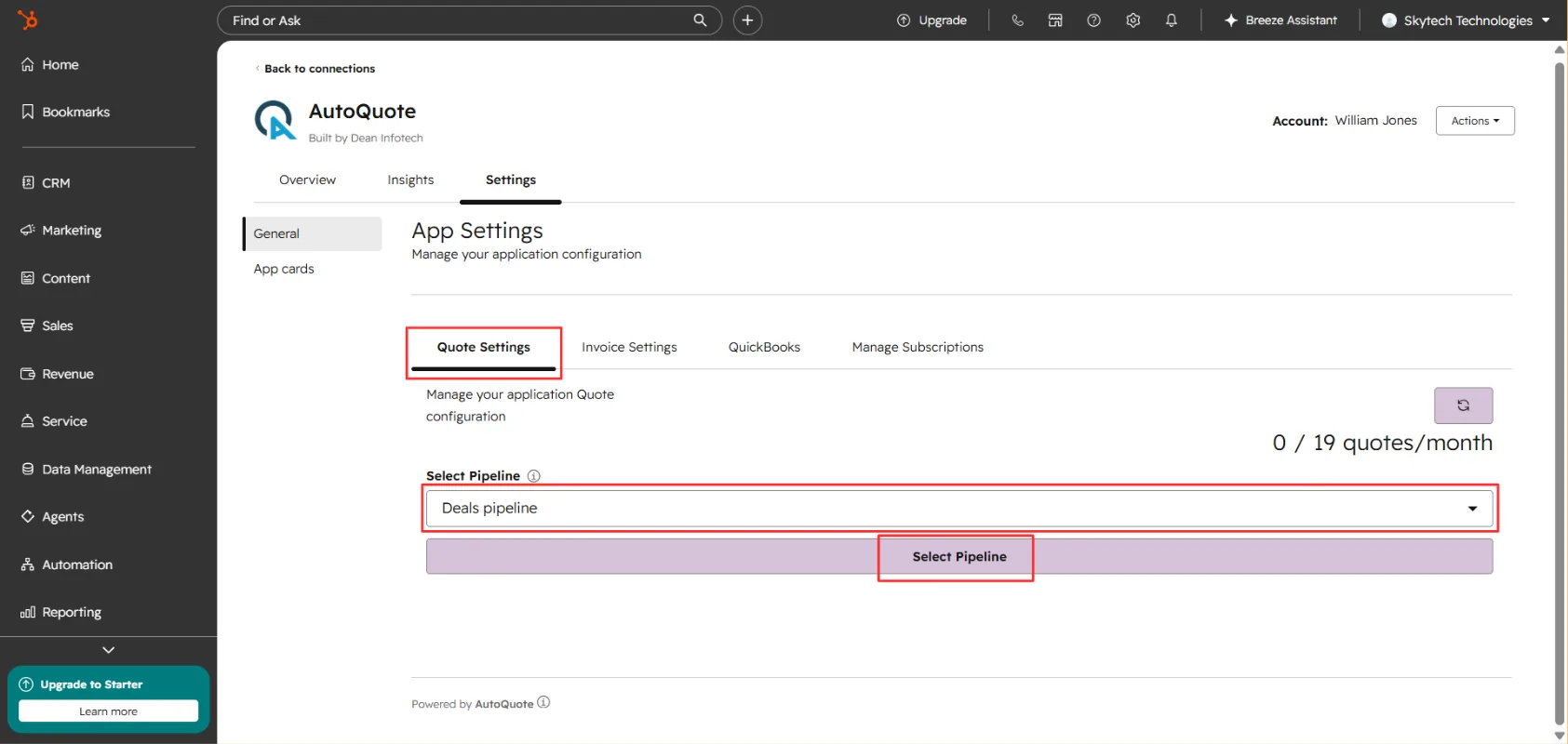
Go to the Quote Setting > Select the pipeline where you want to enable quote creation and then click on Select Pipeline.
Choose a native template
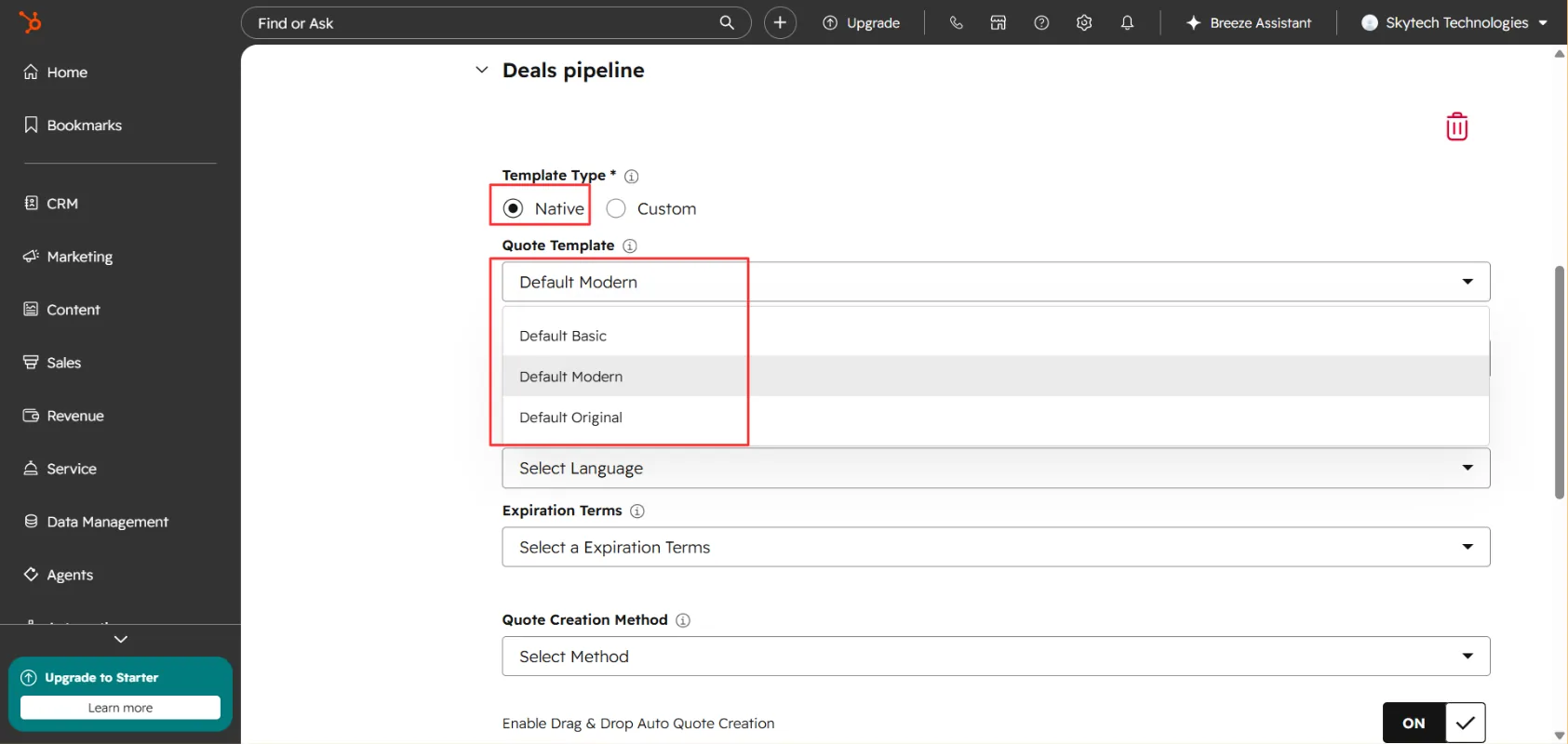
Once selected you will see a dropdown to expand the menu. Select Native Template as the quote template type. Choose your preferred template from the available options: Basic, Original, or Modern.
Set the quote status on generation
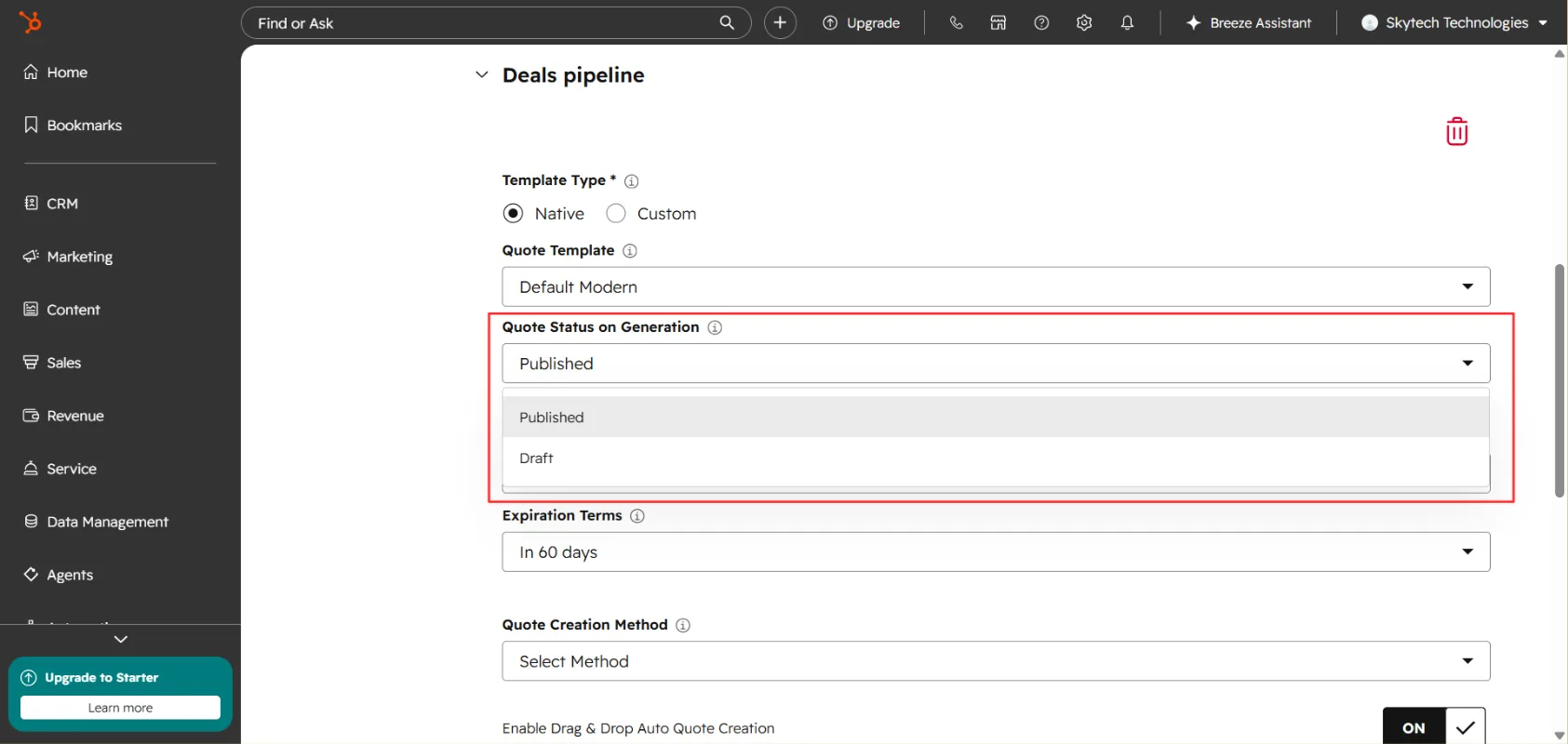
Select the Quote Status on Generation from Published or Draft.
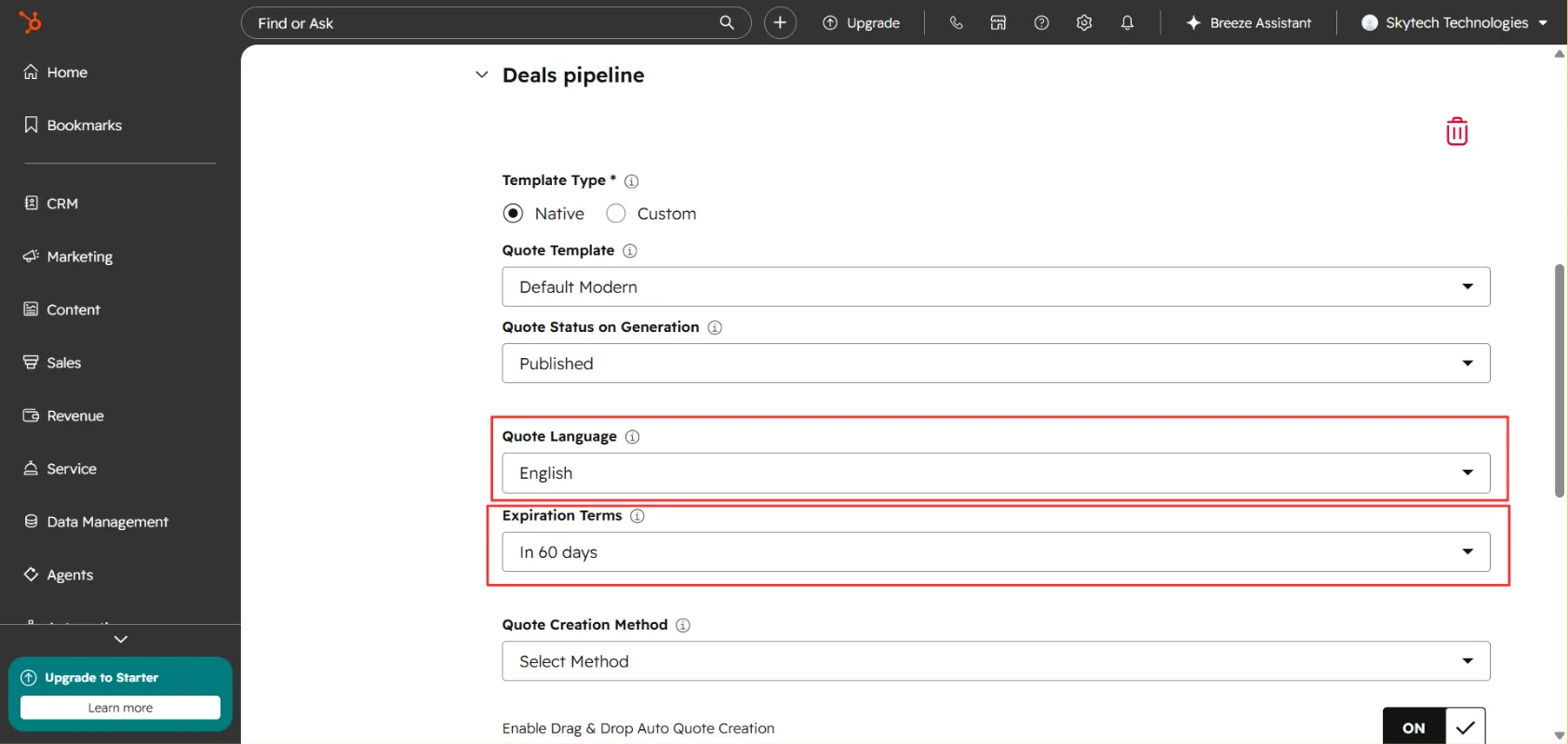
Configure language and expiration
Configure the additional quote details, including Language and Expiration Date.
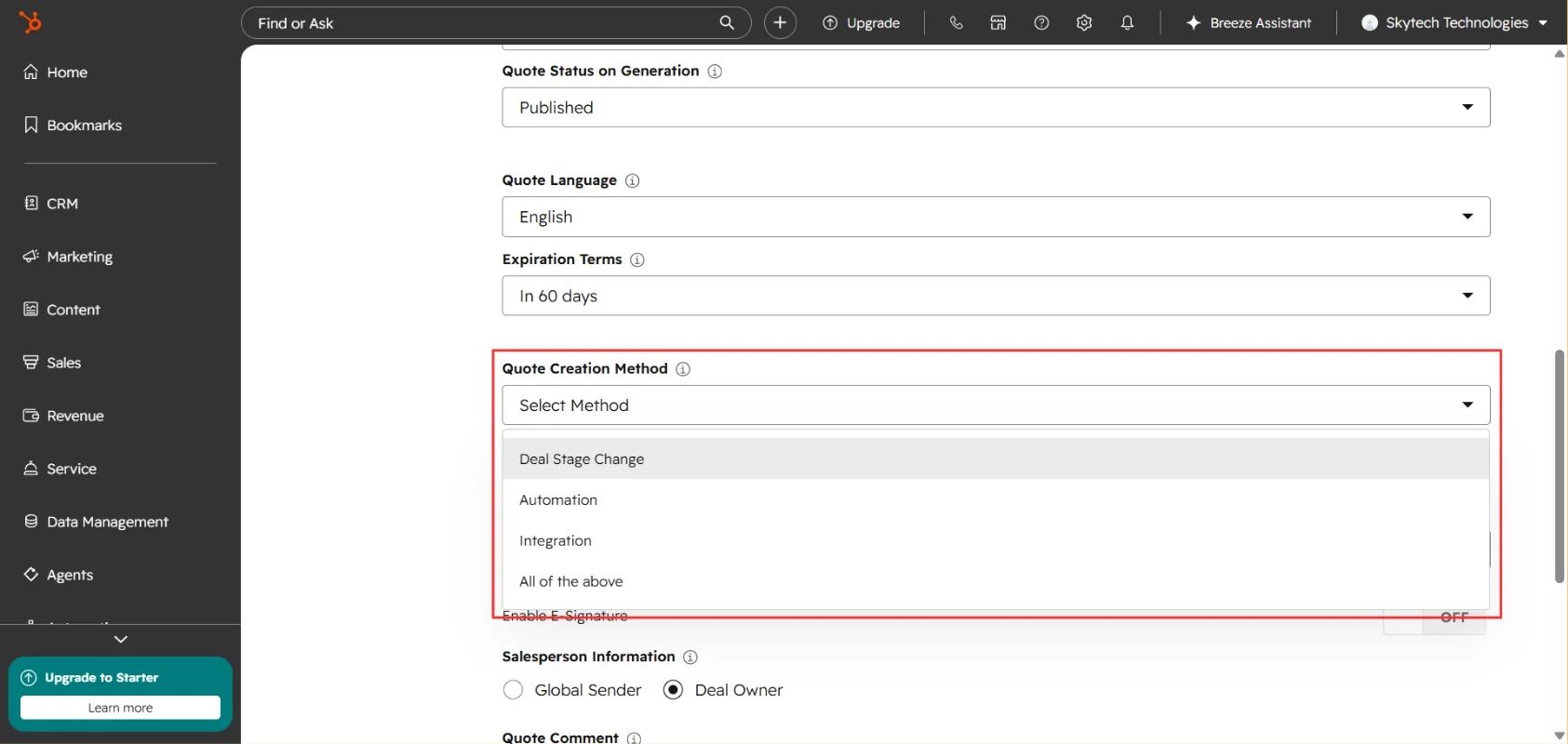
Choose a quote creation method
Select how you want to create quotes: Drag & Drop, Automation, Integration, or All of the Above.
Enable Drag & Drop and select the destination stage
Enable the Drag & Drop option if you want to generate quotes by moving deals between pipeline stages. Select the Destination Stage — the deal stage at which AutoQuote will automatically generate the quote.
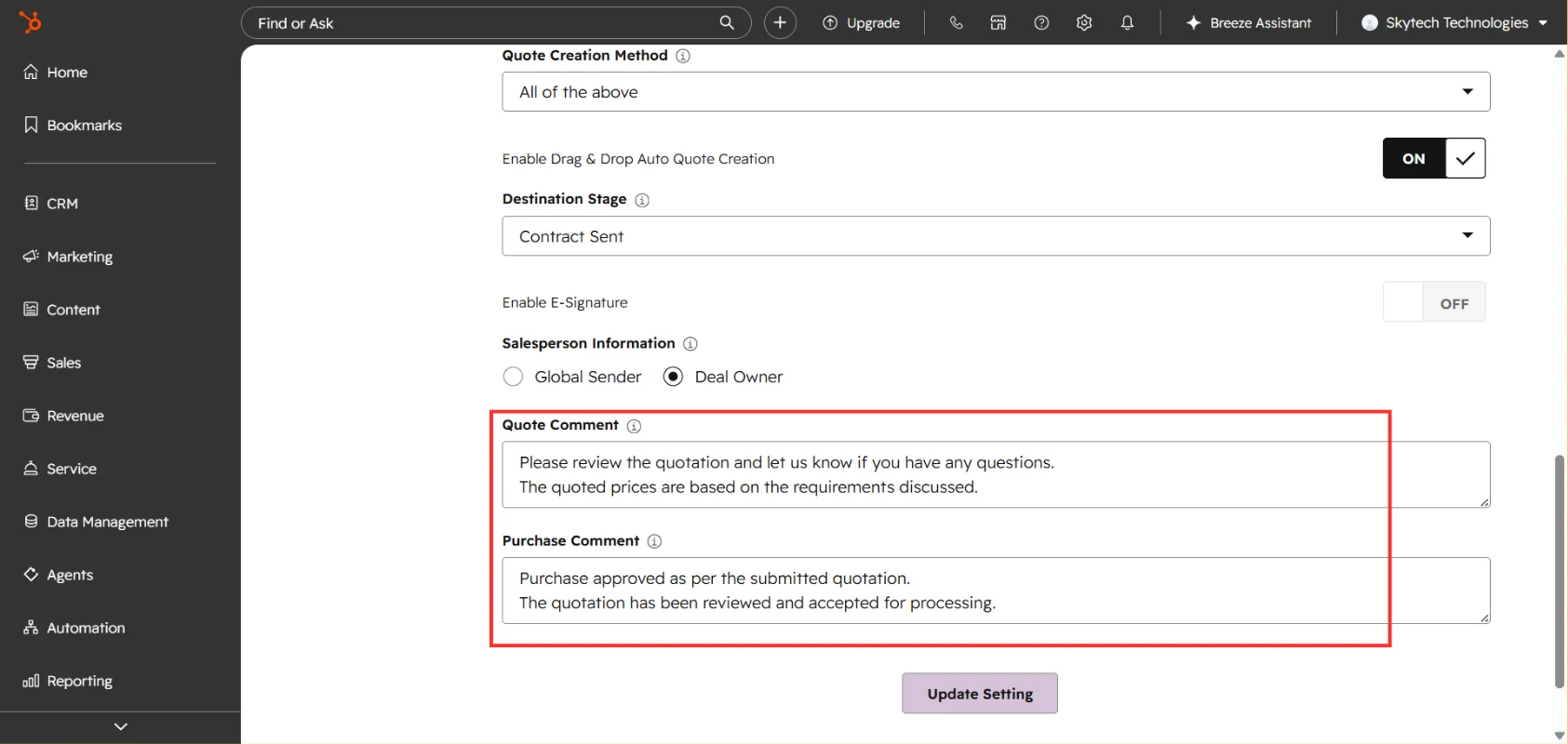
Set e-signature, comments, and save
Enable or disable E-Signature according to your requirements. Add Quote Comments and Purchase Terms as required. Click Update Settings to save your configuration.
Enable or disable E-Signature according to your requirements. Add Quote Comments and Purchase Terms as required. Click Update Settings to save your configuration
Note
Generate a Quote from a Deal
Once your settings are configured, you can generate a quote directly from your HubSpot deal pipeline.
Open your deal dashboard
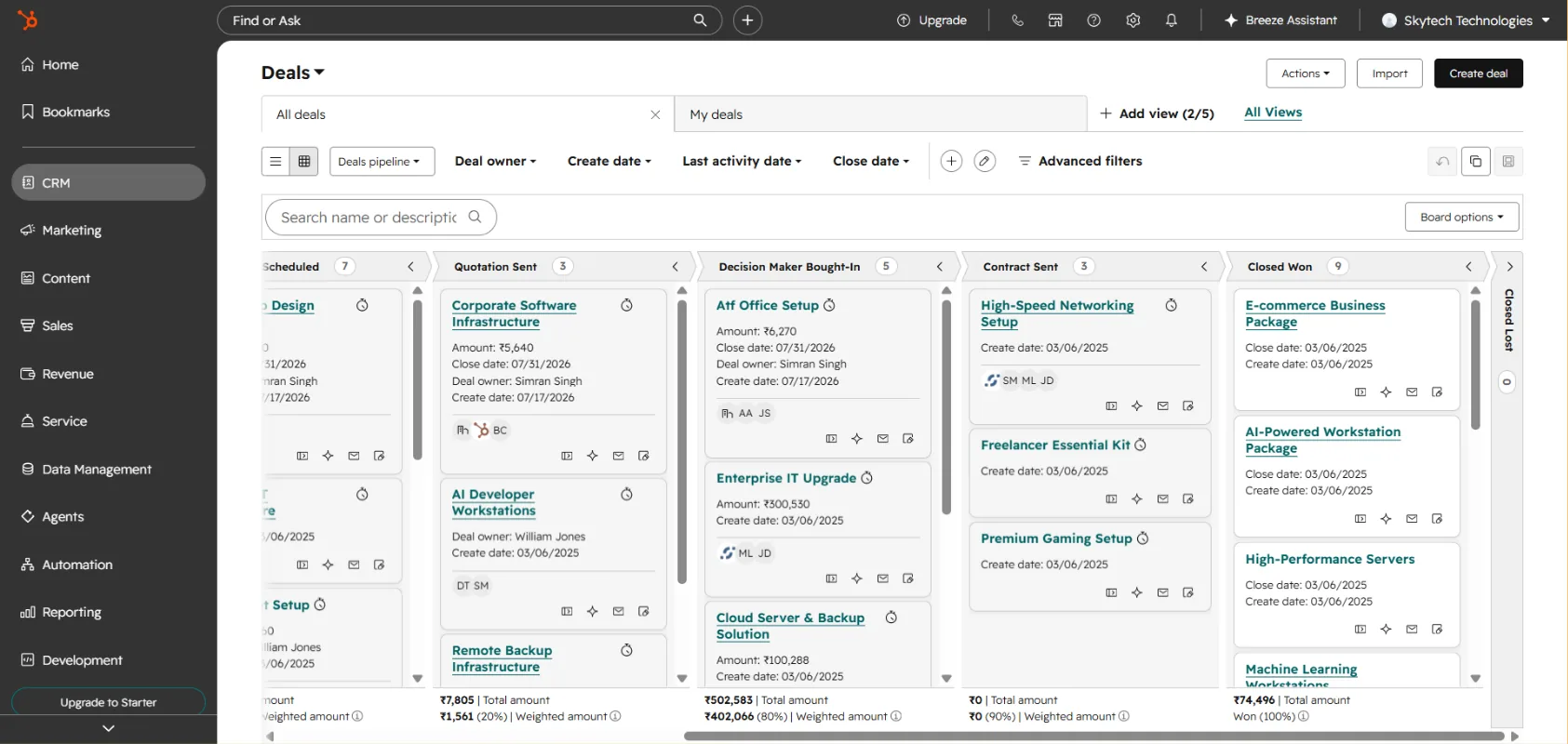
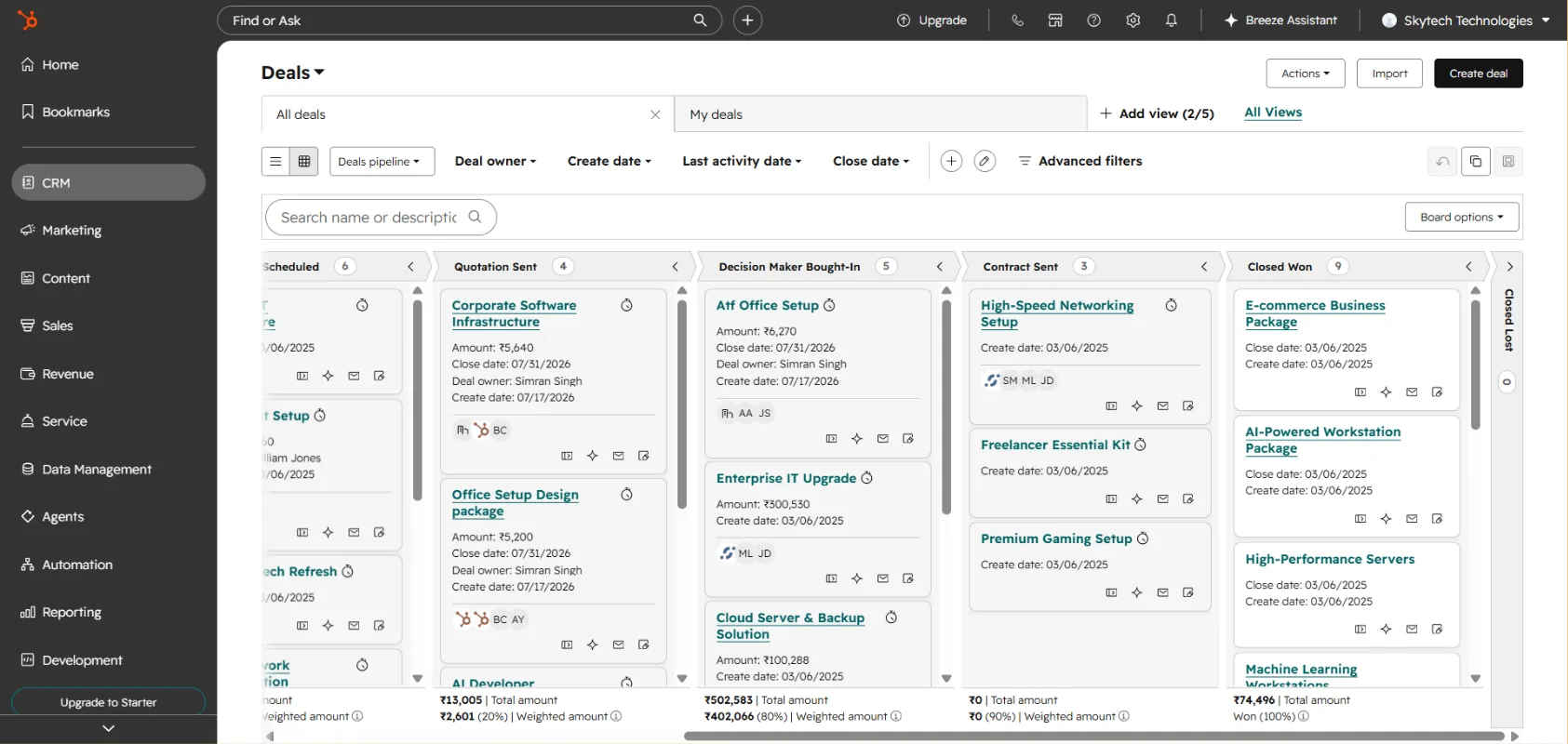
Go to your Deal Dashboard in HubSpot. Make sure your dashboard is in grid view.
Select the deal
Select the deal for which you want to generate a quote.
Select the deal for which you want to generate a quote. Drag the deal to the destination stage
Drag the deal to the Destination Stage you selected in the AutoQuote settings.
Open the deal
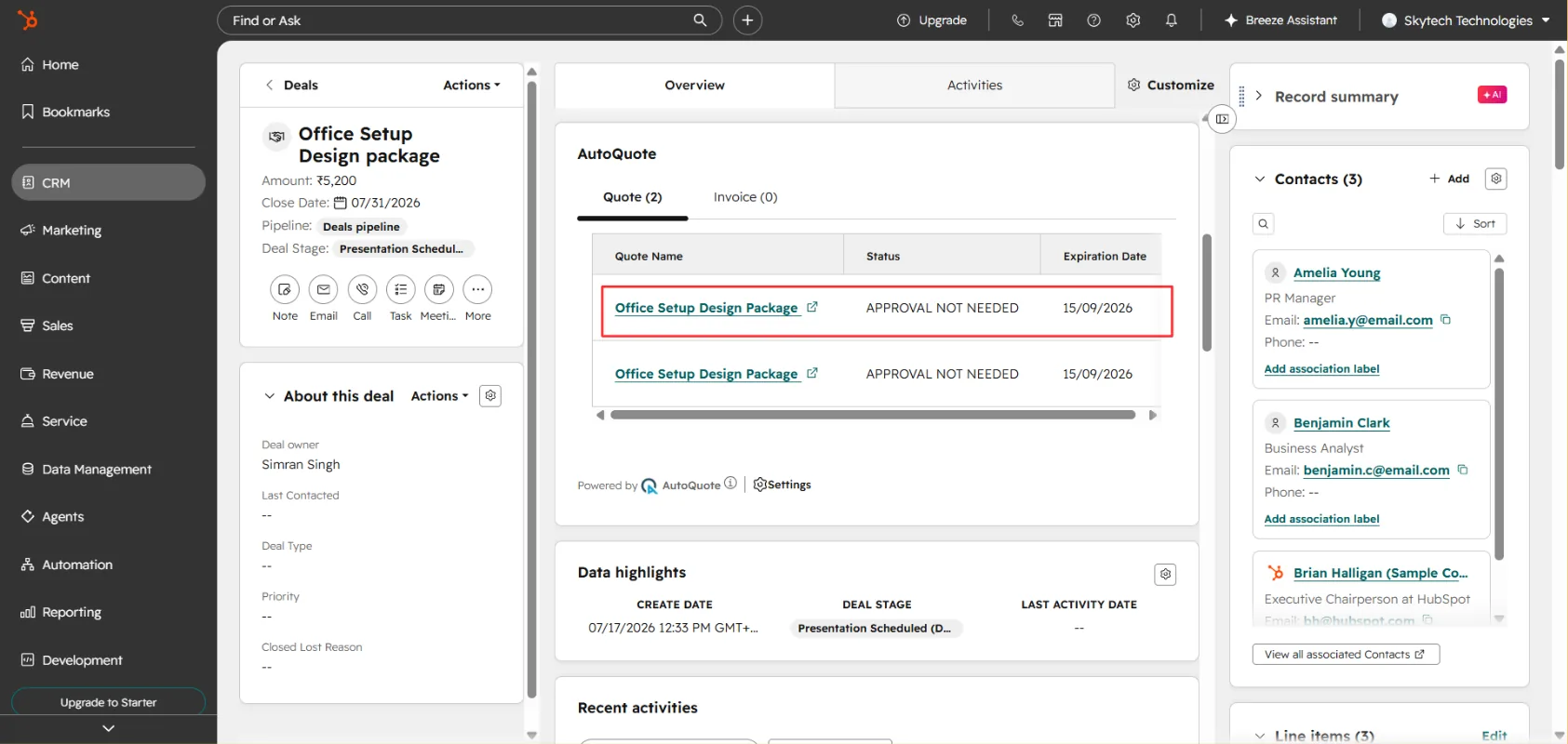
Open the deal. AutoQuote will generate the quote automatically. You can find the generated quote in the AutoQuote card on the deal record.
Open the deal. AutoQuote will generate the quote automatically. You can find the generated quote in the AutoQuote card on the deal record. View or download the quote
Open the quote to view or download it.
Invoice creation using native templates
Generate invoices automatically using HubSpot's native templates.
AutoQuote allows you to automatically generate invoices using your configured invoice settings. Follow the steps below to set up invoice generation and create an invoice from a HubSpot deal.
Configure Invoice Settings
Open the Invoice tab
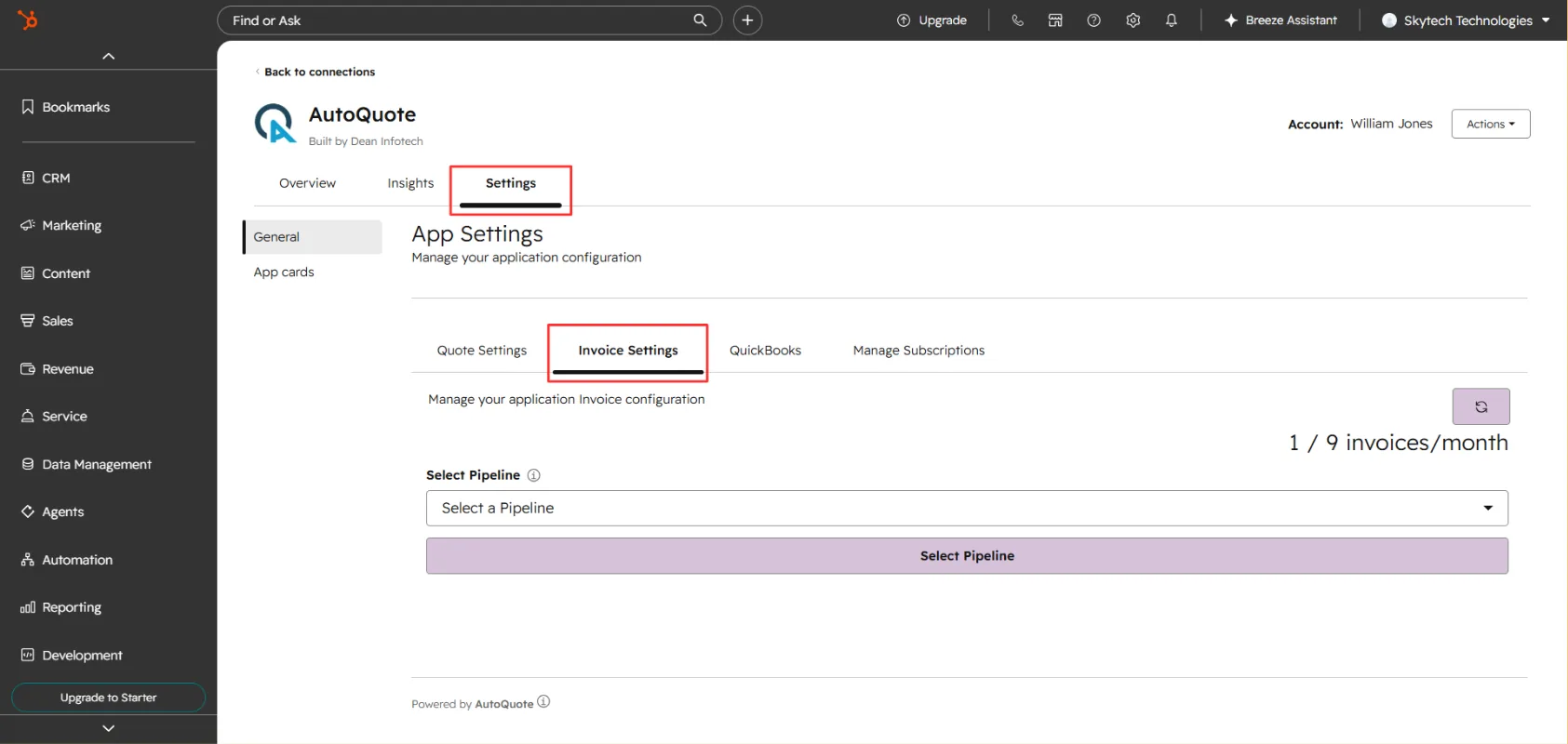
Open AutoQuote from the Connected Apps section in your HubSpot account. Go to the Invoice tab in AutoQuote Settings.
Select a pipeline
Select the pipeline where you want to enable invoice generation.
Select the pipeline where you want to enable invoice generation. Choose the invoice status on generation
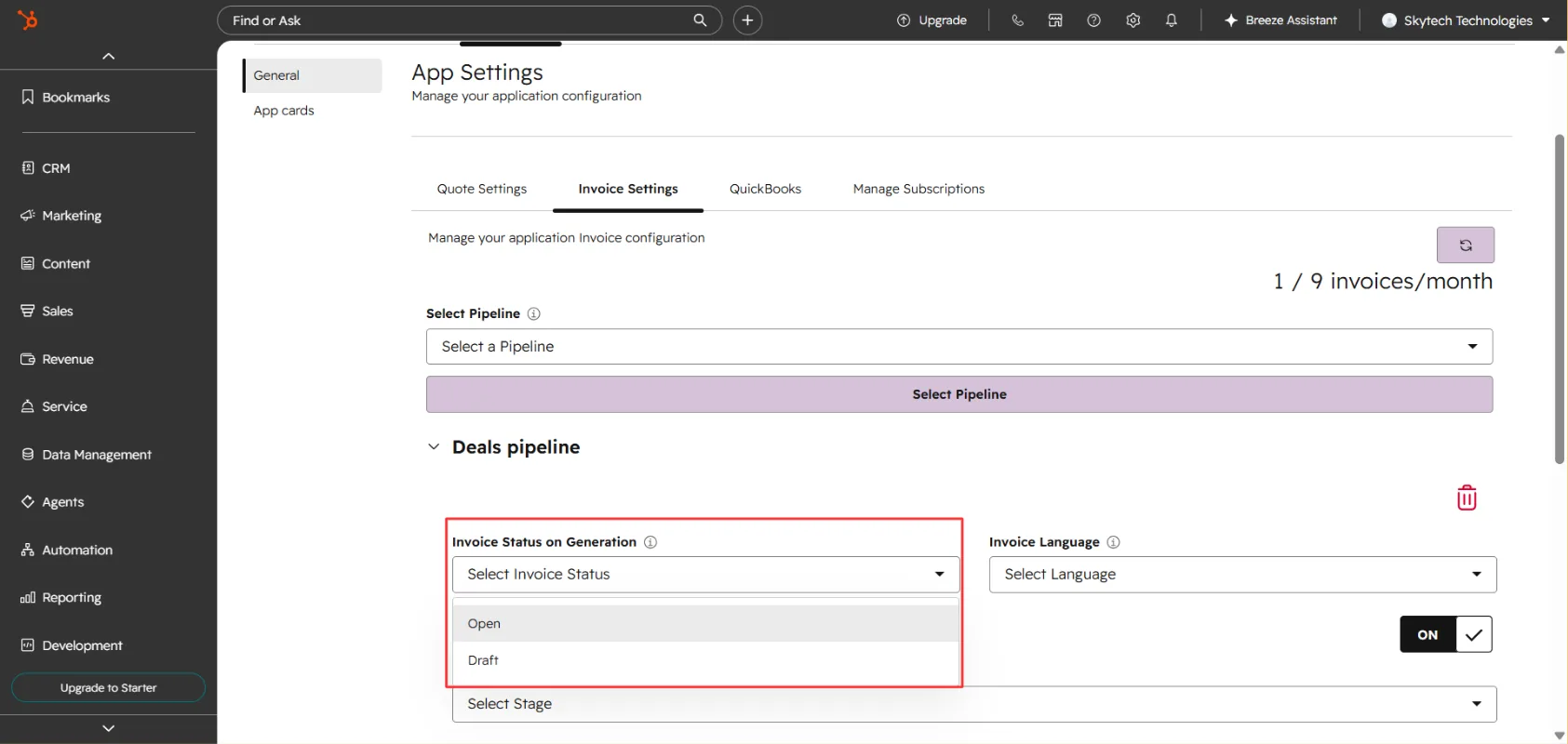
Choose the Invoice Status on Generation: Draft or Published.
Set language and destination stage
Select the preferred Invoice Language. Choose the Destination Stage where the invoice should be generated.
Set language and destination stage Configure association labels
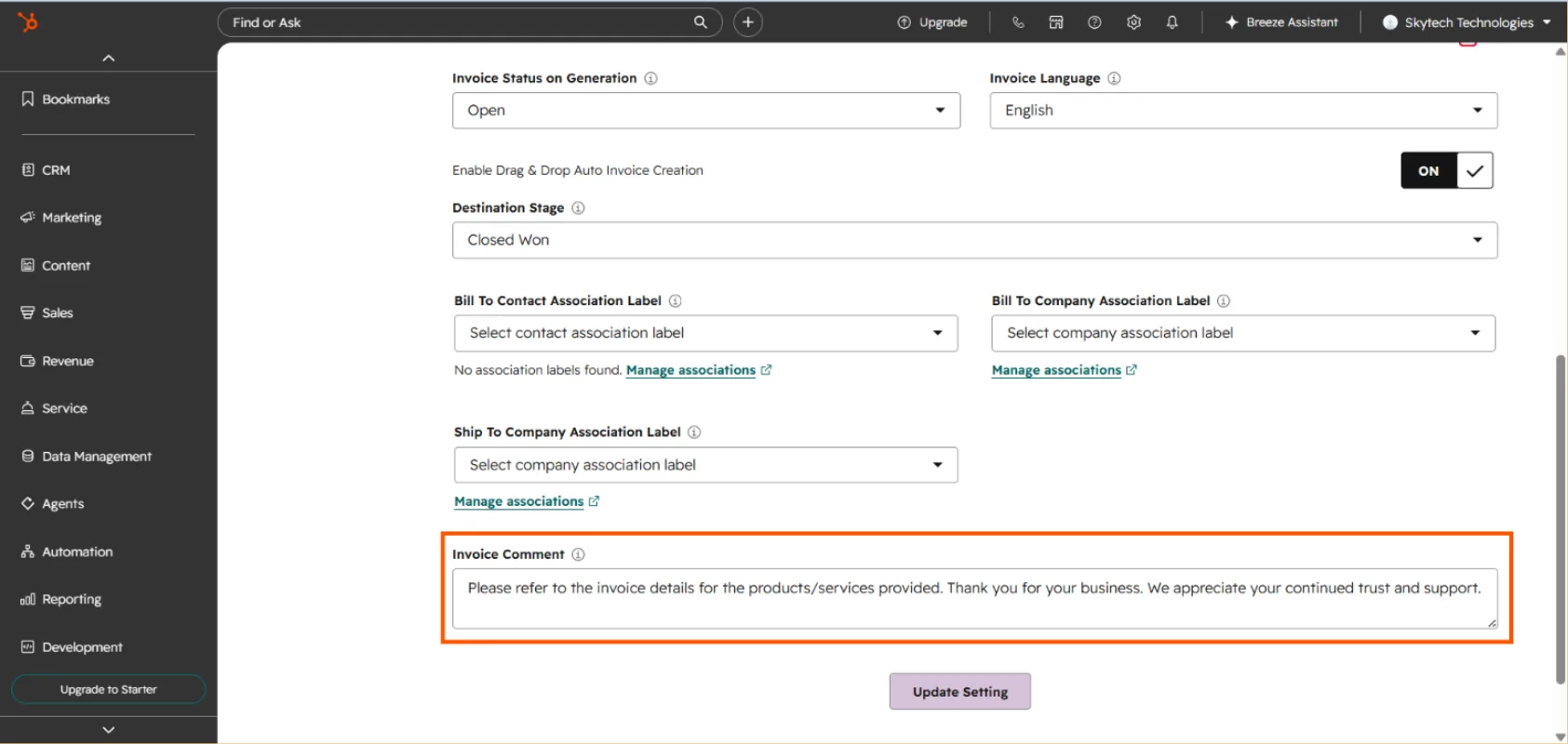
Configure the association labels as required: Bill To Contact Association Label, Bill To Company Association Label, Ship To Company Association Label (optional). Add an Invoice Comment, if required.
Save your configuration
Click Update Settings to save your configuration.
Generate an Invoice from a Deal
Once your invoice settings are configured, you can generate an invoice directly from your HubSpot deal pipeline.
Drag the deal into the destination stage
Go to the Deals Dashboard in HubSpot. Make sure your deals are displayed in Grid View. Select the deal for which you want to generate an invoice. Drag and drop the deal into the Destination Stage selected in your AutoQuote settings.
Drag the deal into the destination stage
Open the deal record. In the AutoQuote Card, navigate to the Invoice tab. You will find the automatically generated invoice there. Open the invoice to view or download it.
Quote creation using custom templates
Generate quotes using your own custom-built HubSpot templates.
AutoQuote allows you to generate quotes using custom HubSpot templates. Follow the steps below to configure your quote settings and generate a quote from a deal.
Configure Quote Settings
Open Quote Settings
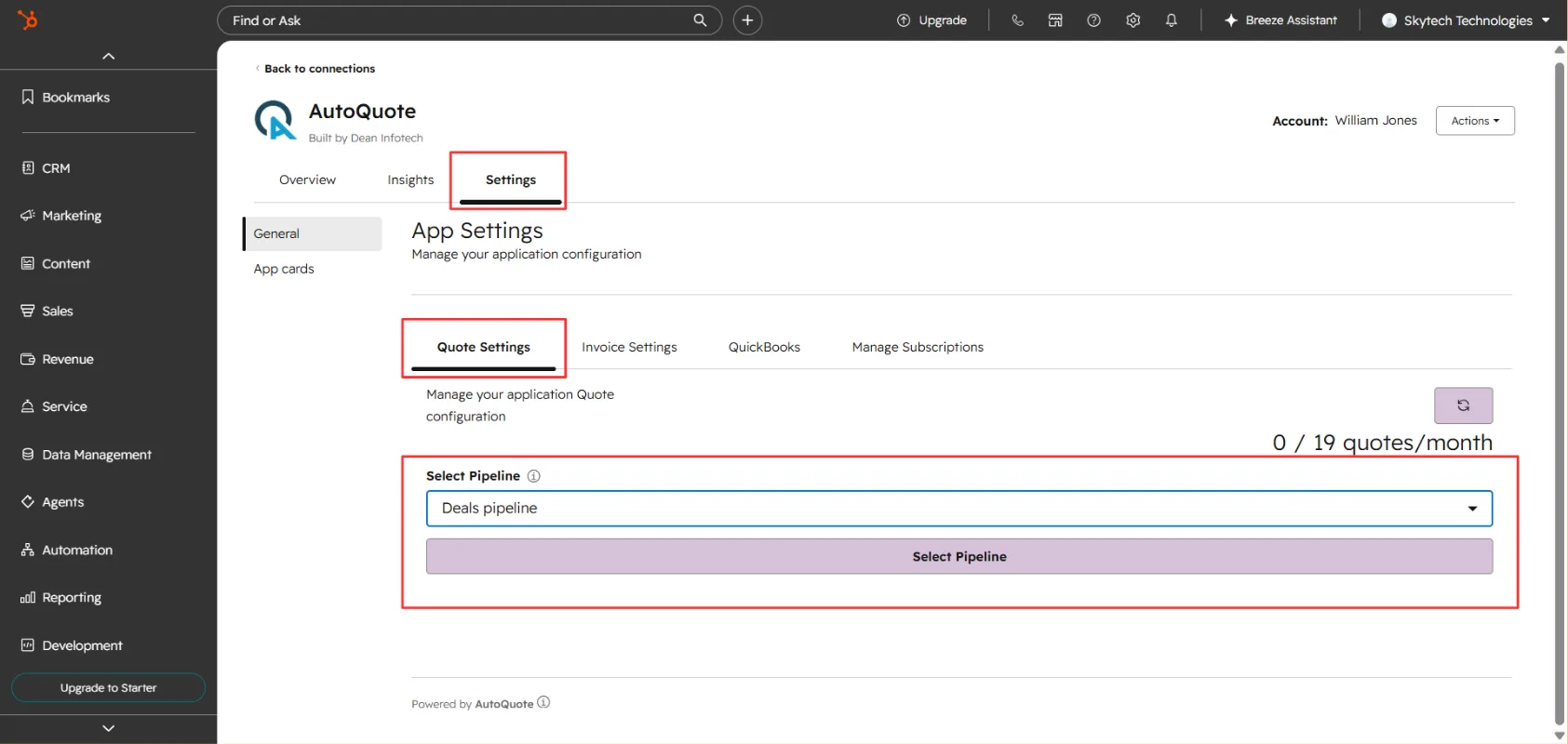
Open AutoQuote from the Connected Apps section in your HubSpot account. Go to Settings → Quote Settings.
Select a pipeline
Select the pipeline where you want to enable quote creation.
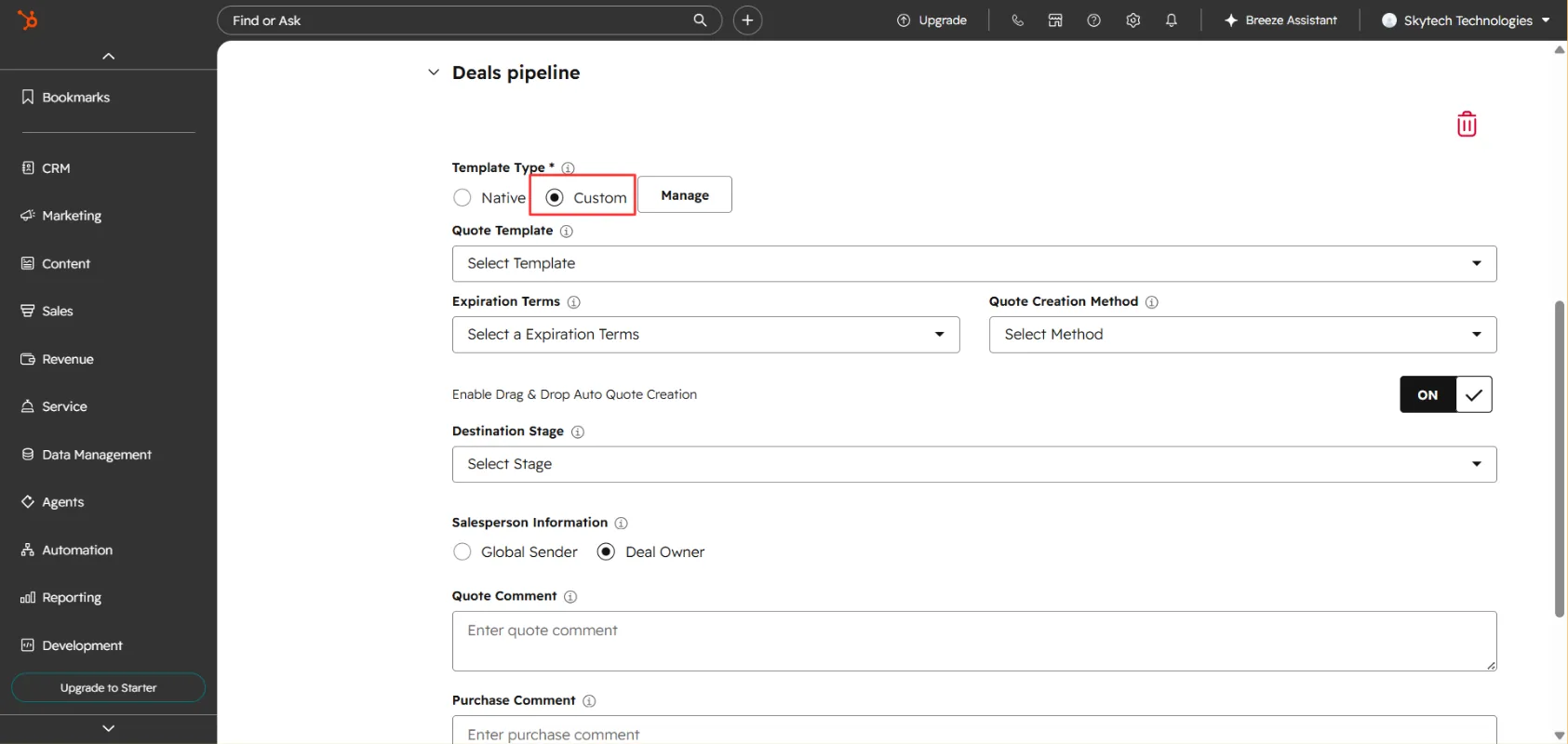
Select Custom Template as the template type
Select Custom Template as the template type.
Select Custom Template as the template type Choose your template
Choose the desired template from the available options.
Choose the desired template from the available options Set expiration terms and creation method
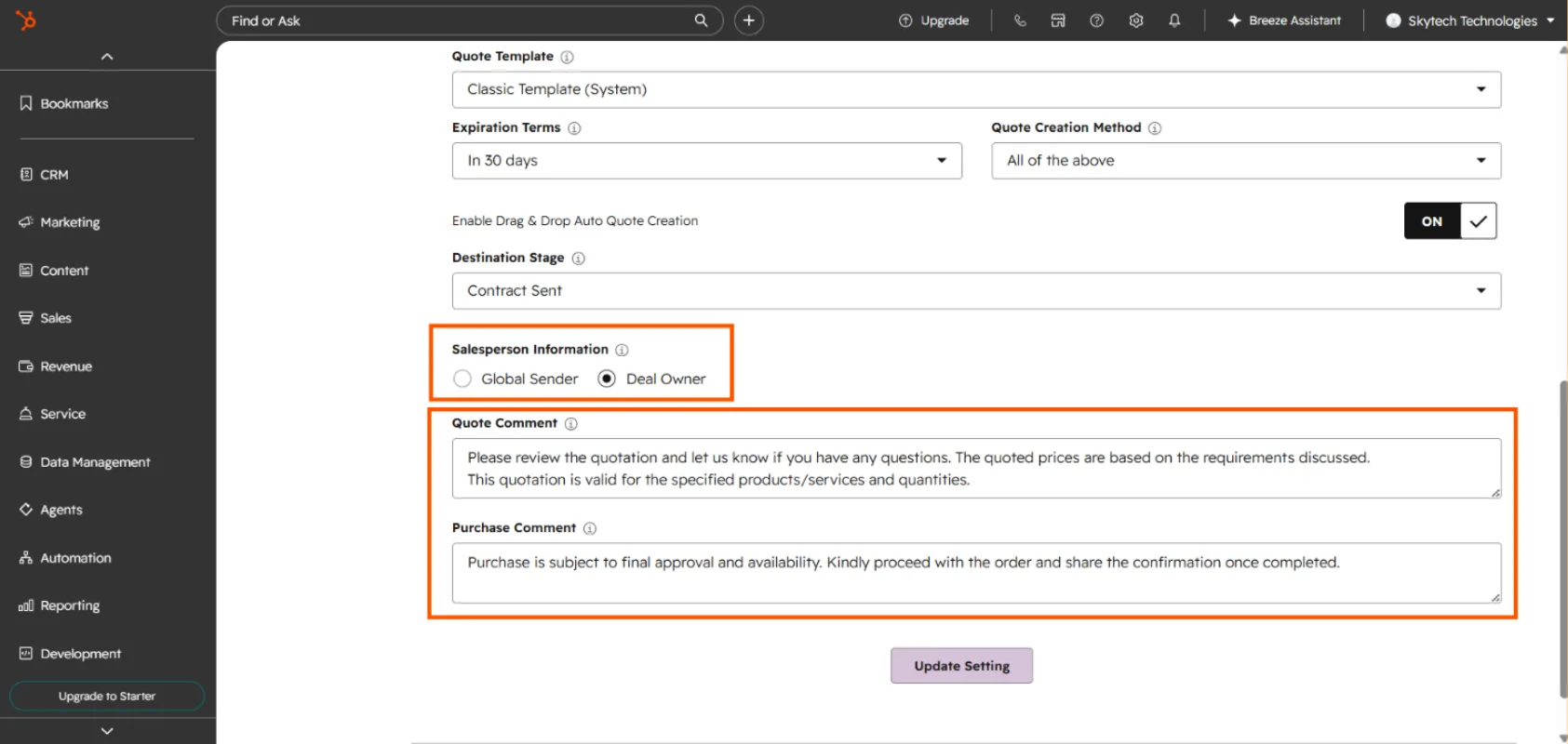
Select the Expiration Terms. Select your preferred Quote Creation Method: Drag & Drop, Automation, Integration, or All of the Above.
Select the destination stage
Select the Destination Stage — the deal stage at which the quote will be generated.
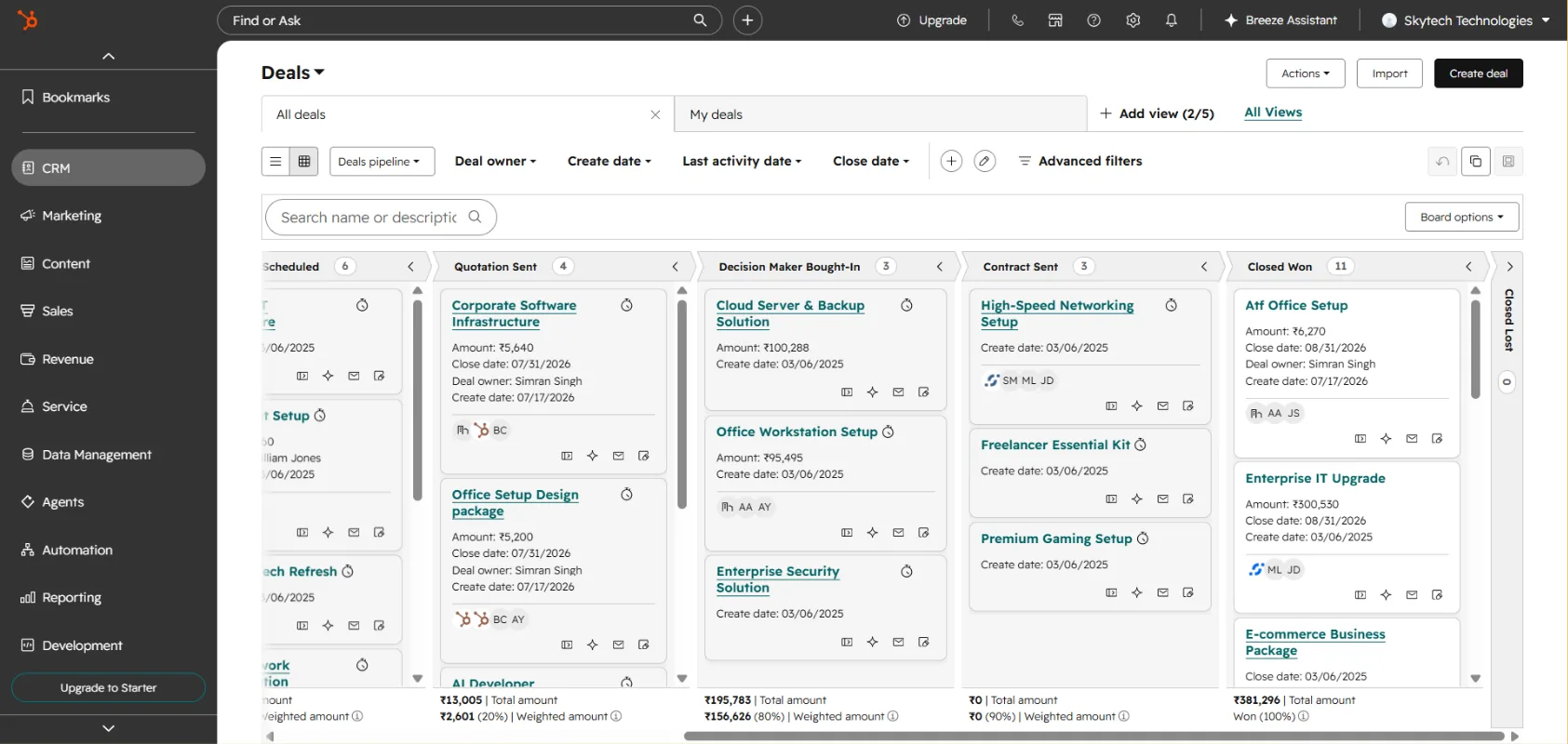
Add comments and save
Add Quote Comments and Purchase Terms, if required. Click Update Settings to save your configuration.
Add Quote Comments and Purchase Terms, if required. Click Update Settings to save your configuration.
Generate a Quote from a Deal
Once your quote settings are configured, you can generate a quote directly from your HubSpot deal pipeline. Go to the Deals Dashboard in HubSpot. Select the deal for which you want to generate a quote. Drag and drop the deal into the Destination Stage selected in the AutoQuote settings.
Open the deal record
Open the deal record. AutoQuote will automatically generate the quote. Go to the AutoQuote Files Card on the deal record.
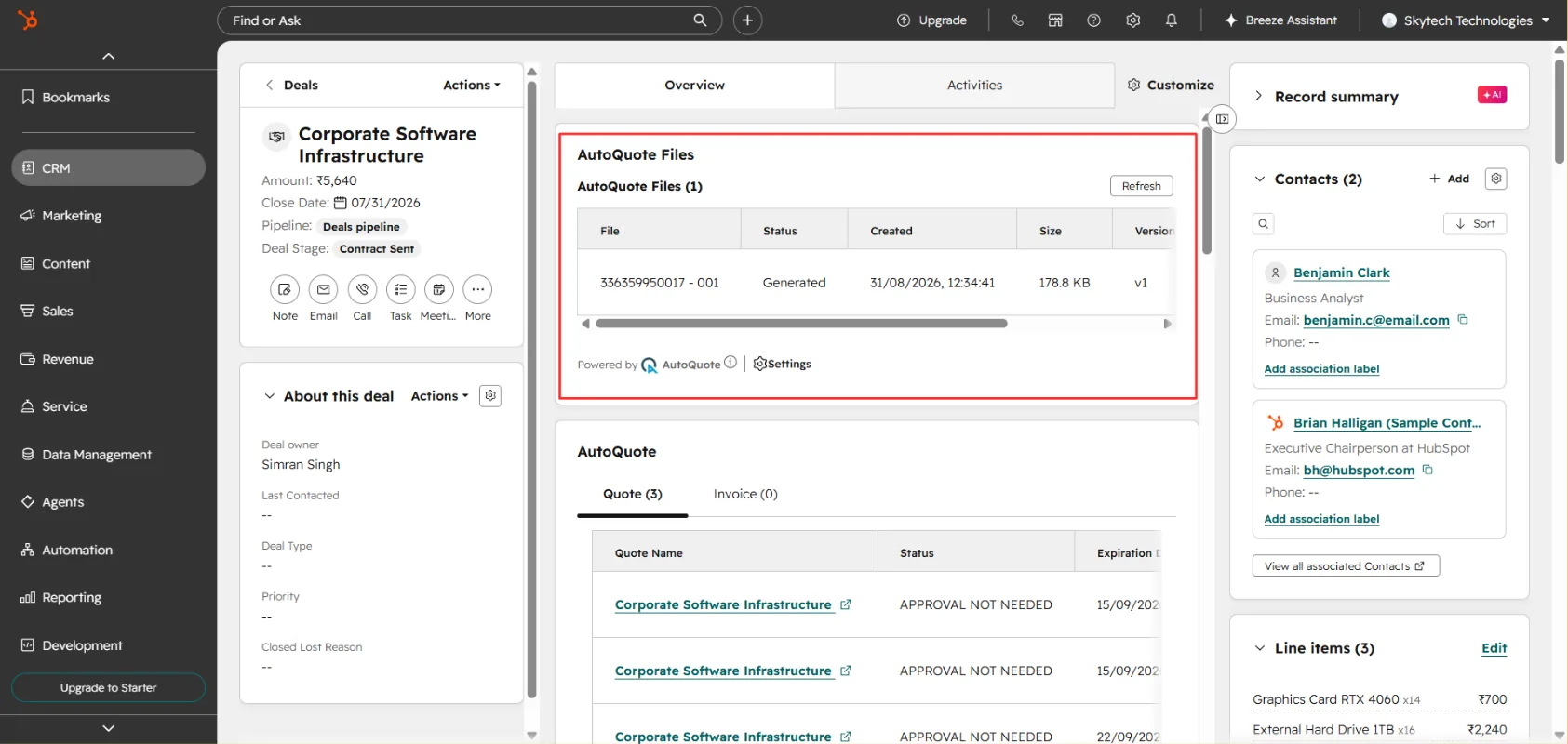
Open the quote to view, download or email the quote directly.
How to edit a custom quote template
Customize an existing quote template using the AutoQuote Template Builder.
AutoQuote allows you to customize your quote templates using the AutoQuote Template Builder. Follow these steps to edit an existing custom quote template.
Edit a Custom Quote Template
Select the pipeline and template type
Open AutoQuote from the Connected Apps section in your HubSpot account. Go to Settings → Quote Settings. Select the pipeline associated with the quote template you want to edit. Select Custom Template.
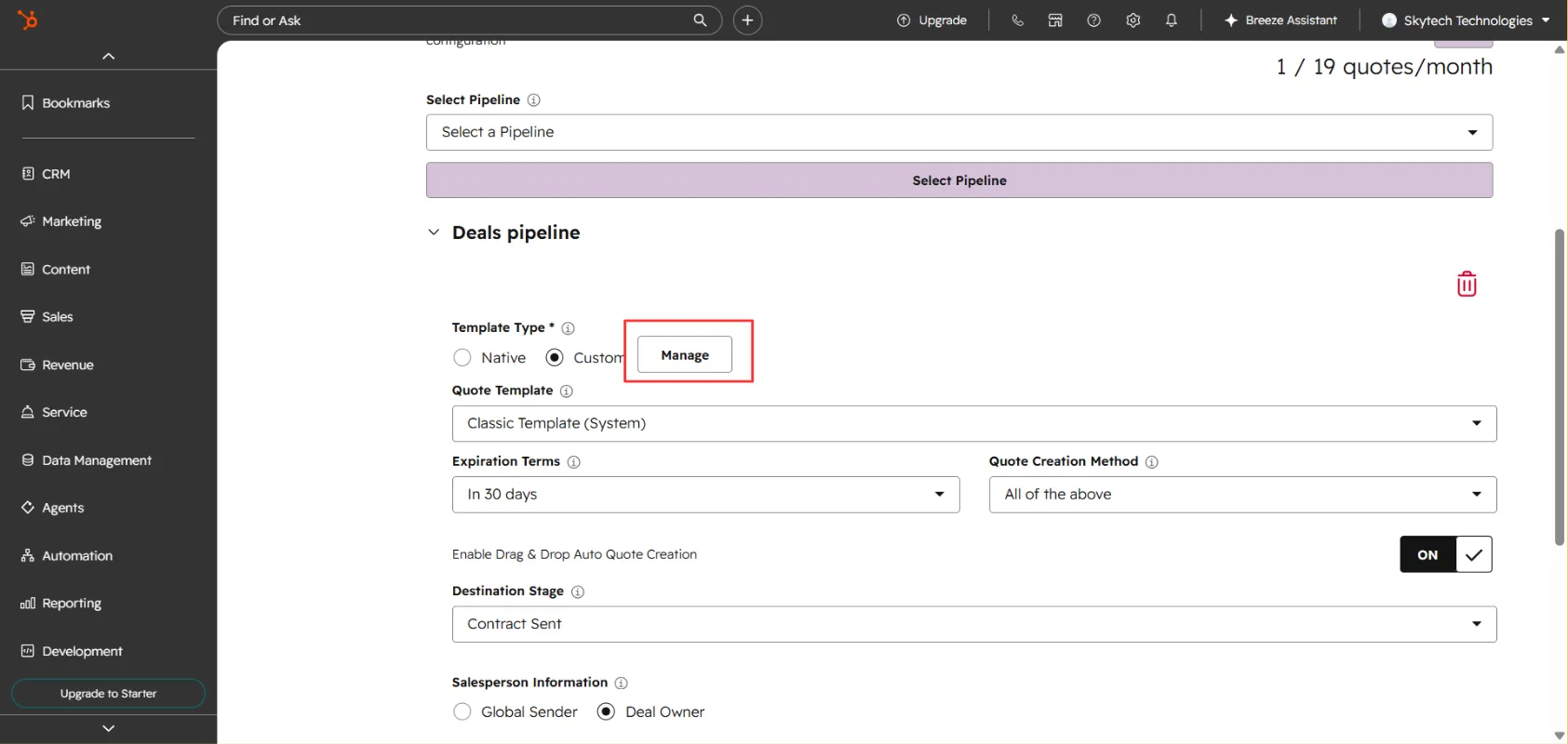
Click Manage
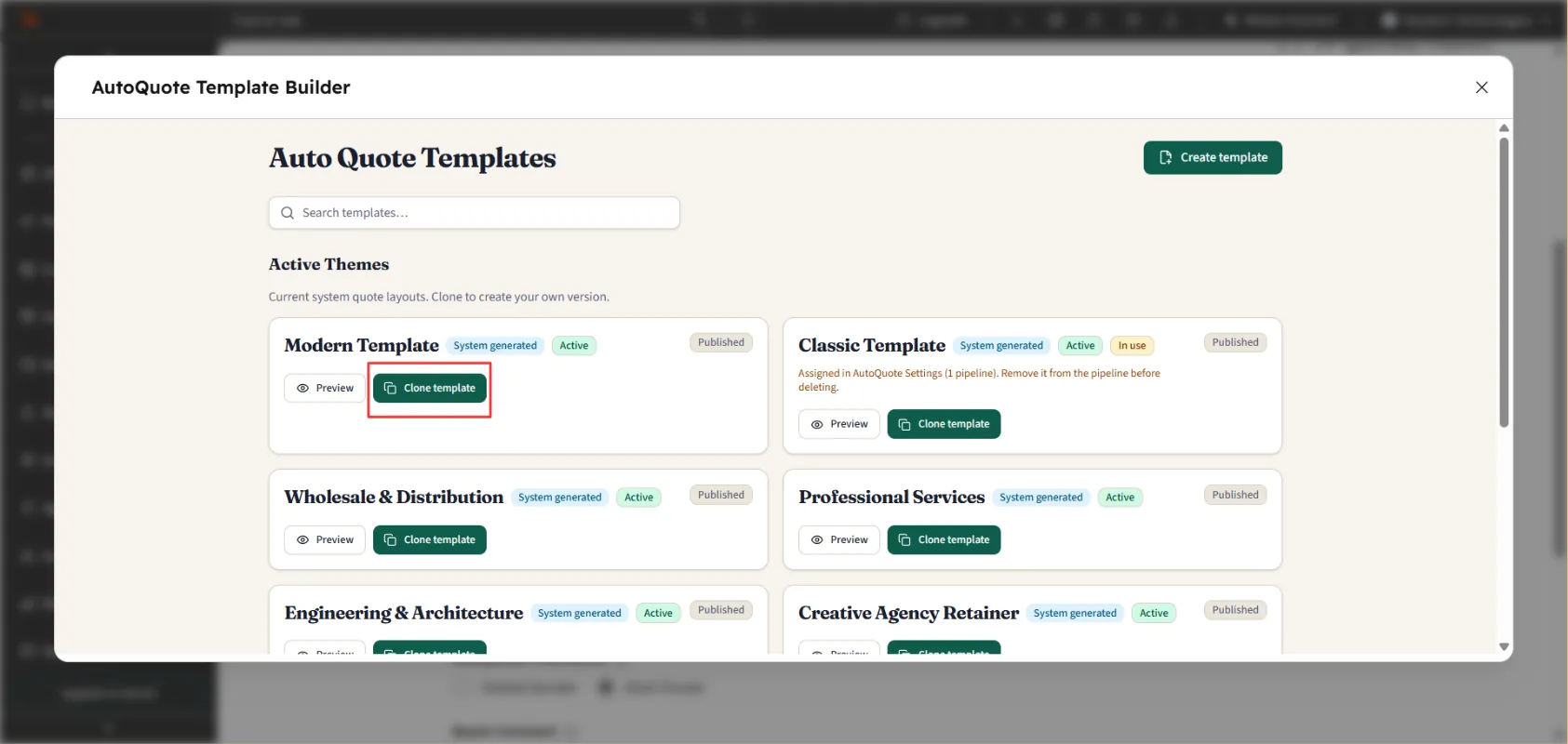
Click Manage. A popup with the Template Gallery will appear.
A popup with the Template Gallery will appear. Preview the template
Click Preview to view the quote template before making any changes.
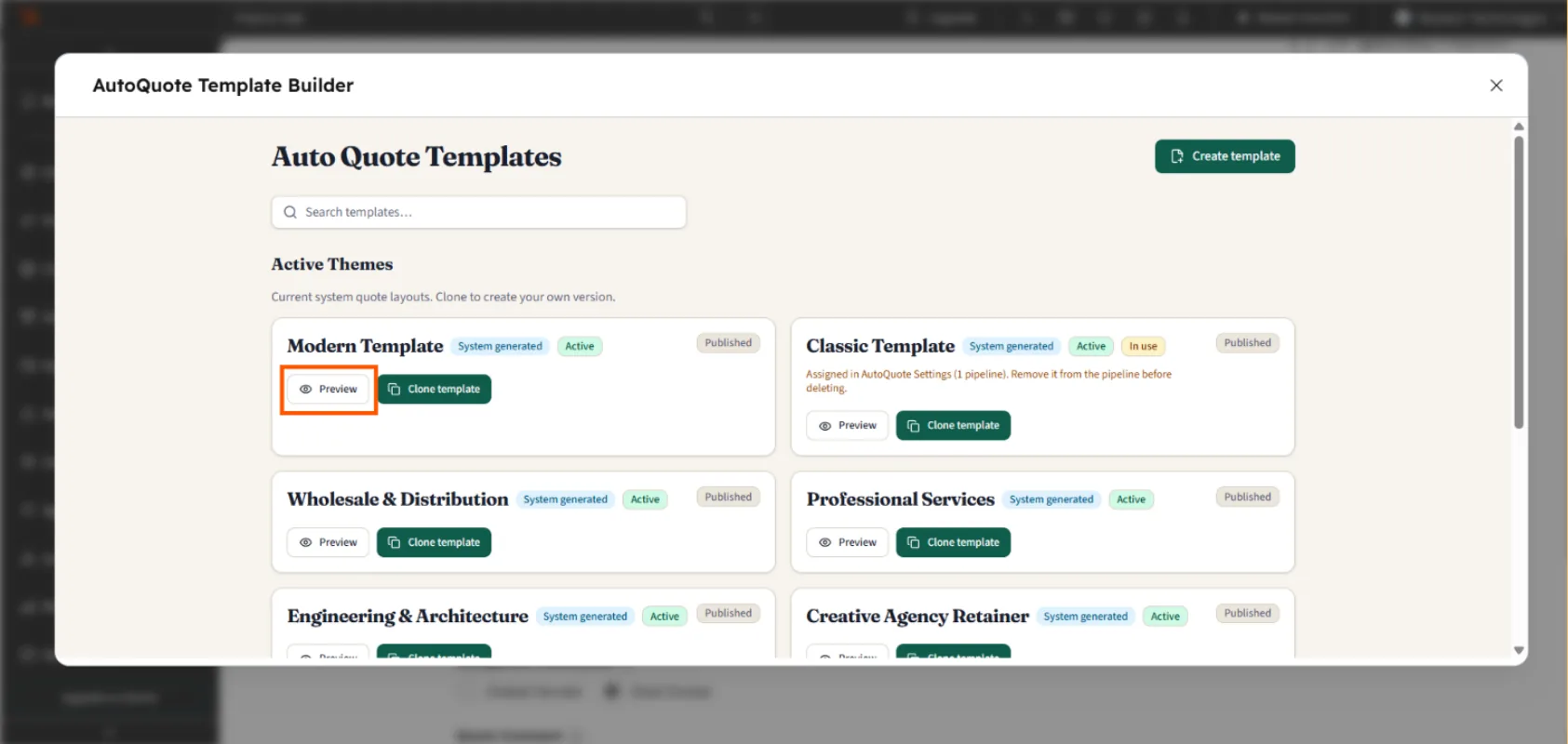
Clone the template
To edit the template, click Clone Template.
Edit in the Template Builder
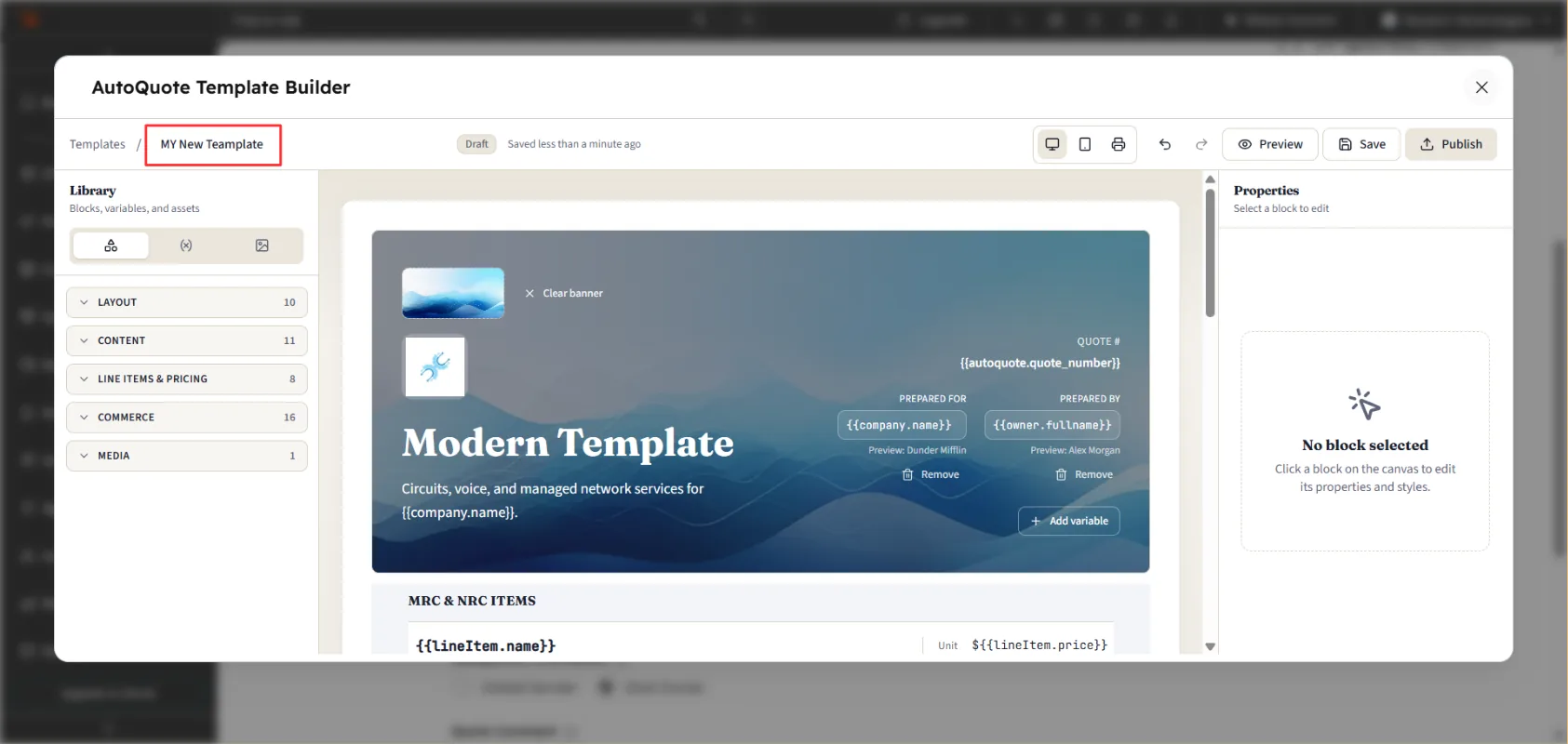
The AutoQuote Template Builder will open. Make the required changes to the template according to your business requirements. Update the Quote Template Name to identify your customized template easily.
Save and publish
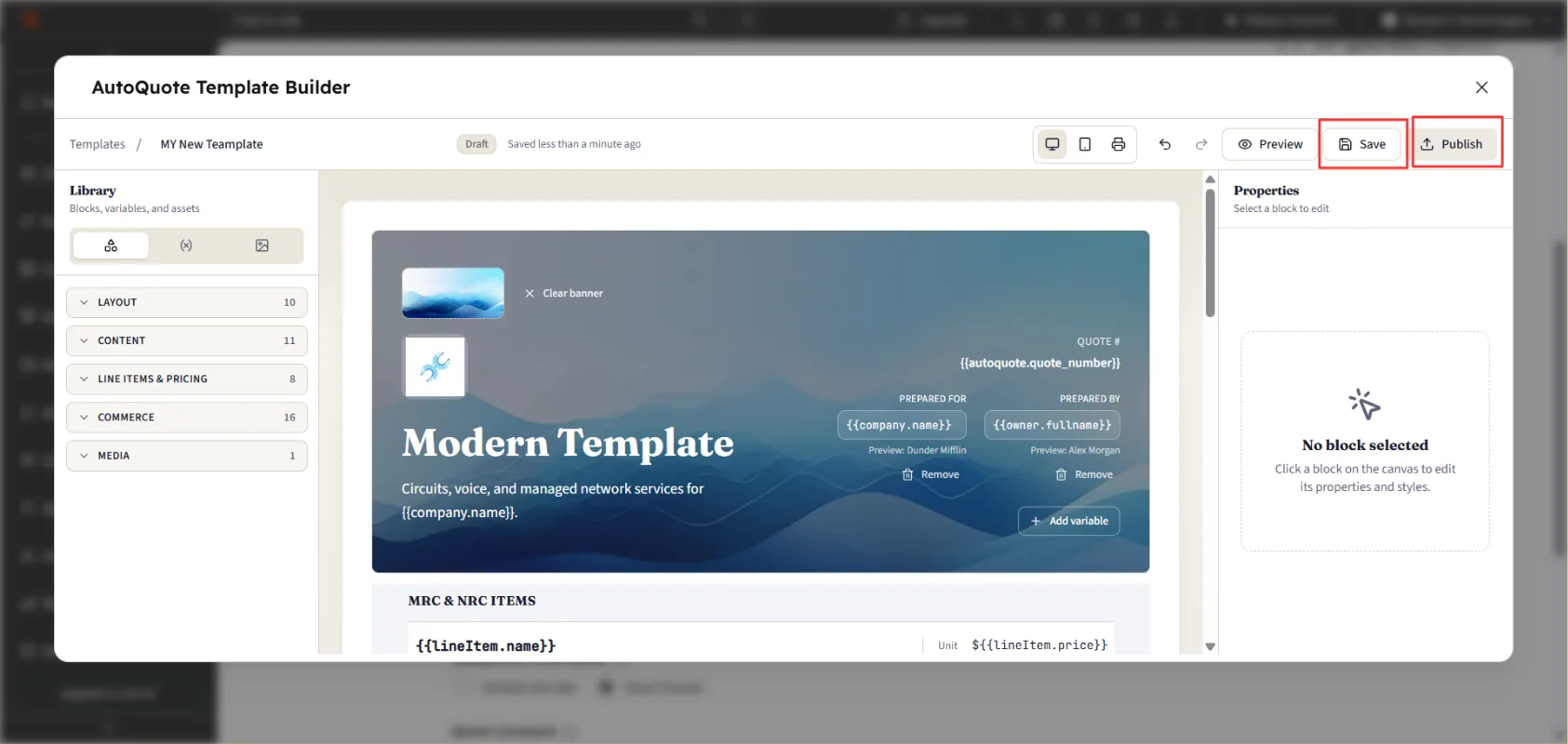
Click Save to save your changes. Click Publish to make the updated template available for use. Close the pop up window.
Select your updated template
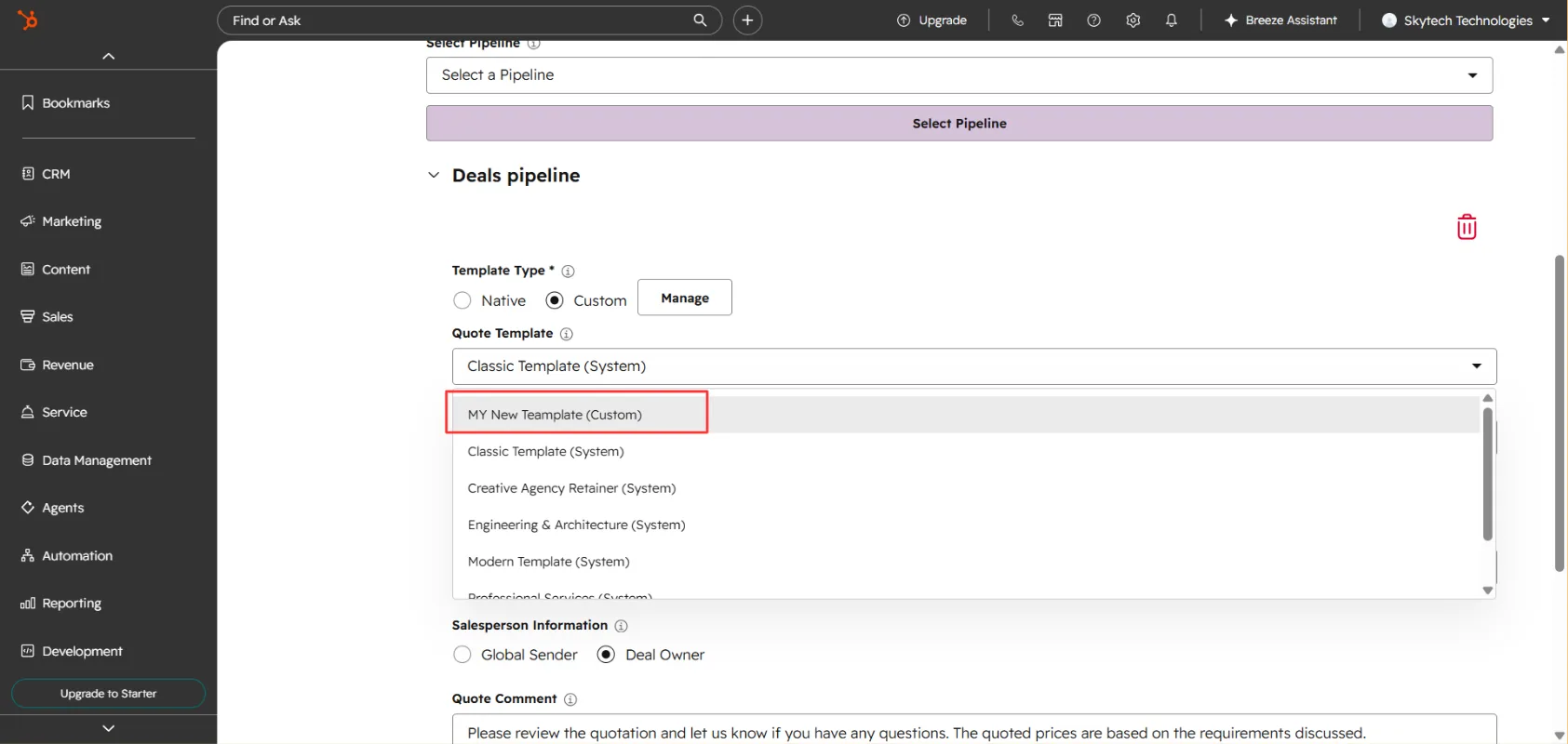
Now go to the Custom Template dropdown and choose your new custom template for use.
Note
Create a custom quote template from scratch
Build a fully customized quote template from scratch using the AutoQuote Template Builder.
AutoQuote allows you to create a fully customized quote template from scratch using the AutoQuote Template Builder. Follow these steps to create your own template.
Create a Custom Quote Template
Select the pipeline and template type
Open AutoQuote from the Connected Apps section in your HubSpot account. Go to Settings → Quote Settings. Select the pipeline where you want to use the custom quote template. Select Custom Template.
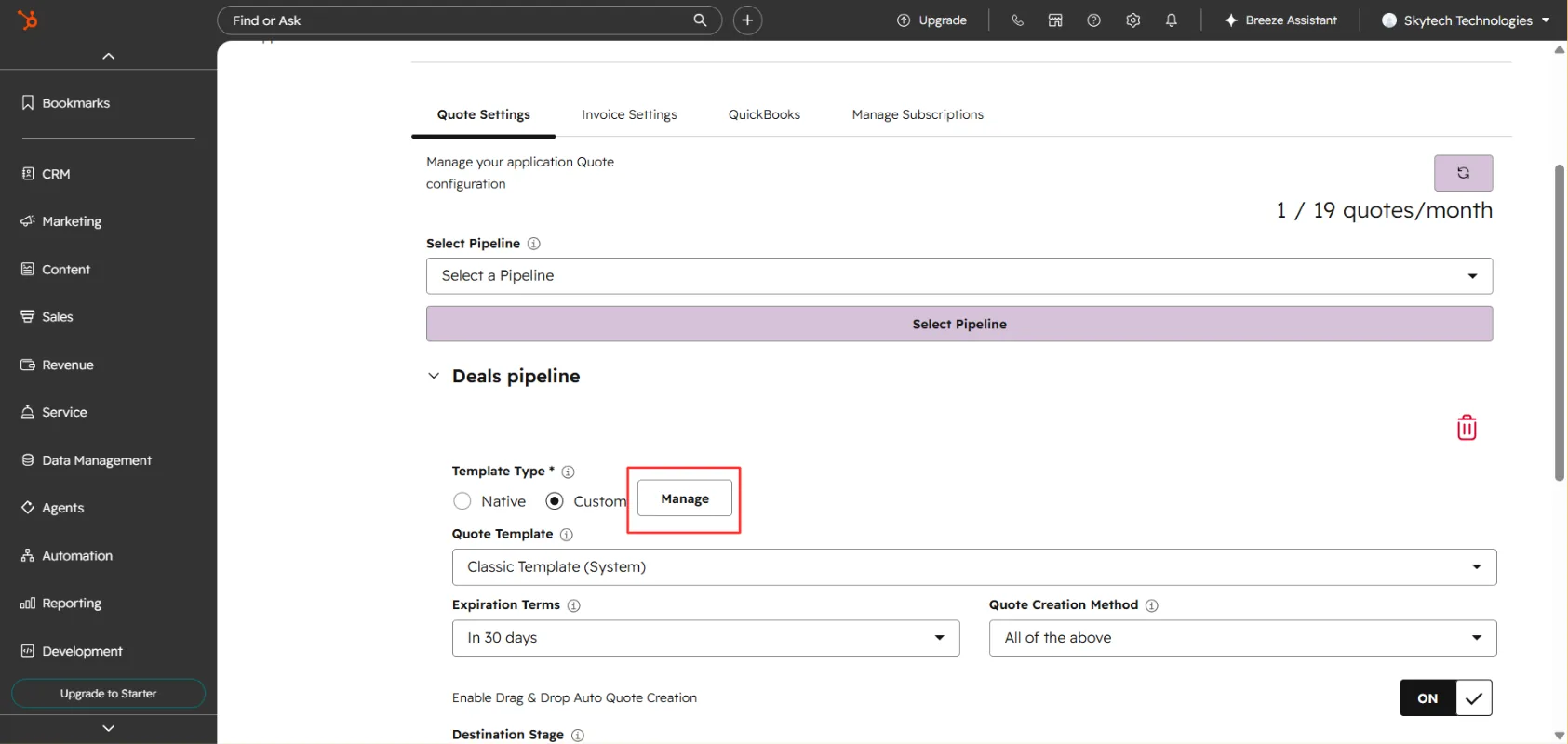
Click Manage
Click Manage. A popup containing the Template Gallery will appear.
A popup containing the Template Gallery will appear. Create the template
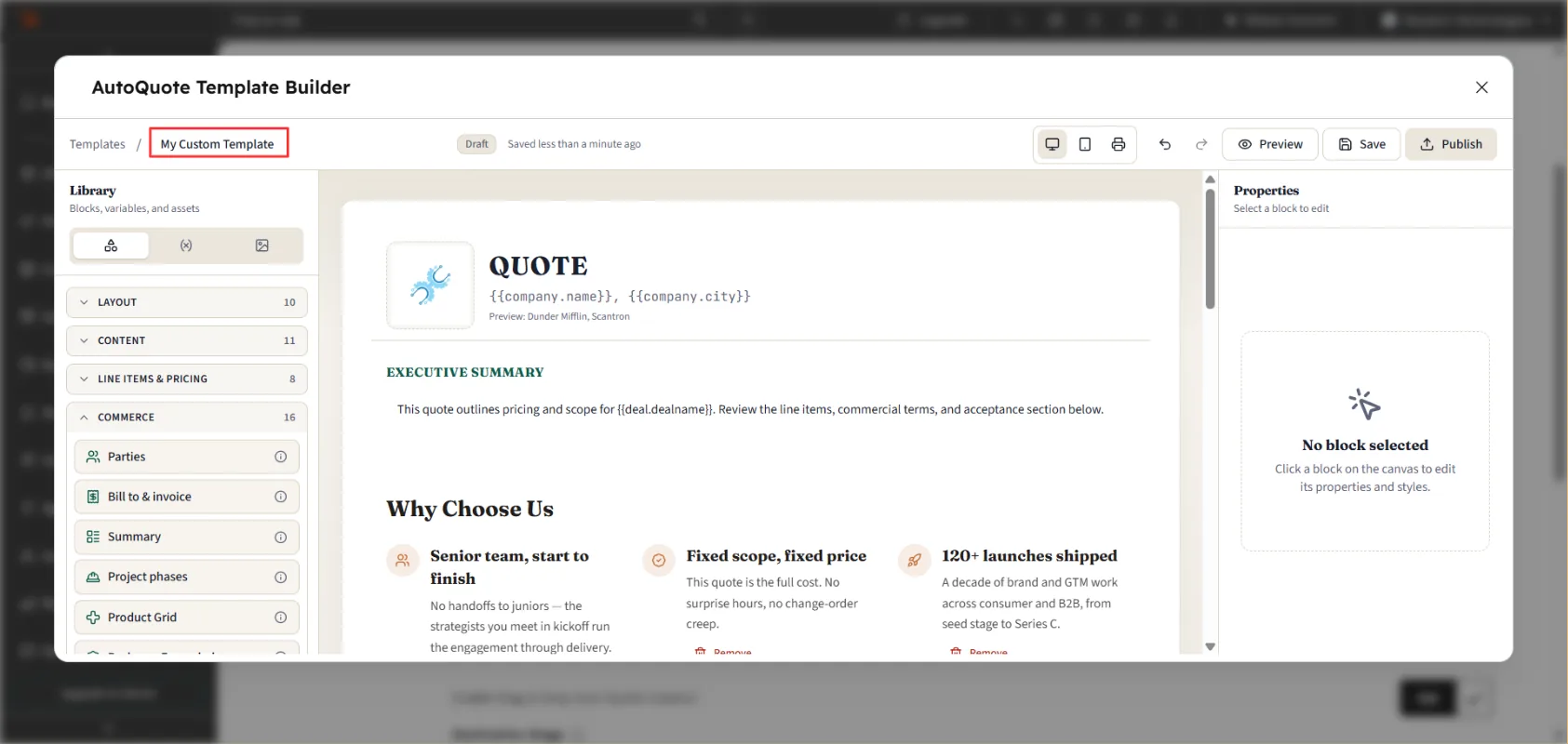
At the top of the Template Gallery, click Create Template. The AutoQuote Template Builder will open. Add the required blocks and configure them according to your requirements. Enter a name for your quote template.
Save, publish, and select it
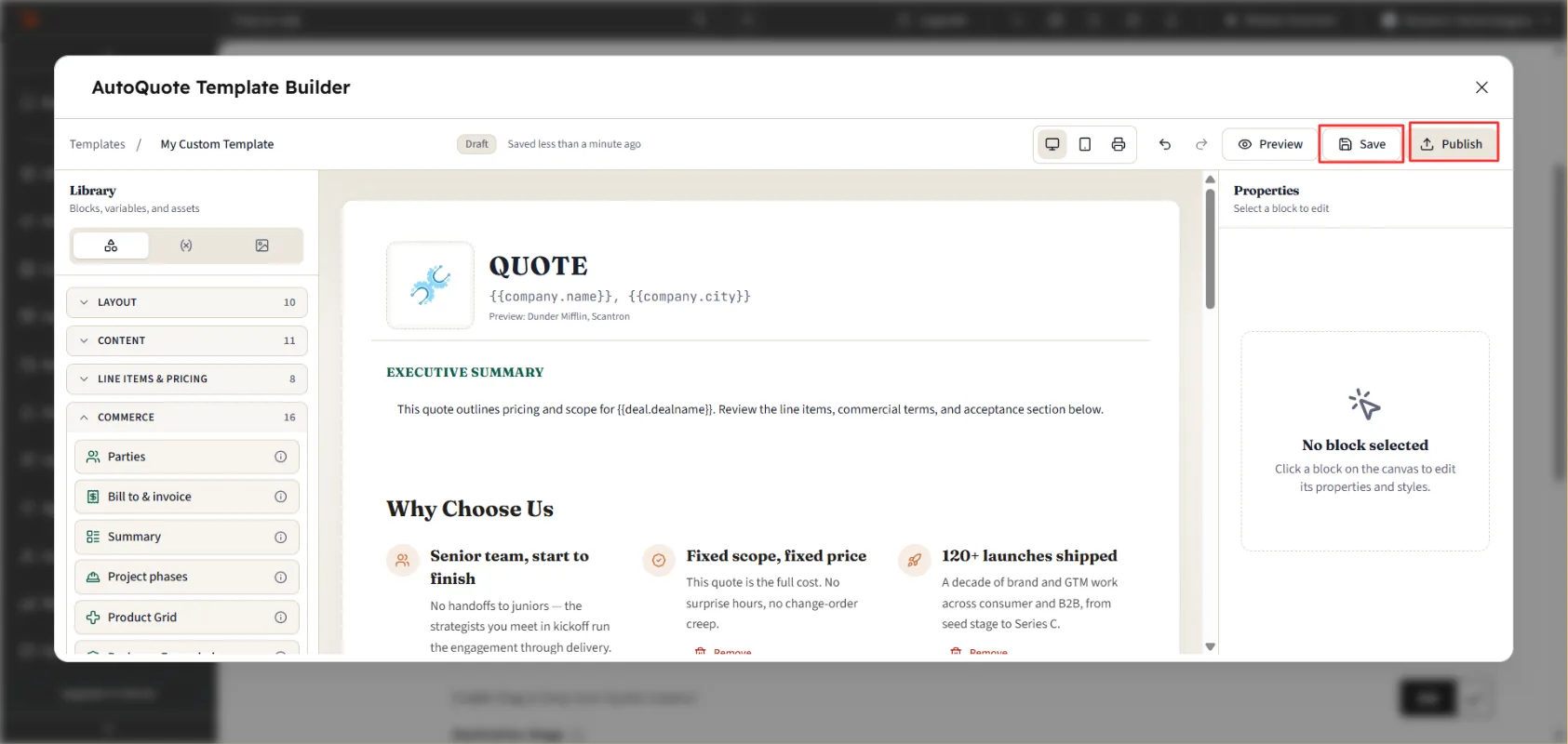
Click Save to save your template. Click Publish to make the template available for use. Close the Template Gallery popup. Your newly created custom template will now be available in the Custom Template dropdown, where you can select it for your quote generation.
Using the CRM app card
Add the AutoQuote card to your HubSpot deal records.
You can add AutoQuote cards to your HubSpot deal records in two ways.
Method 1: Add Cards Through AutoQuote Settings
Open AutoQuote settings
Go to AutoQuote from the Connected Apps section in your HubSpot account. Then click on Action > then Go to the Settings.
Open App Cards
Open the Settings tab. From the left sidebar, select App Cards.
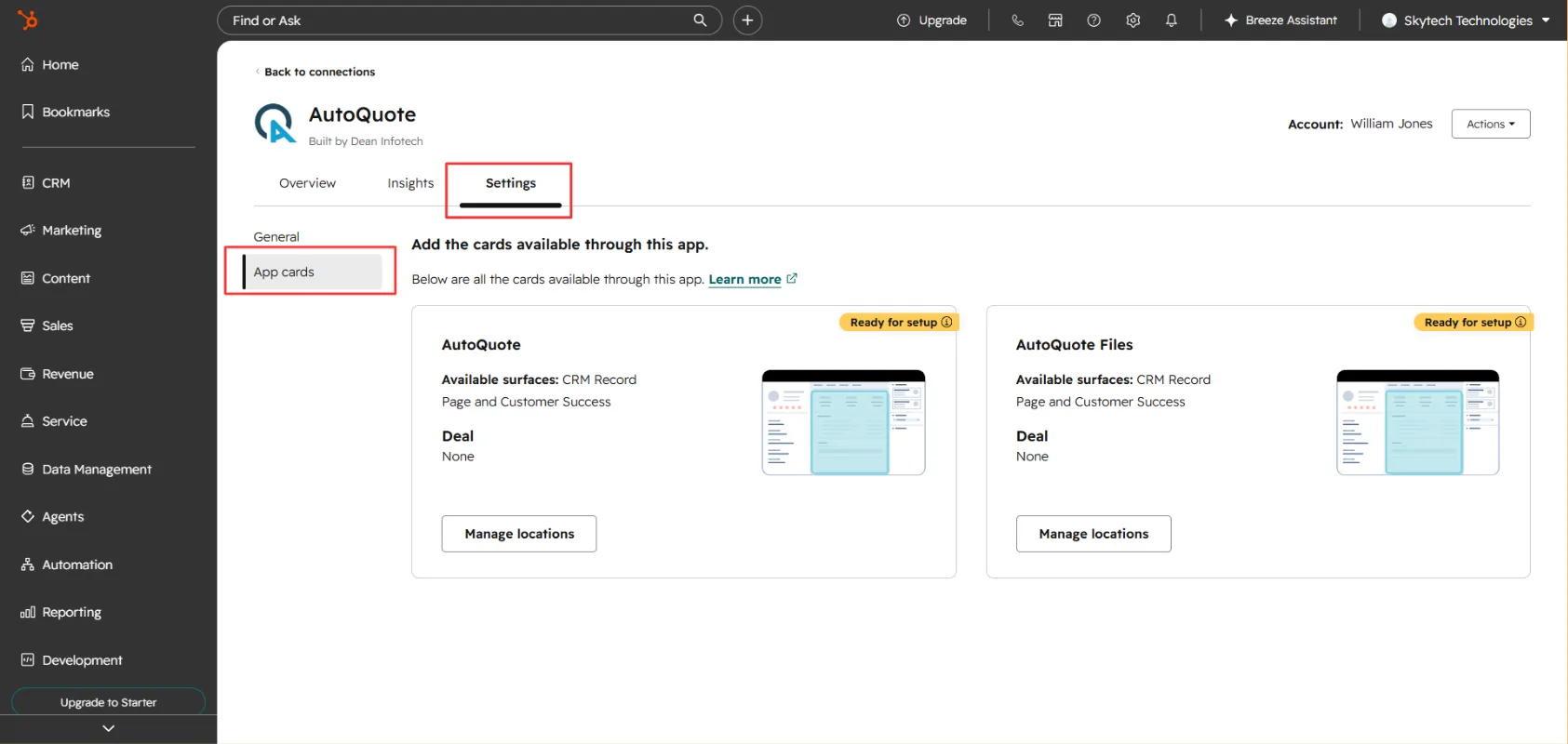
Manage location
Click Manage Location in "AutoQuote".
Manage location Enable on Record Page and Customer Success
Then tick AutoQuote in both Record Page and Customer Success. Click Save. Repeat the same process to add the AutoQuote Files Card.
Enable on Record Page and Customer Success
Once completed, the AutoQuote cards will be available on your HubSpot deal records.
Method 2: Add Cards Directly from a Deal Record
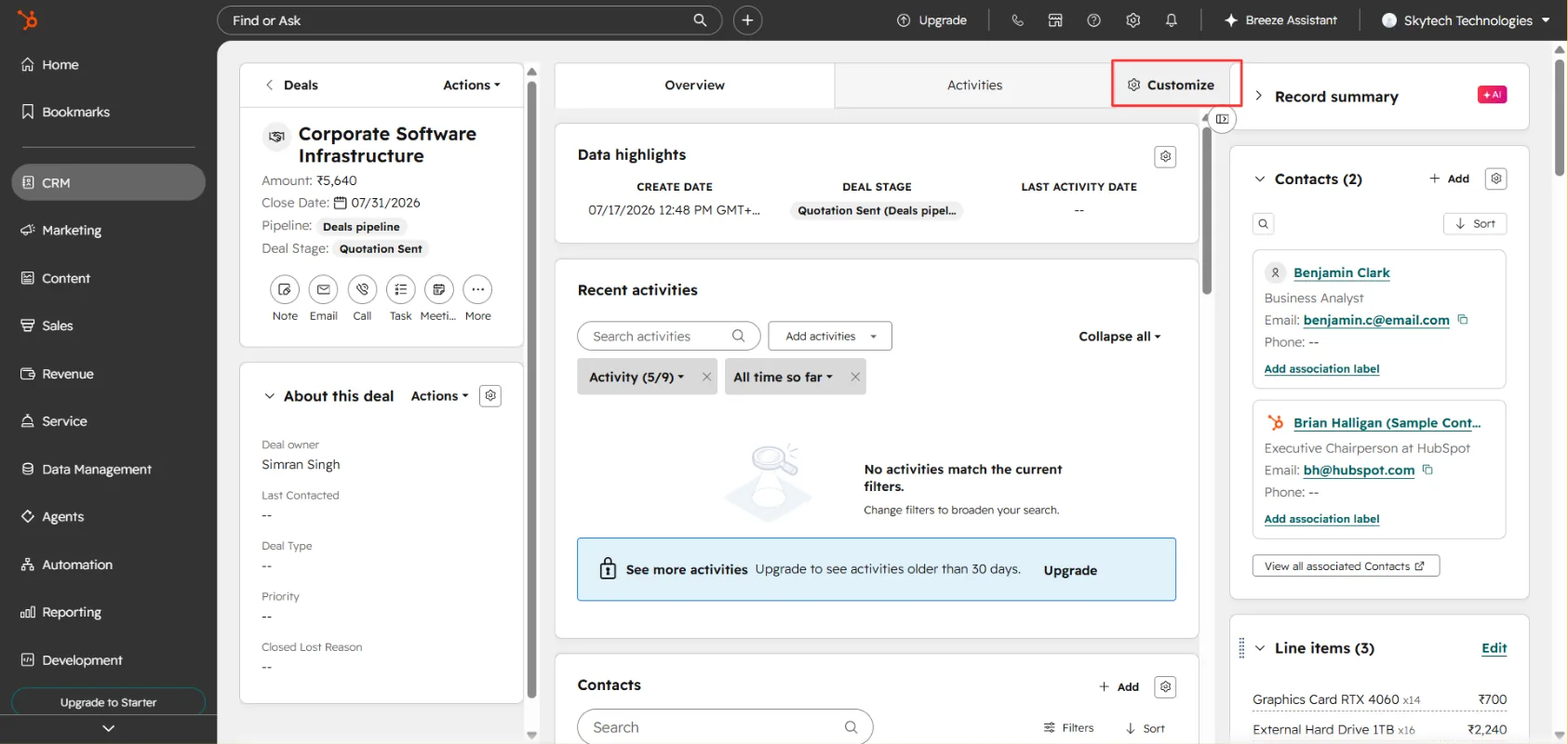
Open a deal and click Customize
Open any Deal record in HubSpot. Click Customize.
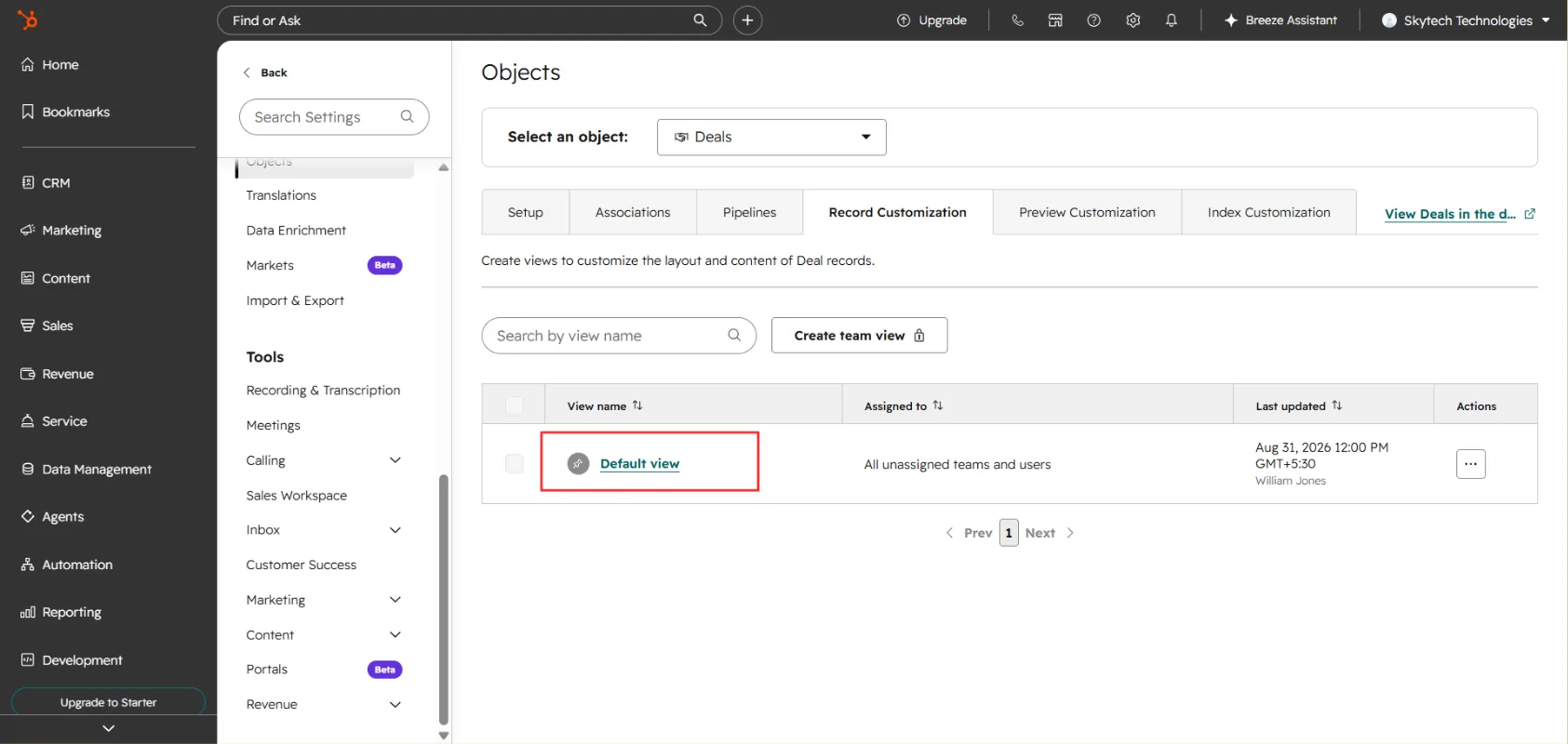
Select the deal view
Select the deal view you want to customize. For example, you can select the Default View.
Add the AutoQuote cards from the Card Library
Click the + (Add) icon at the top of the page. Open the Card Library. Search for AutoQuote. Click Add Card for both: AutoQuote, AutoQuote Files Card. Close the Card Library popup. Click Save and Exit.
Add the AutoQuote cards from the Card Library
You will now be able to see the AutoQuote cards on your HubSpot deal record, allowing you to easily access and manage your quotes and related files.
Plans & billing
Compare plans and manage your AutoQuote subscription.
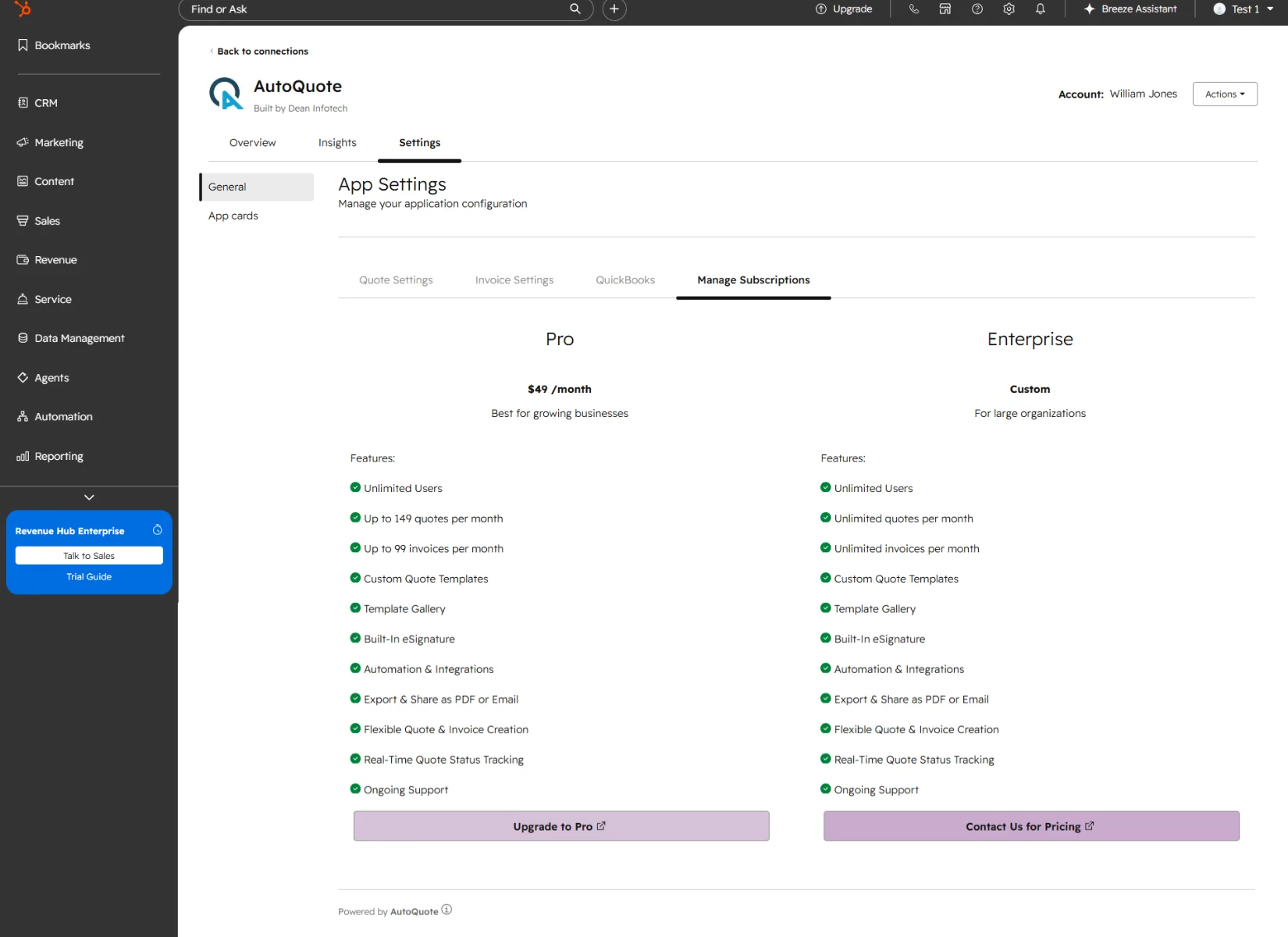
Compare Plans
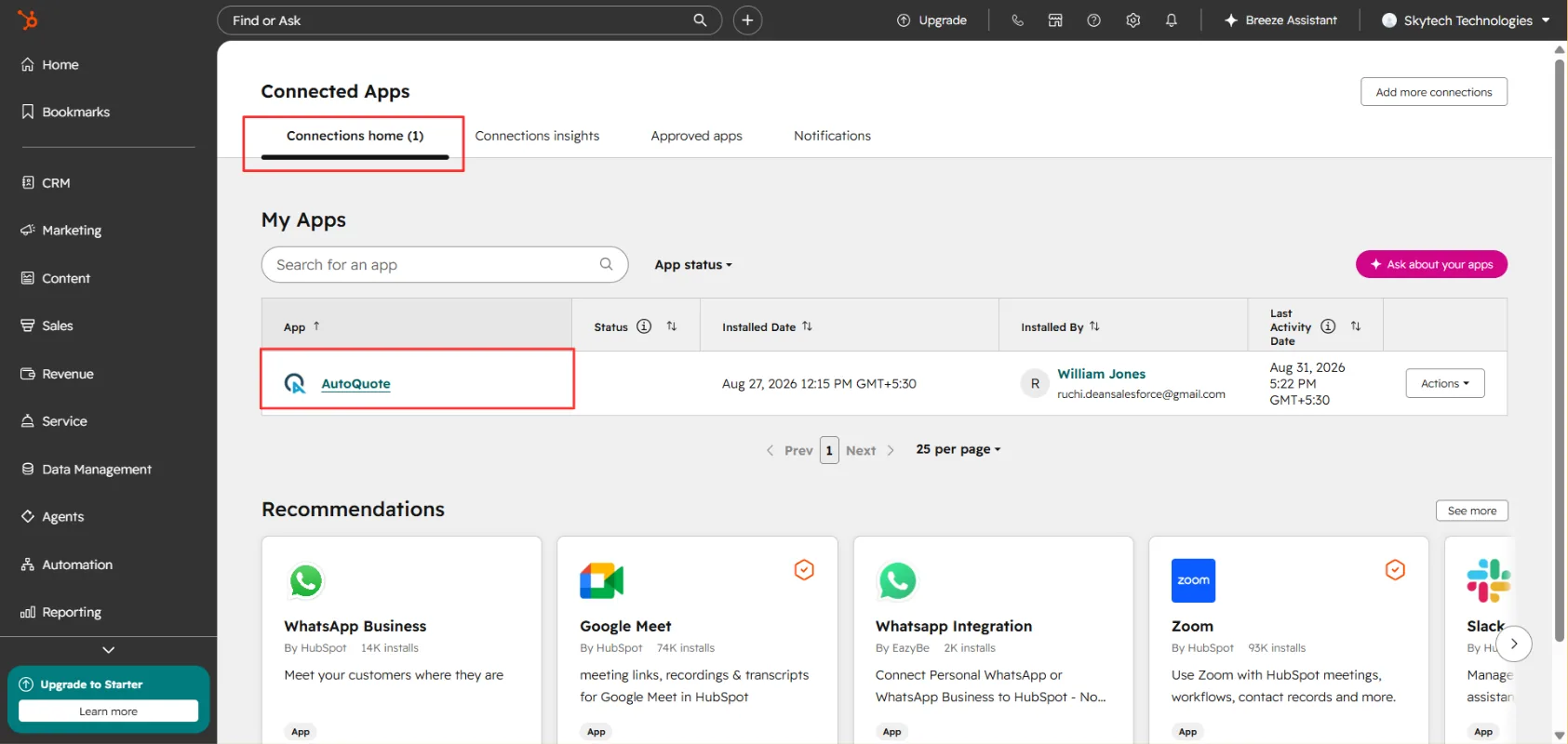
Manage Subscription in AutoQuote
Go to Connected Apps
Go to Settings. Go to Connected Apps in your HubSpot CRM. Click on AutoQuote app.
Manage your subscription
Move to the Manage Subscription Tab to manage, upgrade or downgrade your app Subscription.
Uninstalling AutoQuote
Remove the app from your HubSpot portal and understand what happens to your data.
Go to Connected Apps
Go to Settings. Go to Connected Apps in your HubSpot CRM. Choose AutoQuote app.
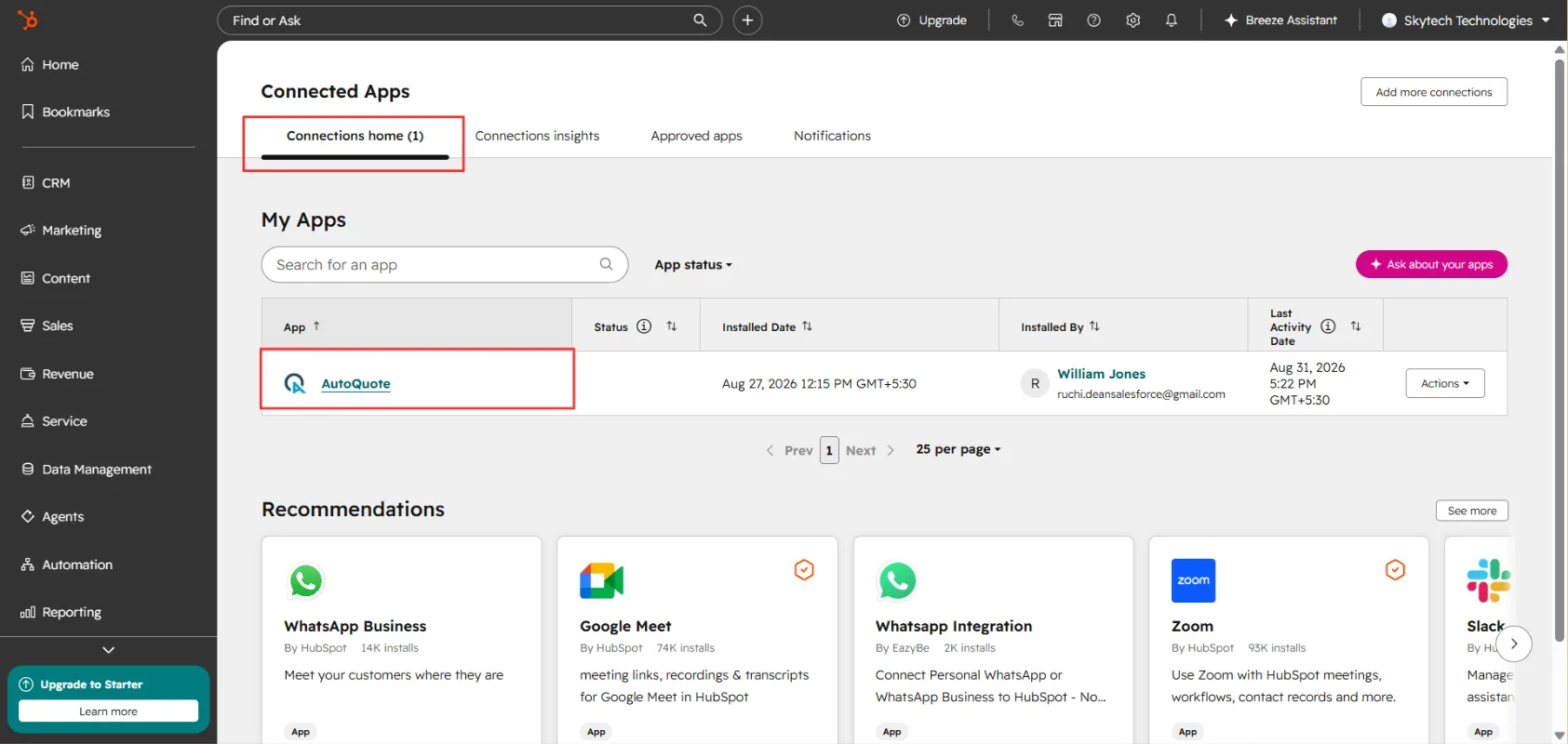
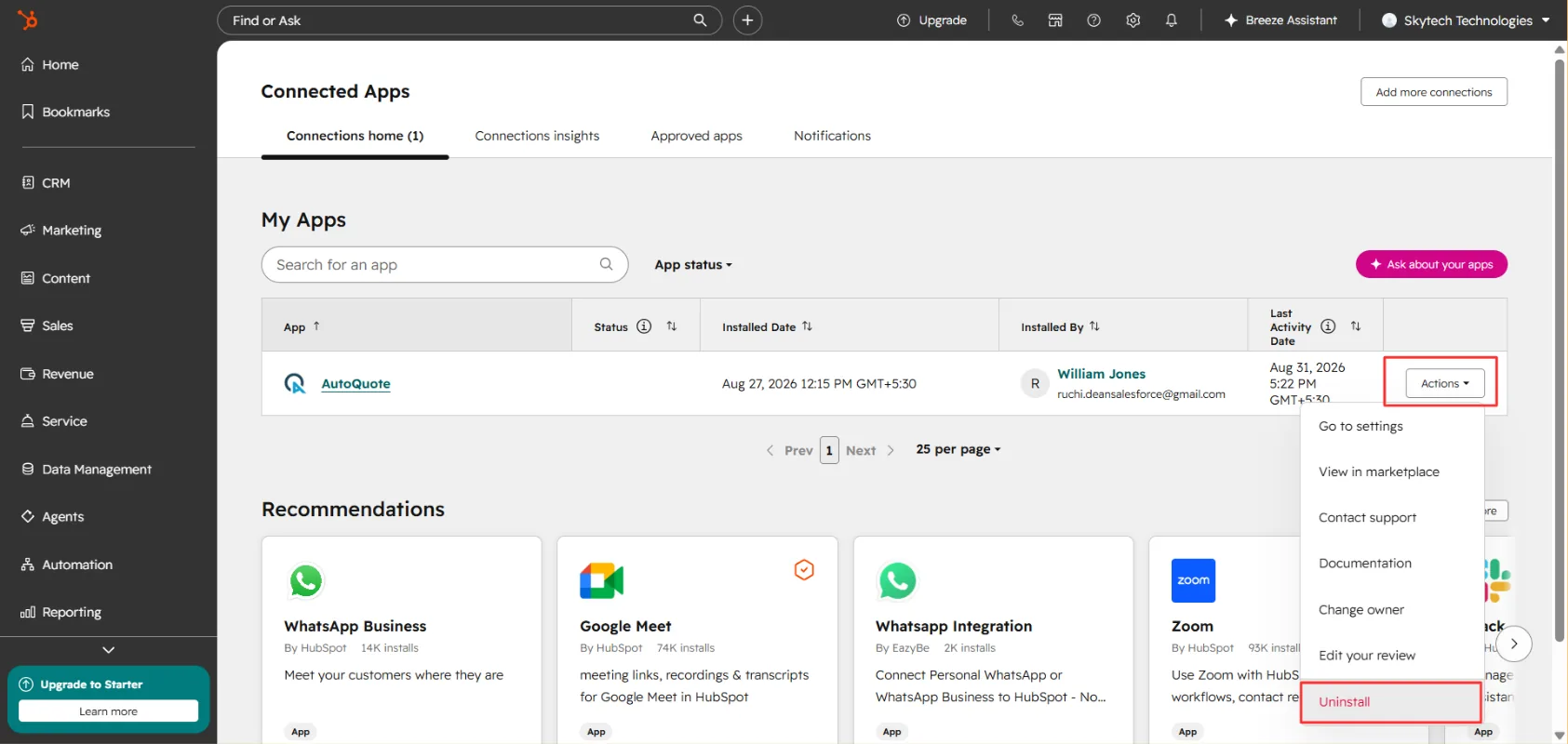
Start the uninstall
Click on "Actions". Click on Uninstall.
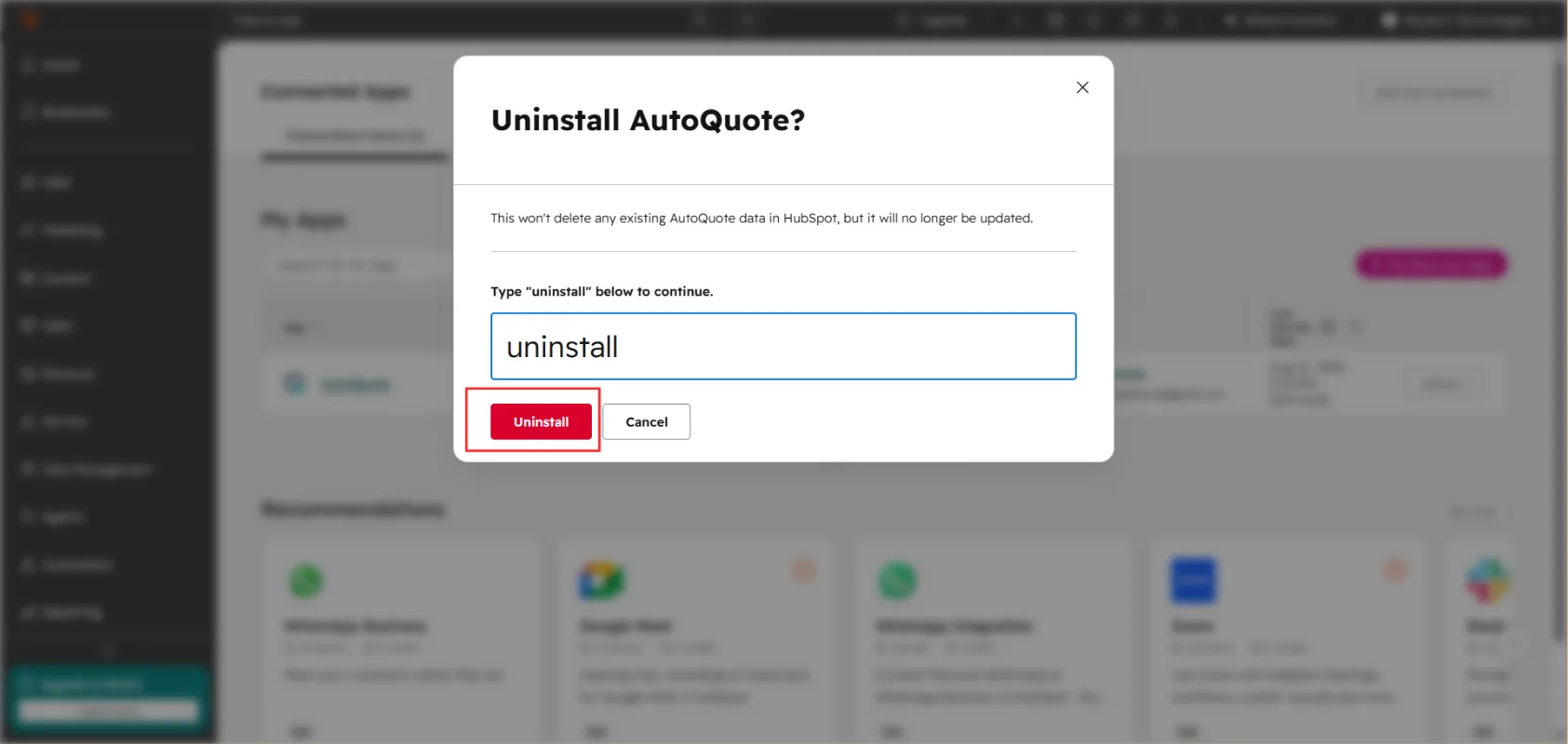
Confirm the uninstall
Type "uninstall" to continue. Click on Uninstall.
Choose a reason and finish
Choose a reason why you're uninstalling AutoQuote. Click Done.
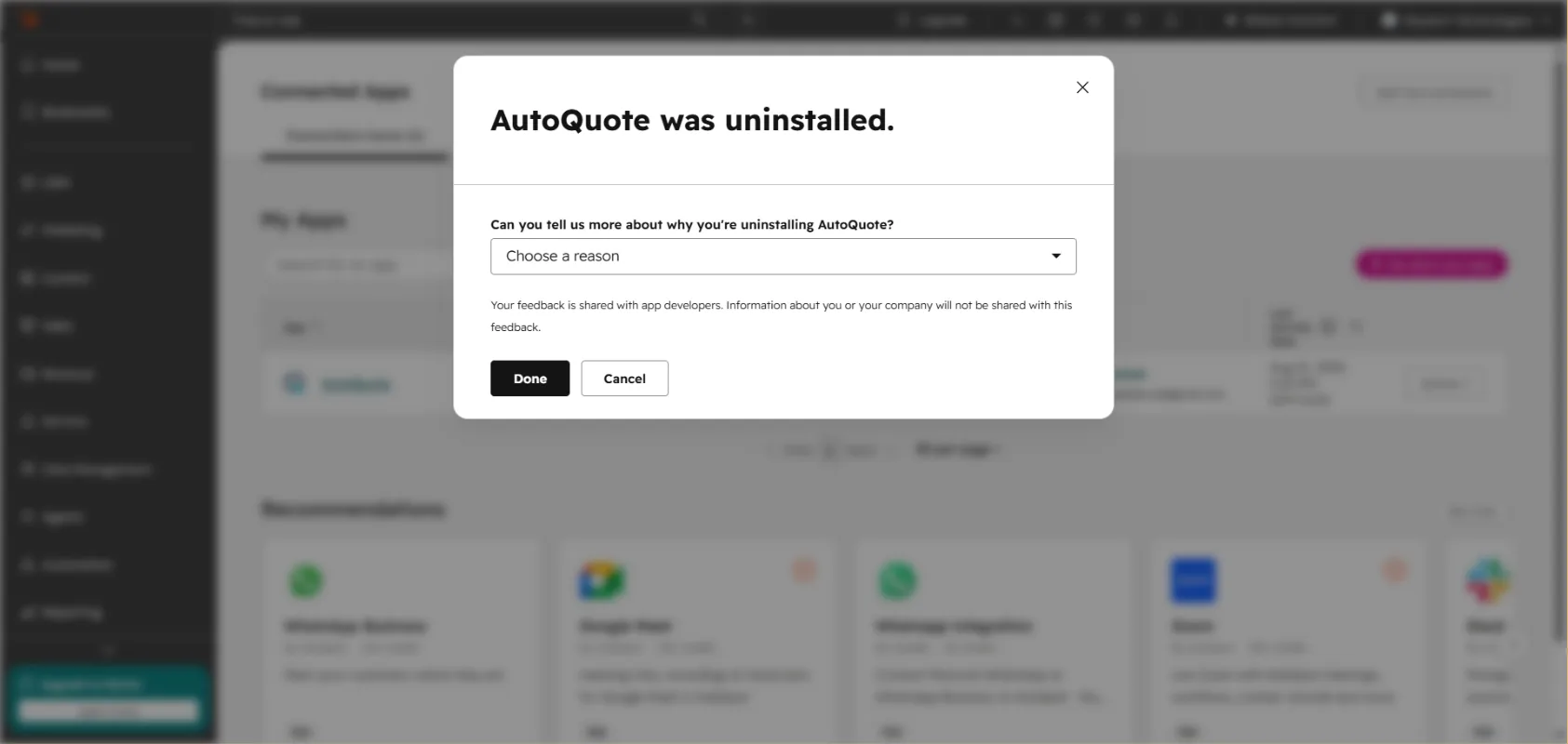
Note
Troubleshooting & FAQ
Common issues, what causes them, and how to fix them.
Troubleshoot
Quotes aren't generating when I move a deal to a new stage
Check that the deal stage you moved to actually has a quote rule configured against it. AutoQuote only triggers on stages you've explicitly set up — if a stage was added to your pipeline after the initial setup, it won't generate anything until you map a rule to it. Also confirm the deal has the required fields filled in (line items, associated contact, associated company), since missing data on the deal record is the most common reason generation silently fails.
The quote generated but line items are missing or incorrect
This usually traces back to the deal's line items not being fully populated before the stage change happened. AutoQuote pulls whatever is on the deal at the moment of the trigger, so if products were added after the quote was created, you'll need to regenerate rather than expect it to update automatically. Double-check your product library in HubSpot is current too, since outdated pricing or SKUs there will carry straight through.
I don't see the AutoQuote card on the deal page
Confirm the app is installed and connected under your account's installed integrations, and that your user has the account permissions AutoQuote requires. If it was working before and disappeared, check whether someone on your team reinstalled or reauthorized the app recently, since that can reset card placement until the page is refreshed.
Invoices aren't syncing back to the deal
Since invoices sync one-directional in most setups, verify the sync direction on your data connections hasn't been changed. If an invoice was edited outside HubSpot (directly in AutoQuote's own interface, for example), give it a few minutes to sync back, and refresh the deal record rather than assuming it's stuck.
Drag-and-drop isn't triggering anything
Make sure you're actually moving the deal across a pipeline stage boundary and not just reordering it within the same stage — reordering doesn't fire the automation. Also check that the specific pipeline you're using has AutoQuote rules configured; rules set on one pipeline don't carry over to a second pipeline automatically.
I'm hitting my monthly quote limit unexpectedly
On the Free plan, the 19-quote cap includes every quote generated automatically, including duplicates from re-triggered stage changes (for example, if a deal is moved back and then forward again). If you're bumping into the limit sooner than expected, check for pipeline stages that might be triggering more often than intended, or consider upgrading to Pro.
Templates aren't applying correctly
Confirm the correct template is assigned to the specific deal stage or product type triggering the quote. A common mix-up is having a default template set at the account level that overrides a more specific one you configured for a particular stage.
Still stuck?
If none of the above resolves it, reach out through AutoQuote's support channel with the deal ID and pipeline name — that's the fastest way for their team to trace what happened.
Frequently Asked Questions
Support & feedback
How to reach the Dean Infotech team, report an issue, or suggest a feature.
AutoQuote is built and supported by Dean Infotech. Our team is available across US and India business hours.
Contact us
USA office
India office
HR department
Feature suggestions
We ship improvements to AutoQuote every month and prioritise based on customer requests. Send feature ideas to sales@deaninfotech.com with the subject AutoQuote feature suggestion.
Leave a review