Managing customers effectively can be challenging when you're relying on spreadsheets, scattered notes, or disconnected tools. Many small businesses, freelancers, and startups struggle with organizing leads, tracking follow-ups, managing deals, and responding to client inquiries.
That’s where a CRM (Customer Relationship Management) system becomes essential. A CRM helps businesses centralize customer information, automate tasks, and ensure nothing slips through the cracks.
Salesforce, the world’s leading CRM platform, recently introduced a Salesforce Free CRM plan, giving startups and small teams access to powerful CRM capabilities at zero cost.
What Is Salesforce Free CRM?
Salesforce Free CRM (also known as the Salesforce Free Suite) is a no-cost CRM offering built for small businesses, solopreneurs, and early-stage teams.
Key highlights:
- Supports up to 2 users
- No credit card required
- No expiration as long as the account remains active
- Built on the same platform as paid Salesforce editions
- Easy upgrade path when your business grows
This makes it an ideal starting point for teams who want a reliable CRM foundation without financial commitment.
Key Features Included in Salesforce Free CRM
Despite being free, this CRM includes powerful tools categorized across sales, service, marketing, and productivity functions.
1️⃣ Sales Features
Salesforce Free CRM gives you the tools to manage the full sales cycle:
- Lead, Contact, and Account Management: Store customer details and track every interaction.
- Opportunity Management: Track deals from prospect to close with defined stages.
- Pipeline View: Visual view of open deals, values, and sales stages.
- Products & Pricebook: Manage product/service lists and pricing inside the CRM.
- Task & Activity Management: Set reminders, schedule follow-ups, and track calls/meetings.
- Email & Calendar Integration: Sync communication and log email conversations.
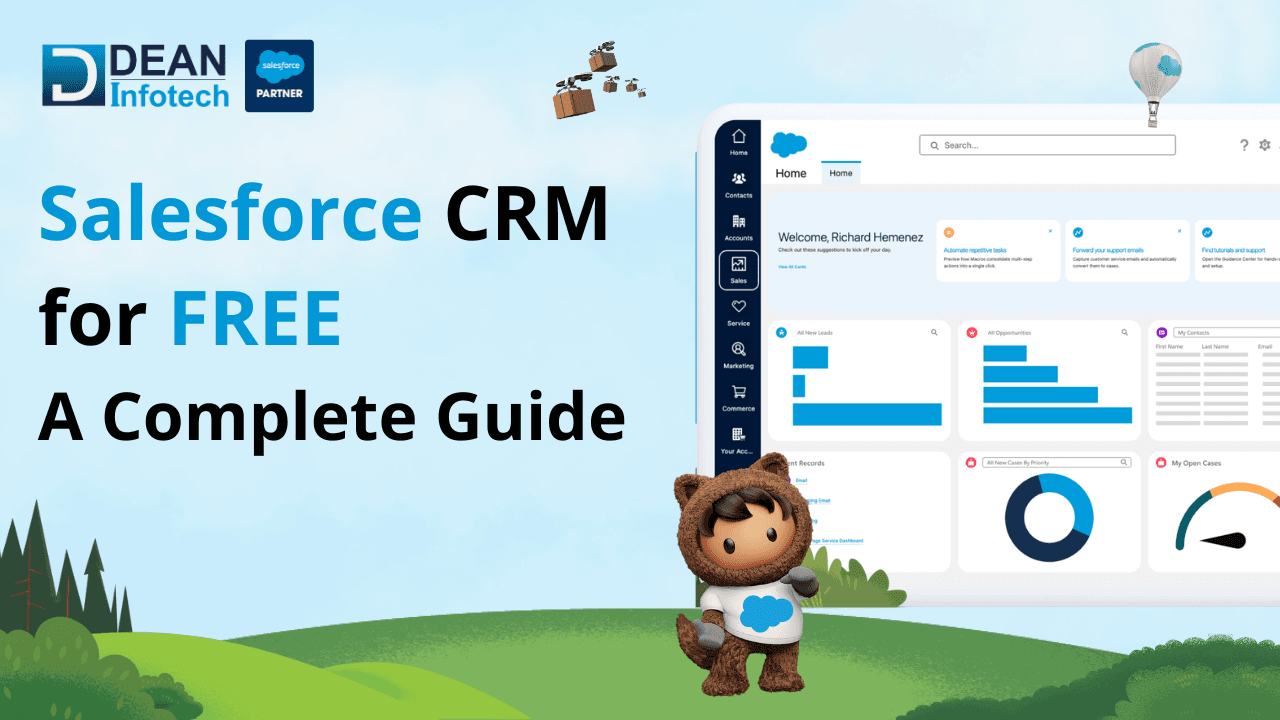
These features help sales teams stay organized, close more deals, and track performance.
2️⃣ Service & Support Features
For customer support teams, Salesforce Free CRM includes:
- Case Management: Track customer complaints, issues, and service requests.
- Case Routing (Basic): Assign cases to team members for faster resolution.
- Interaction History: View every support touchpoint with the customer.
- Internal Knowledge Base: Store common answers, FAQs, and support guidelines.
This ensures customer issues are never missed and support is delivered consistently.
3️⃣ Marketing Features
While not built for advanced automation, the Free CRM includes useful marketing capabilities:
- Web-to-Lead Capture Form: Generate leads directly from your website.
- Basic Email Marketing: Send professional emails using pre-built templates.
- Email Tracking: See open rates and response history.
- Basic Segmentation: Filter and group contacts based on attributes or activity.
Perfect for small campaigns, simple nurturing, and follow-up automation.
4️⃣ Customer Experience and Engagement
- Unified Customer Timeline: View sales, support, email, and engagement history in one place.
- Mobile App Access: Manage data, contacts, and deals from anywhere.
- Activity Logging: Maintain a complete record of interactions for personalized engagement.
This empowers teams to deliver a unified, personalized customer experience.
5️⃣ Collaboration, Reporting & Other Features
- Chatter Collaboration: Tag team members and share updates internally.
- Basic Reports & Dashboards: Get insights on leads, pipeline, win-rate, and performance.
- Customization Options: Add custom fields, layouts, and simple workflows.
- App Marketplace Access (Limited): Extend CRM functionality with compatible add-ons.
Benefits of Using Salesforce Free CRM
Implementing this CRM offers several advantages:
- Centralized customer data across teams
- Better follow-up management and accountability
- Improved customer communication and retention
- More professional workflow from Day 1
- Zero software cost — ideal for small or growing teams
It gives businesses structure without requiring additional tools or heavy IT involvement.
Who Should Use Salesforce Free CRM?
This CRM is a great fit for:
✔ Startups and early-stage founders
✔ Solopreneurs and freelancers
✔ Small sales or service teams (up to 2 people)
✔ Businesses transitioning from spreadsheets
✔ Agencies and consultants managing client pipelines
If you're starting small but planning for growth — Salesforce Free CRM sets the right foundation.
Limitations to Consider
Before adopting, note a few constraints:
- Max 2 users
- Basic marketing tools (not full automation)
- Limited customization compared to paid Salesforce editions
- No advanced workflows, AI, or premium analytics
- Limited email send capacity for marketing
These limitations are manageable initially, and upgrades are available when the business grows.
How to Get Started
Getting started with Salesforce Free CRM is simple:
- Sign up online — no card required.
- Add your business details and users.
- Import existing customers/leads.
- Connect your email and calendar.
- Start logging deals, follow-ups, and support cases.
- Customize reports and dashboards as needed.
Within a day, most teams are fully operational.
Final Thoughts: Is Salesforce Free CRM Worth It?
Yes — absolutely.
Salesforce Free CRM provides small businesses and early startups access to a world-class CRM platform without any investment. It keeps your business organized, increases efficiency, improves customer salesforce Free Consultation, and builds a scalable foundation for future growth.
And when your team grows beyond two users or requires advanced automation, upgrading is smooth and seamless — no data migration required.
If you're looking for a CRM that grows with your business, SRM is one of the best places to start.
Need expert help with your next project?
Get expert guidance across Salesforce, HubSpot, GoHighLevel (GHL), AI, and web development — tailored to your business.






Comments