Most HubSpot problems that get blamed on the tool are really data problems. Reports that don't add up, duplicate contacts, deals with no company attached, workflows that fire on the wrong people. When you trace them back, the cause is often the same: data went into the CRM without a clear plan for where each piece belongs.
That plan is what a HubSpot Data Mapping Service provides. This guide covers what data mapping is, why it matters, what a good service includes, when you need one, and which mistakes to avoid.
What Is HubSpot Data Mapping?
Short Answer: Data mapping in HubSpot involves the alignment of fields from the source systems (excel sheets, other CRMs, billing tools, databases) to the appropriate objects and properties in HubSpot. This defines how every individual item of data will be managed once it is imported.
HubSpot organizes information into objects: contacts, companies, deals, tickets, and custom objects. Each object has properties, such as email, lifecycle stage, deal amount, or close date. Records are linked through associations, for example a contact tied to a company, or a deal tied to several contacts.
Mapping answers a few practical questions:
- Which source field becomes which HubSpot property?
- Does a property already exist, or do you need a custom one?
- Do the field types match (text, dropdown, date, number, checkbox)?
- How will records be matched, so you update existing ones instead of creating duplicates?
- How will associations between records be rebuilt?
Think of it as a translation guide between two systems. Without it, the data may technically load, but it won't mean the same thing on the other side.
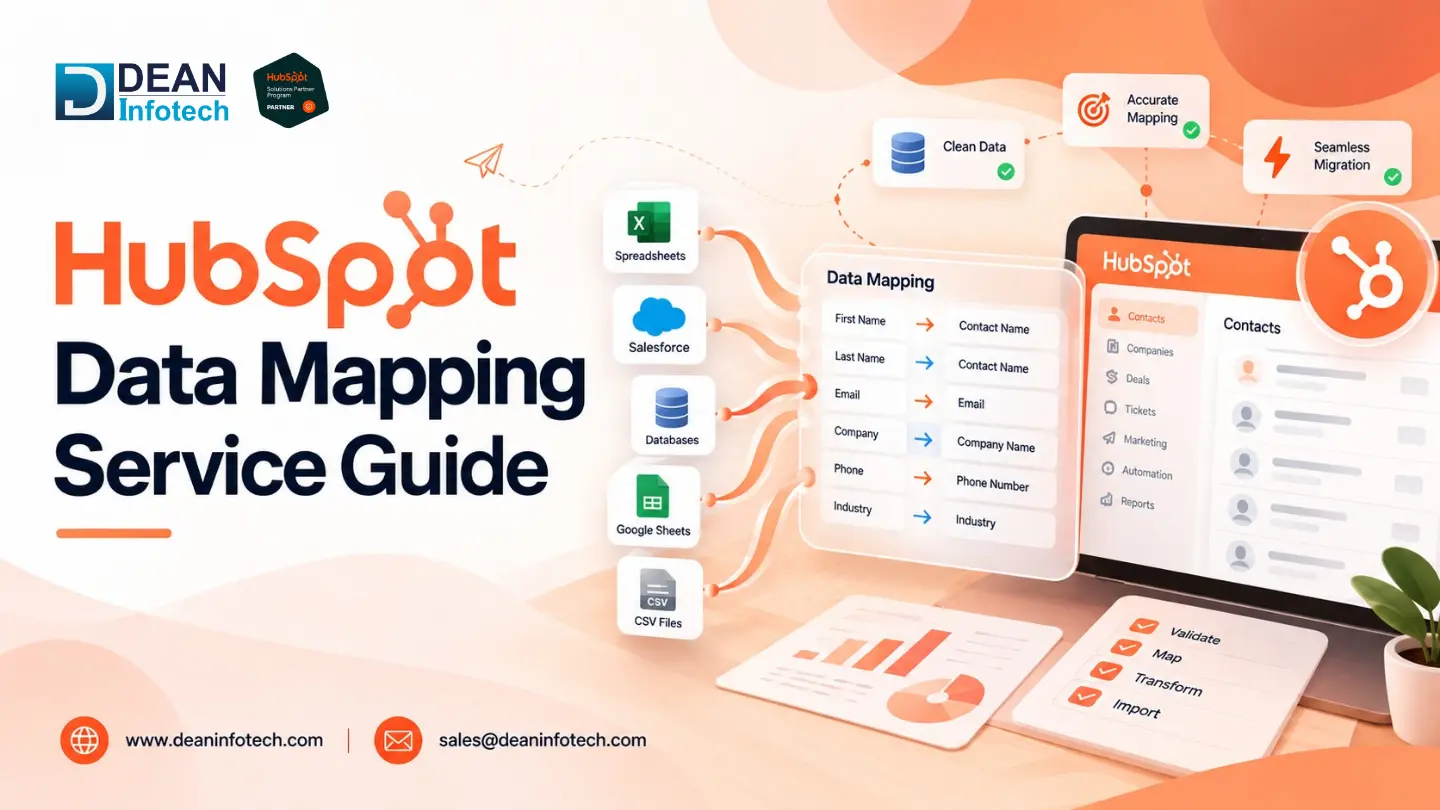
HubSpot CRM data mapping is the same idea applied specifically to your CRM records. It usually covers the one-time work of a migration as well as the ongoing syncs that keep HubSpot aligned with the rest of your stack.
Here's a simplified example of what a mapping document looks like:
Source field | HubSpot object | HubSpot property | Notes |
Email Address | Contact | Used as the unique identifier | |
Account Name | Company | Company name | Match on domain to avoid duplicates |
Stage | Deal | Deal stage | Source values must be translated to pipeline stages |
Industry | Company | Industry | Dropdown values must match HubSpot's internal values |
Owner | Contact | Contact owner | Map by user email, not display name |
Why Is Data Mapping Important for HubSpot Users?
Short Answer: HubSpot is only as useful as the data inside it. Marketing segmentation, lead scoring, sales forecasting, and service reporting all read from the same properties. If those properties are inconsistent, everything downstream is affected.
1. Cleaner, more trustworthy data. Mapping forces you to decide, before anything moves, what a "lead" is, what counts as a lifecycle stage, and which fields are required. That prevents the slow buildup of junk properties and half-filled records.
2. Fewer duplicates. Contacts are de-duplicated by their email addresses while companies are de-duplicated based on domain names in HubSpot. Imports may also be mapped to Record ID or an identifier property. Without this consideration in your mappings, there will be multiple entries for the same contact or company.
3. Accurate reporting. A forecast is only as good as the deal amounts, close dates, and pipeline stages behind it. If "Closed Won" in your old system maps to the wrong stage in HubSpot, revenue reports will be wrong from day one.
4. Reliable automation. Flows, sequences, and lead routing rules are based on properties. An incorrect mapping of a drop-down list will silently place the wrong people on the wrong nurturing path.
5. Smoother integrations. When HubSpot syncs with a finance tool, an ERP, or another CRM, field mapping decides which system wins when values conflict and which direction data flows. Getting this right early avoids sync errors later. This is also the core of HubSpot integration services, where mapping is the foundation of every connection.
6. Lower rework costs. Fixing bad data after it's in the CRM, across thousands of records and live workflows, takes far longer than mapping it properly first.
What Does a HubSpot Data Mapping Service Include?
Scope varies by provider, but a solid service generally covers the following stages.
1. Data audit and discovery
The team reviews your source systems and your current HubSpot portal: what data exists, where it lives, how clean it is, and how it's used. This is where unused fields, inconsistent formats, and duplicate-heavy segments show up.
2. Object and property planning
Next comes deciding which HubSpot objects will hold which data. This includes reusing default properties where they fit, creating custom properties where they don't, and choosing the right field type for each. The field type matters more than people expect. A date stored as text can't be used in date-based workflows, and a free-text field can't power a clean dropdown filter.
3. Field-level mapping document
This is the main deliverable: a clear spreadsheet that shows every source field, its HubSpot destination, the transformation rule, and the owner who approved it. It becomes the reference for your team long after the project ends.
4. Value and format standardization
Many errors happen at the value level, not the field level. A good service handles things like:
- Dropdown, radio, and checkbox values, which must match HubSpot's internal values rather than the visible labels
- Multiple-checkbox fields, where values are separated by semicolons on import
- Date and number formats, and time zones
- Country, state, and phone number formatting
- Lifecycle stage and lead status values, which have rules about moving backward (by default, an import can't move a record to an earlier lifecycle stage unless the value is cleared first)
5. Association mapping
Contacts, companies, deals, and tickets need to connect correctly. This includes association labels, such as "Decision maker" or "Billing contact," which let you describe the relationship rather than just record it.
6. Test imports and validation
Before the full load, the team runs a small batch, checks the results record by record, and fixes mapping gaps. Skipping this step is one of the most common reasons imports go wrong.
7. Integration and sync configuration
For connected systems, the service defines sync direction (one-way or two-way), which system takes priority when values differ, and how often data updates. Tools such as Data Hub (previously Operations Hub) add data sync, data quality automation, and programmable workflows that make this more manageable at scale.
8. Documentation and handover
You should end up with the mapping document, a data dictionary, and notes your admins can use. Without that, every future change becomes guesswork.
When Do You Need a HubSpot Data Mapping Service?
You can often handle a simple CSV import in-house. But some situations carry enough risk that expert help pays for itself.
- You're migrating from another CRM. Moving from Salesforce, Zoho, Pipedrive, or Dynamics means translating pipelines, custom fields, activity history, and ownership rules. A dedicated HubSpot migration service usually treats mapping as the first phase for this reason.
- You're onboarding to HubSpot for the first time. A clean structure from the start is easier than fixing one later. Mapping is a core part of good HubSpot onboarding services.
- You're connecting HubSpot to other systems. ERP, billing, support, e-commerce, or data warehouse connections all depend on agreed field mappings.
- Your data is already messy. If you see duplicates, inconsistent values, and unclear ownership, remapping and cleanup are usually needed before anything else.
- You're merging teams, business units, or portals. Combining two sets of properties and pipelines requires deliberate decisions.
- Reporting doesn't match reality. If sales and marketing disagree about the numbers, the root cause is often how fields are defined and populated.
- You lack internal admin capacity. Ongoing property governance, new fields, and sync maintenance fit naturally into HubSpot managed services if you don't have a full-time HubSpot admin.
A quick test: if a mistake would affect revenue reporting, customer communication, or live automation, it's worth getting it reviewed.
Common HubSpot Data Mapping Challenges
Even experienced teams run into the same issues repeatedly.
Mismatched field types. Importing a text value into a dropdown or number property either fails or leaves the field blank. The fix is to confirm types in the planning stage, not during the import.
Dropdown values that don't match. HubSpot compares the internal value of an option, not just its label. If your source says "Enterprise" and the HubSpot option's internal value is "enterprise_tier," the import won't map it as expected.
Duplicate records. If the unique identifier is missing or inconsistent (a contact without an email, a company with a variation of its domain), duplicates slip in. Decide on your matching rules up front.
Broken associations. Records import, but the relationships between them don't. Deals end up floating without contacts or companies, which breaks reporting and ownership views.
Pipeline and stage mismatches. Different systems define sales stages differently. Without a deliberate translation, deal stage reports lose their meaning.
Overusing custom properties. It's tempting to create a new property for every source field. The result is a cluttered portal that's hard to use. Map only what you'll actually use for segmentation, automation, or reporting, and archive the rest.
Sync conflicts. In two-way syncs, if both systems can edit the same field, values can overwrite each other. Set clear rules for which system is the source of truth for each field.
Poor documentation. If only one person knows how the mapping works, you have a risk. Keep a living data dictionary.
Skipping testing. A 50-record test import takes a few hours and can save weeks of cleanup.
How to Choose the Right HubSpot Data Mapping Provider
If you decide to bring in a partner, look for:
- Hands-on experience with HubSpot objects, associations, APIs, and data sync tools
- A clear process that includes audit, mapping document, test, and validation stages
- Experience with your source system and industry
- Transparent documentation and handover
- Ongoing support options after launch
Ask to see a sample mapping document. It tells you a lot about how a team thinks.
Conclusion or Key Takeaway
A HubSpot Data Mapping Service isn't about moving data from A to B. It's about making sure your CRM reflects your business accurately, so reports are reliable, automation behaves, and your teams trust what they see. Good HubSpot data mapping begins with an audit, produces a clear field-level plan, and ends with tested, documented data.
Whether you're migrating, onboarding, or building new HubSpot data integration services across your stack, investing in mapping early will save you the far larger cost of cleaning up later. If you want help planning it, a HubSpot specialist can review your current setup and identify the highest-risk gaps first.
Need expert help with your next project?
Get expert guidance across Salesforce, HubSpot, GoHighLevel (GHL), AI, and web development — tailored to your business.









Comments